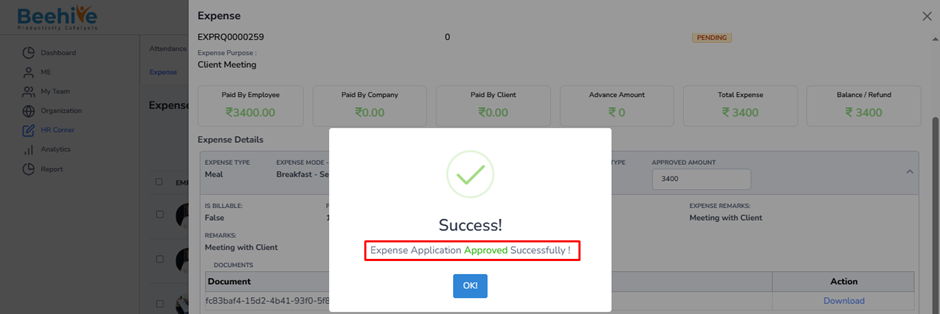
Admin Expense Approval
The Admin Expense Approval page displays expense applications that have completed the manager approval process and are awaiting final Admin action.
An expense application will be available in HR Corner → Expense when –
– Reporting Manager 1 has approved the expense request.
Reporting Manager 2 (Final Manager Approver) has approved the expense request.
– The expense application has not yet been finally approved by Admin.
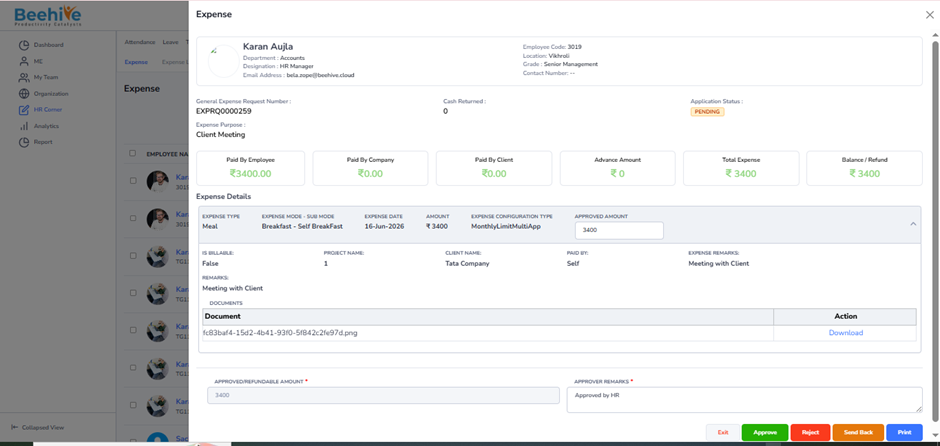
The Admin can review the expense details, supporting documents, approved amount, and remarks provided by previous approvers before taking action.
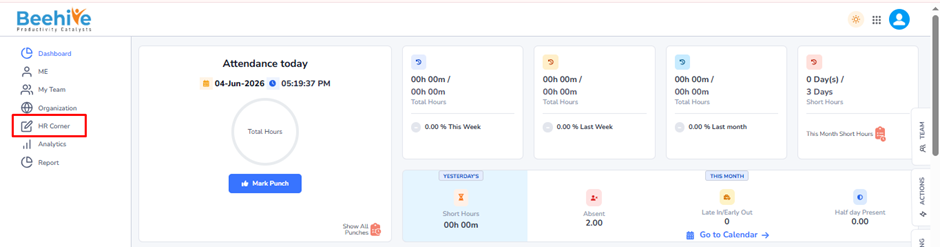
Navigation –
Login -> HR Corner -> Expense -> Admin Expense Approval
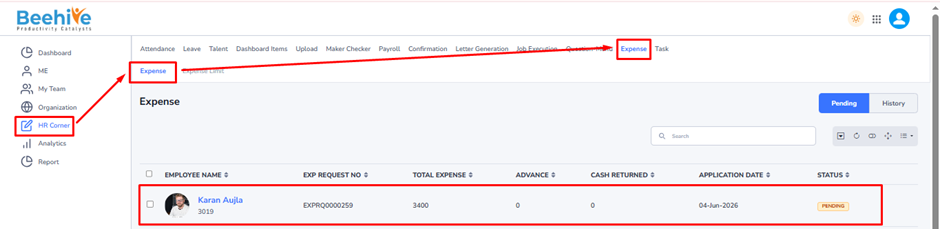
Note: Expense applications that exceed the configured expense limit will not appear in the regular Admin Expense Approval page. Such applications are automatically routed to the Expense Limit Approval page, where HR can review and approve expenses that exceed the defined limits as per the organization’s expense policy.
Actions Available to Admin –
Approve – Final approval of the expense claim.
Reject – Rejects the expense claim.
Send Back – Returns the application for correction or additional information.
Print – Prints the expense application details.
Exit – Closes the screen without taking any action.
Note – Only expense applications that are approved by both Reporting Manager 1 and Reporting Manager 2, but are pending final Admin approval, will be displayed in this page. Once the Admin approves or rejects the application, it is moved from the Pending list to the History section.
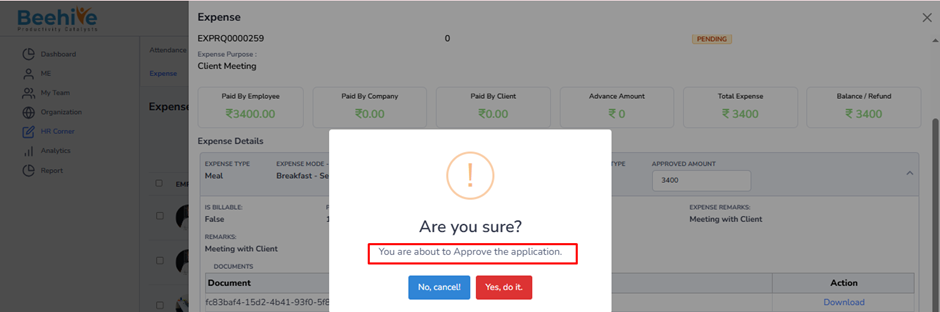
After the approver clicks the Approve button, a confirmation pop-up message is displayed indicating that the Expense Application has been approved successfully.