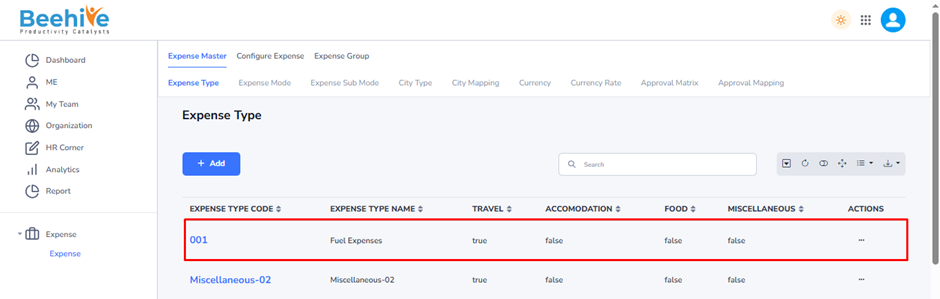
Expense Type
Expense Type is a master configuration used to define different categories of expenses that employees can claim through the Expense Management system. It helps organizations classify, manage, and track expenses based on their nature and purpose.
By creating Expense Types, organizations can standardize expense claims, apply category-specific policies and limits, simplify approval workflows, and generate accurate expense reports and analytics. Each expense submitted by an employee is mapped to an Expense Type, ensuring proper classification and reimbursement processing.
Navigation –
Login -> Module Box-> Expense -> Expense Master -> Expense Type
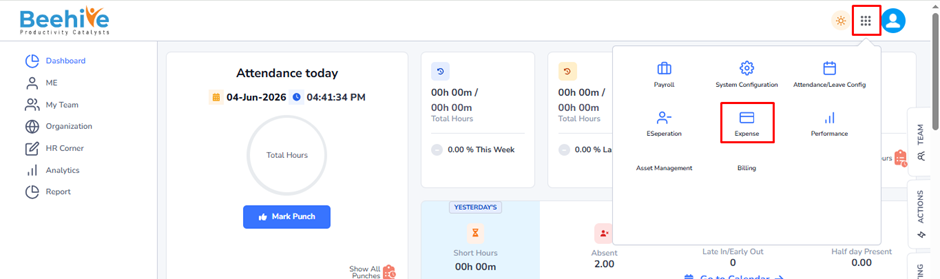
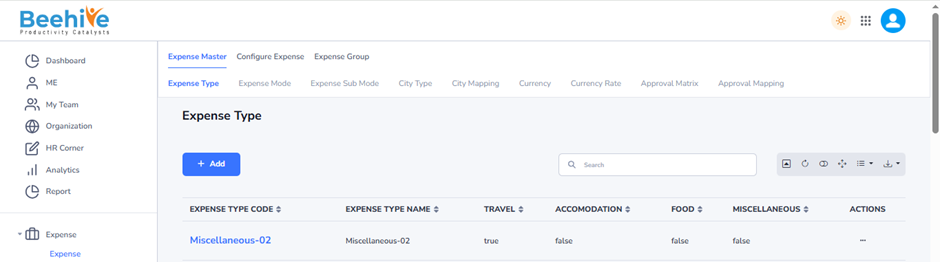
Click on Add button and Fill the details.
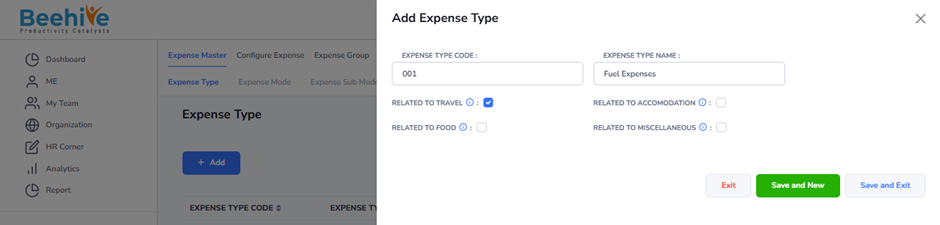
Expense Type Code: Enter a unique code to identify the expense type within the system.
Expense Type Name: Enter the name of the expense category that employees will use while submitting expense claims.
Related to Travel -Enable this option if the expense type is associated with travel-related expenses such as transportation or conveyance.
Related to Accommodation – Enable this option if the expense type is related to lodging, hotel stays, or accommodation expenses.
Related to Food – Enable this option if the expense type is used for meal or food-related expenses incurred during official work.
Related to Miscellaneous – Enable this option if the expense type falls under other expenses that do not belong to travel, accommodation, or food categories.
These configurations help classify expenses correctly and simplify expense claim processing, reporting, and policy management.
Created Expense ype master visible on the Index page.