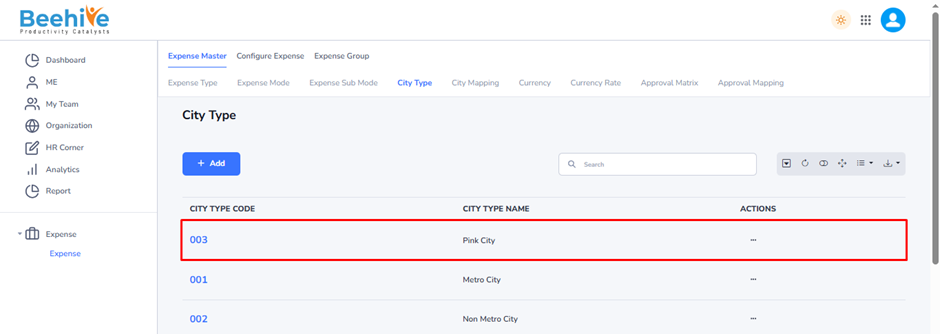
City Type
City Type is a configuration that defines how city information will be captured during expense claim submission. It determines whether employees must select a city from a predefined list, enter the city name manually, or submit the expense without providing any city information. This helps organizations manage location-based expense data according to their business requirements.
Navigation –
Login -> Module Box-> Expense -> Expense Master -> City Type
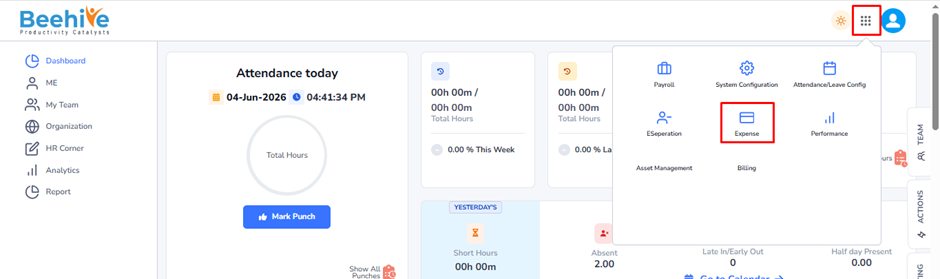
Click on Add button and Fill the details.
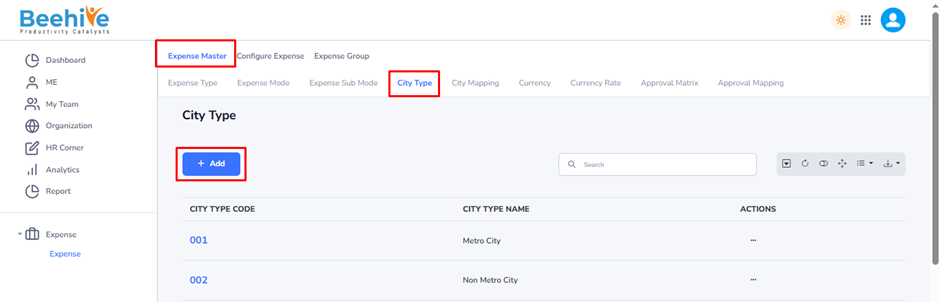
City Type Code – Enter a unique code to identify the City Type within the system. This code is used for reference and mapping purposes.
City Type Name – Enter the name of the City Type. For example, cities can be categorized as Metro City, Non-Metro City, Tier-1 City, Tier-2 City, Pink City, etc., based on organizational requirements.

Created Master will be Visible on the Index page.