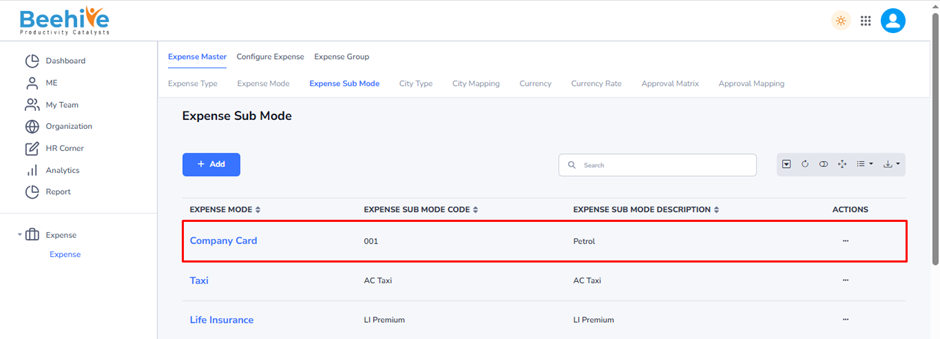
Expense Sub-Mode
Expense Sub Mode is a detailed classification created under an Expense Mode to further categorize employee expenses. It helps organizations define specific expense items within a particular expense mode, making expense tracking, validation, and reimbursement more accurate.
For example –
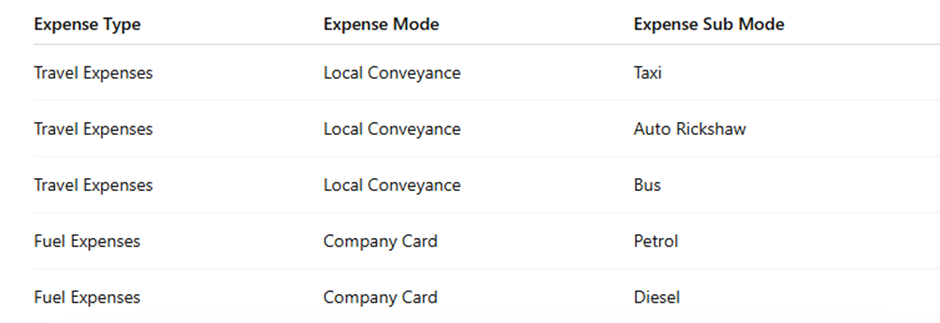
Purpose of Expense Sub Mode –
Expense Sub Modes are used to break down broad expense categories into specific expense items, ensuring better expense classification and policy enforcement.
Benefits of Expense Sub Mode –
– Provides detailed categorization of employee expenses.
– Enables organization-specific expense policies and limits.
– Improves expense reporting and analytics.
– Simplifies expense verification and approval processes.
– Ensures accurate reimbursement and audit tracking.
Employees select the appropriate Expense Sub Mode while submitting an expense claim, allowing the system to capture the exact nature of the expense.
Navigation –
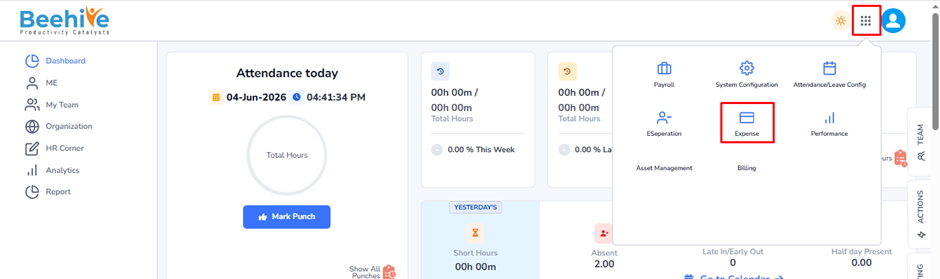
Login -> Module Box-> Expense -> Expense Master -> Expense Submode
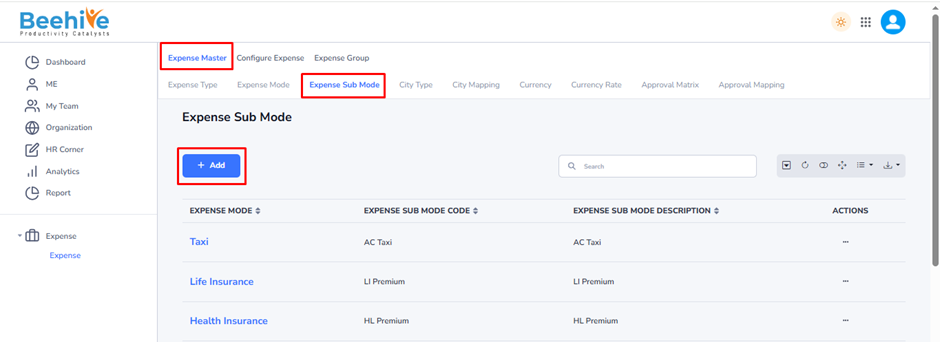
Click on Add button and Fill the details.
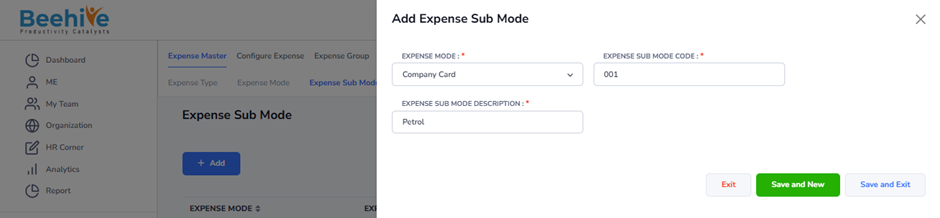
Expense Mode -Select the Expense Mode under which the Expense Sub Mode will be created. In this example, the selected Expense Mode is Company Card.
Expense Sub Mode Code – Enter a unique code to identify the Expense Sub Mode within the system. This code is used for reference and reporting purposes.
Expense Sub Mode Description – Enter the name or description of the Expense Sub Mode. In this example, Petrol is defined as a sub-category under the Company Card expense mode.
This configuration enables organizations to create detailed expense classifications, ensuring accurate expense claim submission, approval, reimbursement, and reporting.
Created Masters will be visible on the Index Page.