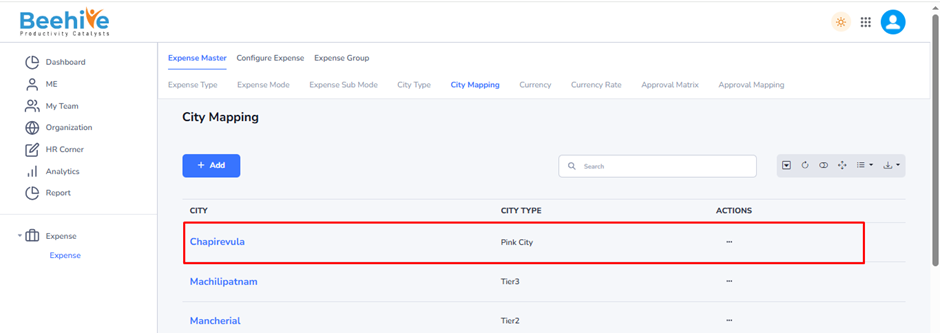
City Mapping
City Mapping is a configuration used to associate individual cities with a predefined City Type. It helps organizations classify cities into categories such as Metro, Non-Metro, Tier-1, Tier-2, or any custom city type defined in the system.
For example –
Mumbai → Metro City
Delhi → Metro City
Jaipur → Pink City
Pune → Tier-2 City
Purpose –
City Mapping ensures that each city is linked to the appropriate City Type so that expense policies, travel allowances, and reimbursement limits can be applied automatically based on the city classification.
Navigation –
Login -> Module Box-> Expense -> Expense Master -> City Mapping
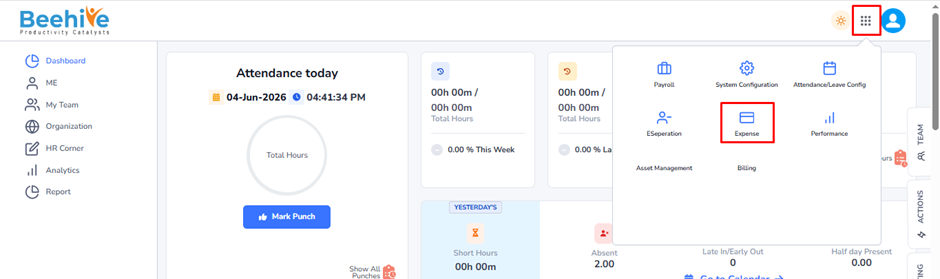
Click on Add button and Fill the details.
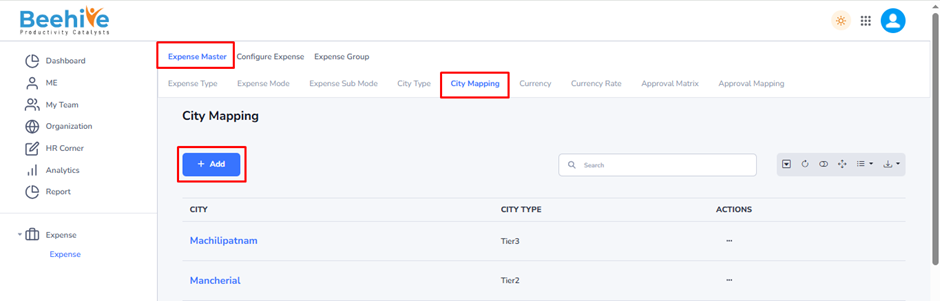
Click on Add button and Fill the details.

City Type * (Mandatory)
– Dropdown field to select the category/type of city.
– Examples may include –
– Metro City
– Non-Metro City
– Tier 1
– Tier 2
– Tier 3
The available values depend on the system configuration.
City * (Mandatory) –
– Dropdown field to select the city that will be mapped.
– Only one city is selected per mapping entry.
Created Master Will be Visible on the index page.