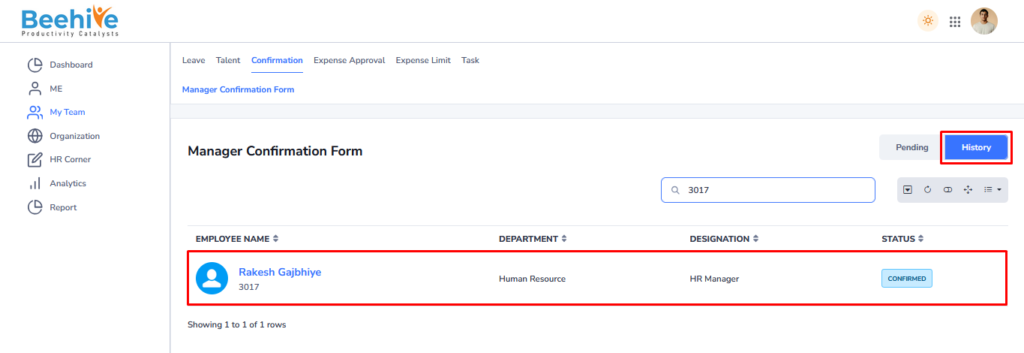
Manager Confirmation Flow
Manager Confirmation Form is used by managers to review and evaluate an employee’s performance during the confirmation process after the probation period. This form allows managers to provide feedback on the employee’s work performance, behavior, attendance, skills, and overall suitability for confirmation. Managers can enter remarks, ratings, achievements, strengths, and areas of improvement based on the employee’s performance during probation. The form also helps managers recommend whether the employee should be confirmed, extended on probation, or rejected according to company policies. After completing the evaluation, the manager can submit the form for further approval or final processing. This process helps organizations maintain a transparent and structured employee confirmation workflow.
We Need to Execute the Job to Open the Confirmation Form – “exec Proc_ConfirmationEmail”
The form opens at the Manager end after the job execution process is completed. Manager can then access and complete the required confirmation activities in the system and Form Status at Manager end will be “Employee Submitted”
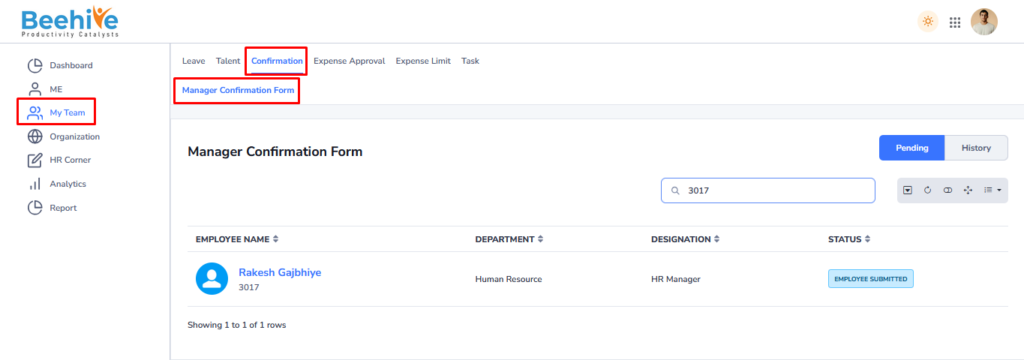
- The Manager Confirmation Form, which is used by managers to review and evaluate an employee during the confirmation process after probation.
- The top section displays employee information such as Employee Name, Employee Code, Date of Joining, Designation, Work Location, Department, Reporting Manager, Employee Status, and Date of Confirmation.
- The Status field indicates the current stage of the confirmation process, such as “Employee Submitted,” showing that the employee has already completed and submitted the form.
- The Employee Questionnaire section contains performance evaluation questions related to work quality, efficiency, attendance, and other job-related criteria.
- Managers can provide ratings such as Good, Fair, or Excellent and enter comments or feedback for each question based on the employee’s performance.
- This form helps managers assess employee performance, provide recommendations, and support the final confirmation decision in a structured and transparent manner.
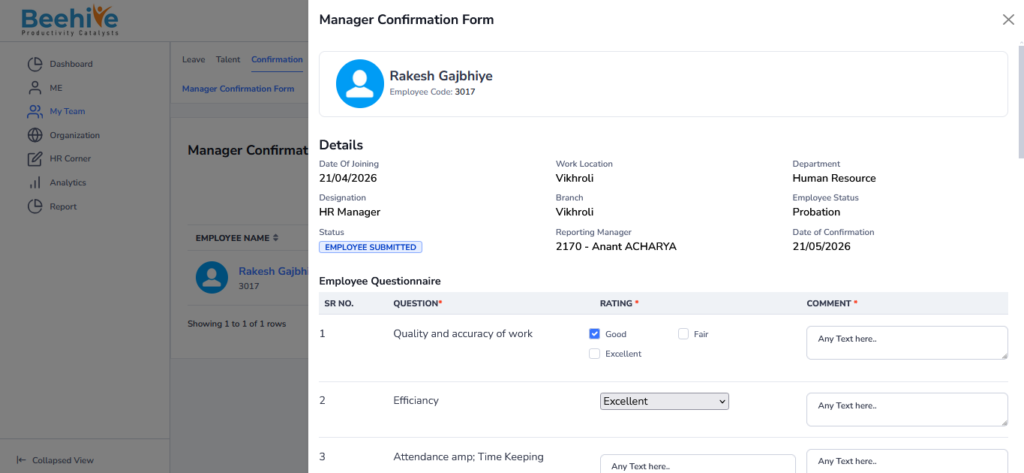
Fill in all the details in the Employee and Manager Questionnaire sections, and then click on the Submit button. The form will be approved based on the selected status and recommendation provided by the manager.
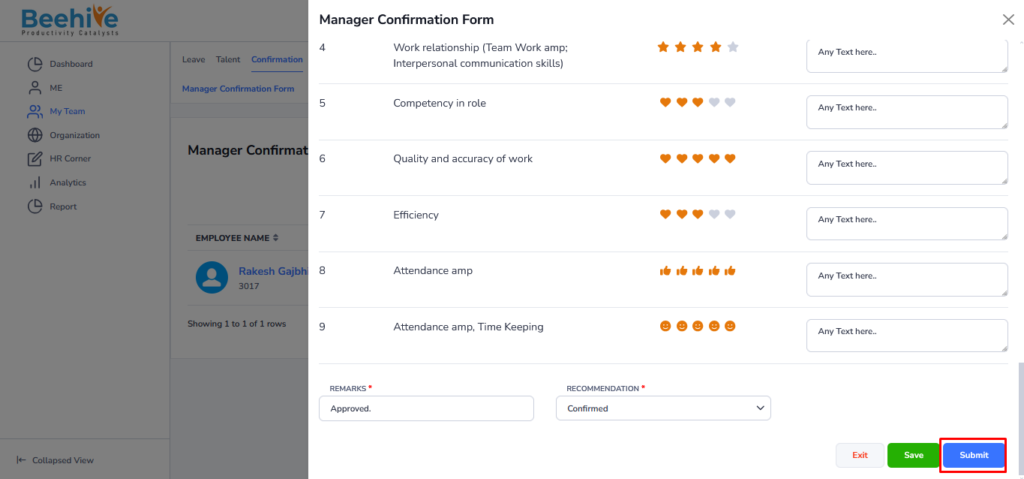
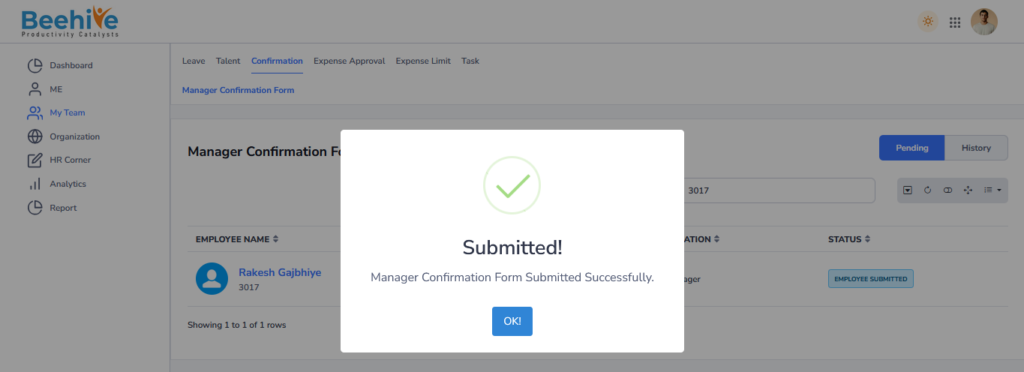
Visible in History tab of an Employee.
After Submission of confirmation form, Form is visible in the History tab of Final Reporting Manager and Status Changed as Confirmed.