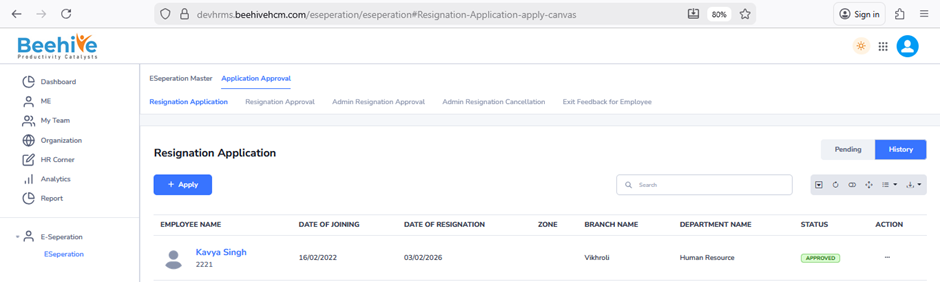
Application and Approval Flow
E-Separation Application is the process through which an employee submits a resignation or separation request in the HR management system. The employee enters details such as resignation date, last working date, reason for separation, and remarks before submitting the application. Once submitted, the request moves through a predefined approval workflow based on the configured E-Separation Group. The approval flow includes different authorities such as Reporting Manager, HR, Admin, and other clearance departments. Each approver can review the request, provide comments, approve, reject, or send it back for correction. After all approvals and clearance activities are completed, the employee separation process is finalized in the system.
Steps to Raise Resignation Application – Click on Nine dots –> Click on E-Separation Module –> Click on Application Approval –> Click on Resignation Application –> Click on Add Button –> Fill the details of Resignation Application –> Click on Submit Button.
Resignation Application Submitted by Employee.
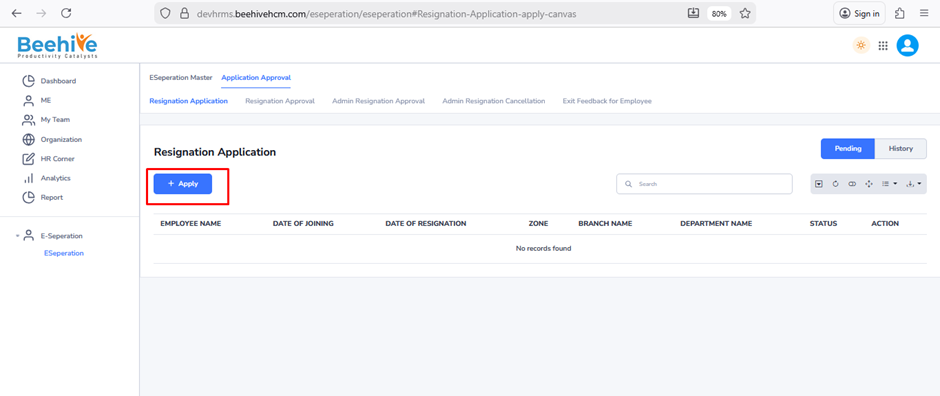
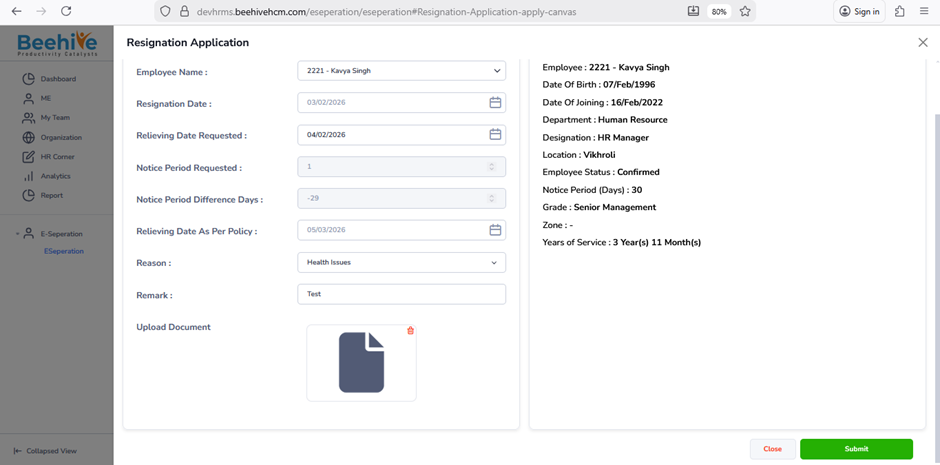
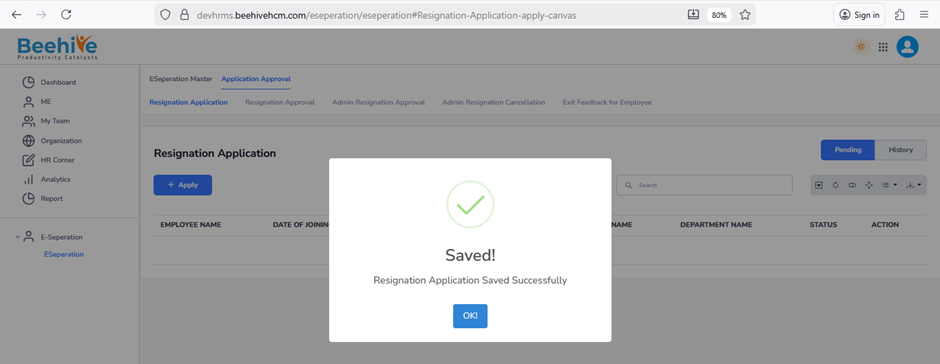
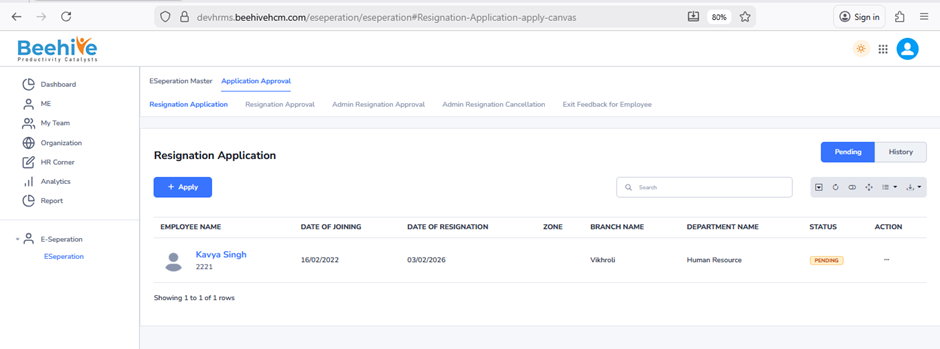
After Resignation Application submission, Mail triggered to Reporting Manager for Approval.
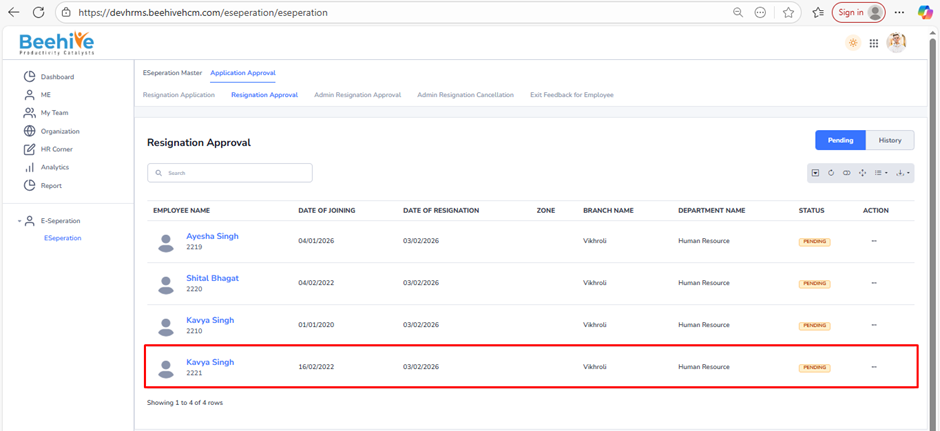
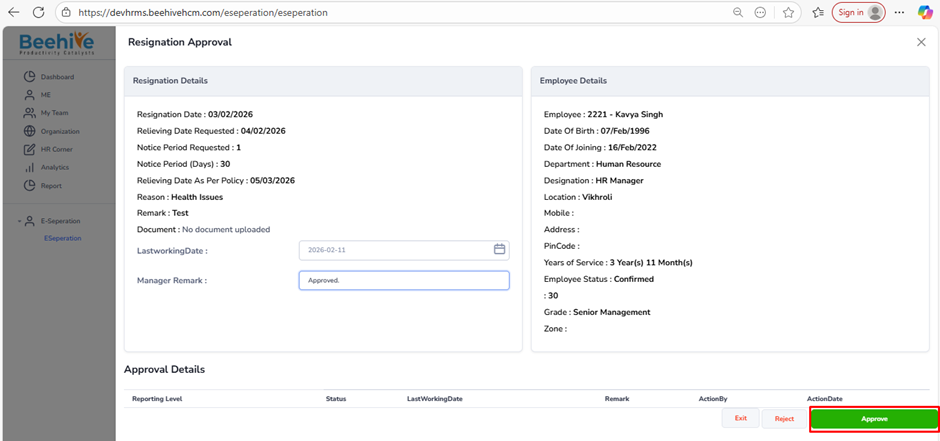
Form visible at Reporting Manegers end , Approval From Reporting Manager.
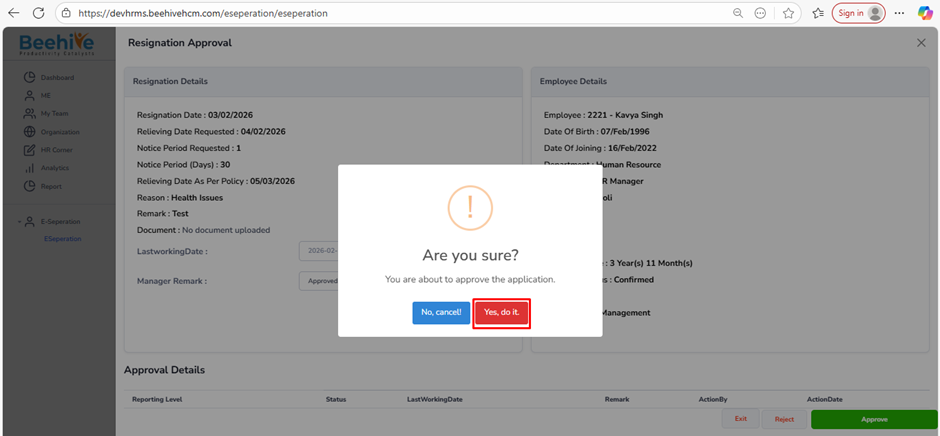
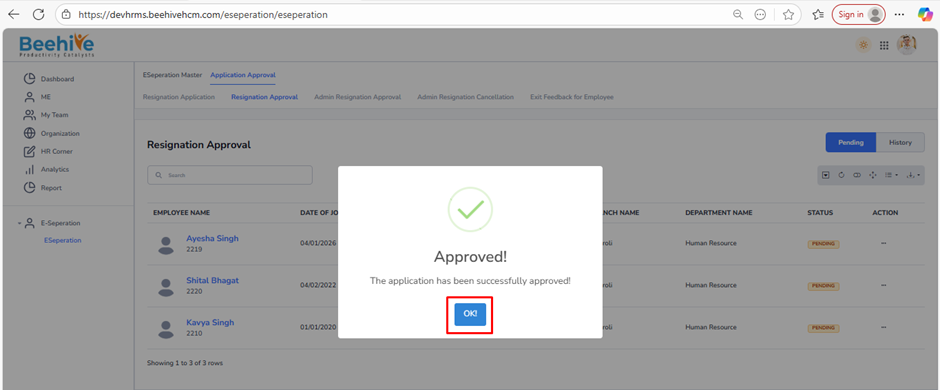
Approved Applications arwe visible in History tab of Reporting Manager and Employee.
History Tab.
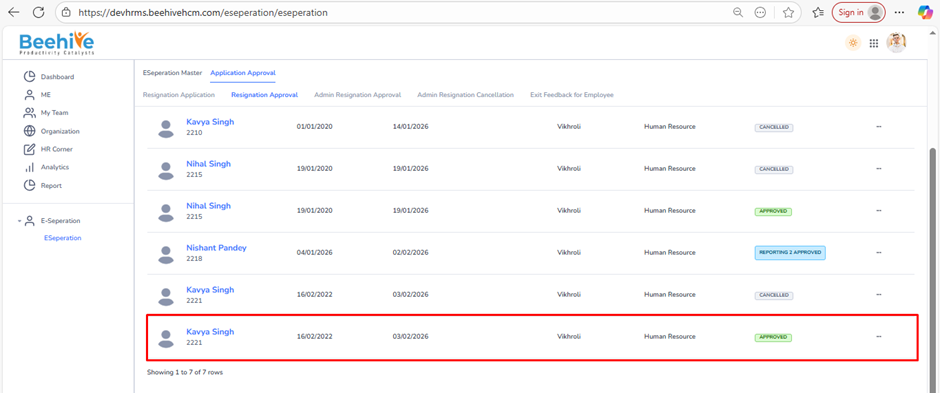
Employee End.