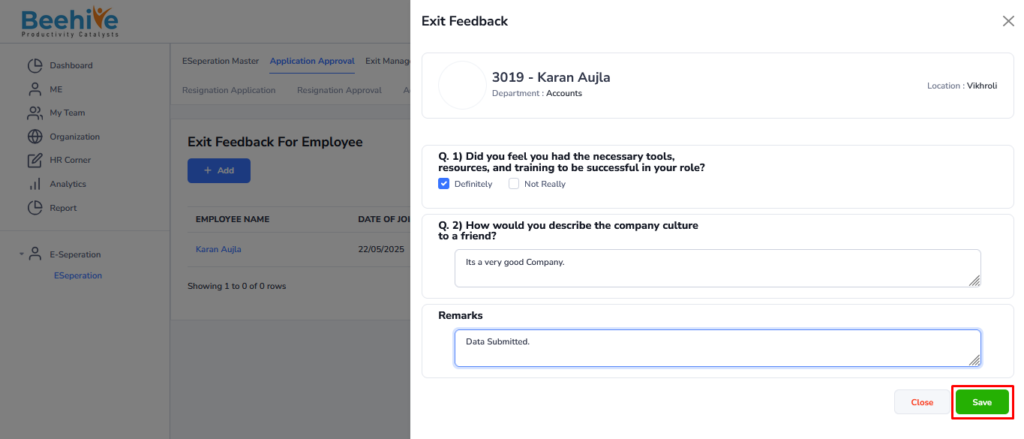
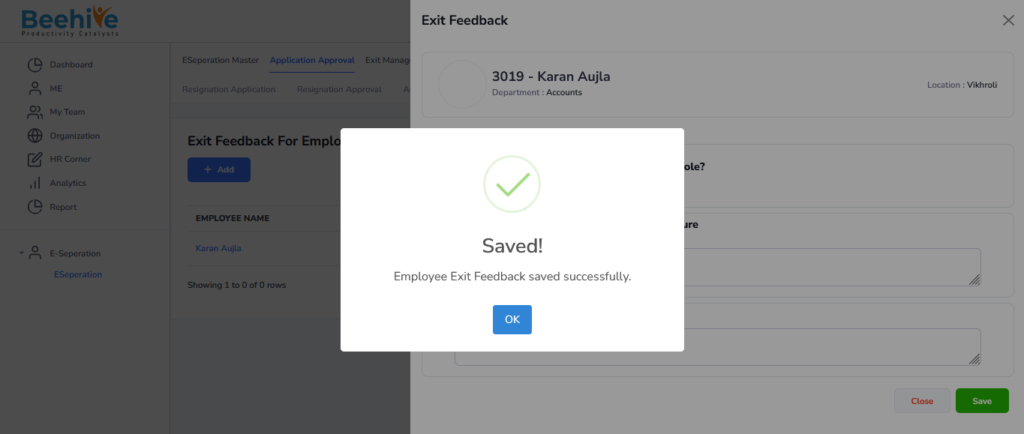
Employee Exit feedback Flow
Employee Exit Feedback Form is used to collect feedback from employees during the resignation or separation process. This form helps organizations understand the employee’s experience, work environment, management support, and reasons for leaving the company. Employees can provide feedback related to job satisfaction, company policies, career growth, workplace culture, and suggestions for improvement. The form may also include ratings, comments, and recommendations to help management analyze employee concerns and improve organizational practices. HR teams use this feedback to identify areas for improvement and enhance employee retention strategies. This process helps organizations maintain transparency, improve workplace culture, and strengthen overall employee experience management.
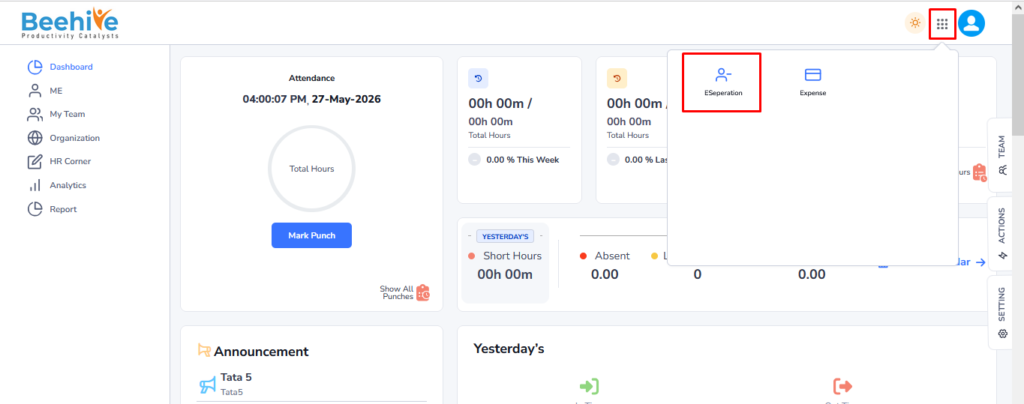
Navigation – Click on Module box –> Click on E-Separation Module –> Click on Application Approval tab –> Exit Feedback for Employee.
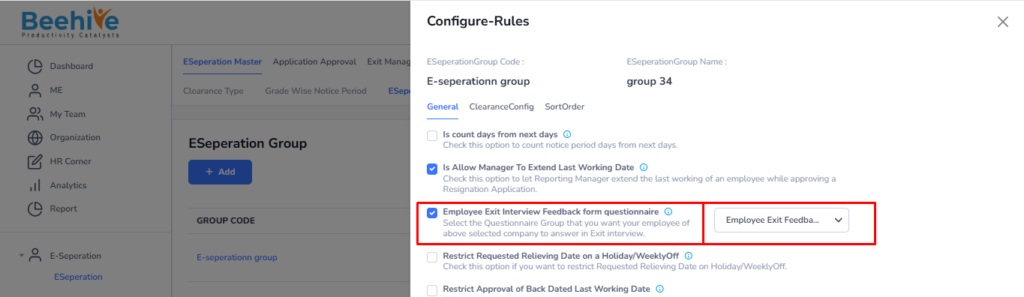
The Employee Exit Feedback Form will open after the resignation application is approved. Once the application is approved, the Employee Exit Feedback Form becomes available at the employee end for feedback submission. Before this process, the required questionnaire must be selected in the configuration under “Employee Exit Interview Feedback Form Questionnaire.” This ensures that the appropriate feedback questions are displayed to the employee during the exit process.
Before the form opens, the questionnaire must be configured against the required configuration setting as shown in the below screen.
Questionnaires are created in the Questionnaire Module, and those questionnaires become visible in the dropdown list against the configuration. Users need to select the appropriate questionnaire against the required configuration to enable and open the Employee Exit Feedback Form for employees.
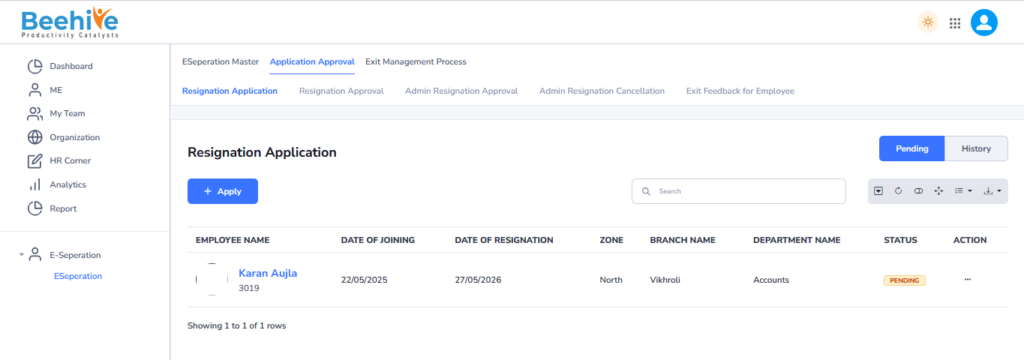
Application Raised by Employee.
Application Approved by Reporting Manager and Visible in the History tab of an Employee.
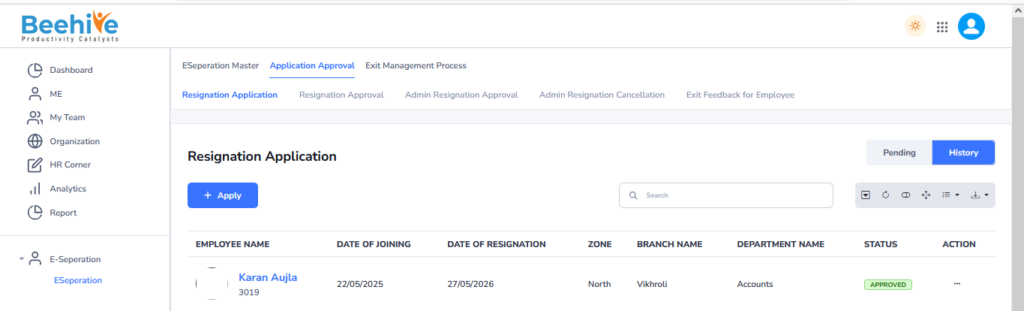
Now Form will be Open at Employee End.
Click on Module box and then click on E-Separation Module to submit the Employee Exit Feedback Form.
Then Click on Application Approval Tab and then Click on Exit Feedback for Employee and then click on the record visible on the Index page.
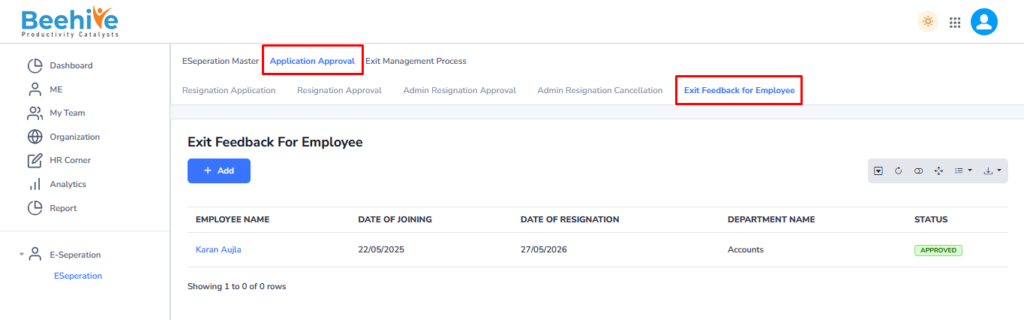
Fill the details and answers of the Exit Feedback for Employee form.