
How to set Grade wise Notice Period ?
Grade Wise Notice Period is a configuration feature used to define employee notice periods based on their assigned grade within the organization. It helps organizations apply different resignation or separation notice periods according to employee hierarchy or designation levels. For example, employees in higher grades may have a longer notice period compared to employees in junior grades. This configuration ensures that notice period rules are standardized and automatically applied during the E-Separation process. HR administrators can configure the required notice period days for each employee grade in the system. This feature helps maintain policy compliance, smooth workforce transition, and structured employee exit management.
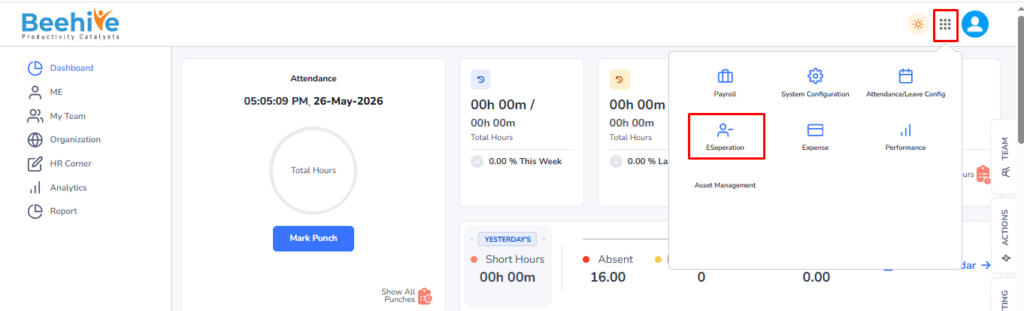
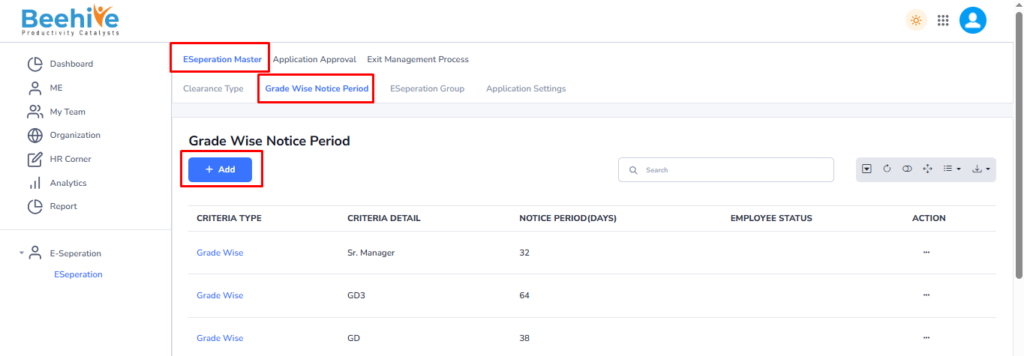
Navigation to set Grade wise Notice Period – Click on Nine dots –> Click on E-Separation Module –> Click on E-Separation Master –> Click on Grade wise Notice Period tab –> Click on Add Button –> Select Clearance Type –> Select Grade –> Enter Notice Period –> Click on Save button.
Click on Nine dots and Click on E-Separation Module.
Click on E-Separation Master tab and Click on Grade wise Notice period tab and then Click on Add button to add new record or to set Grade wise notice period.
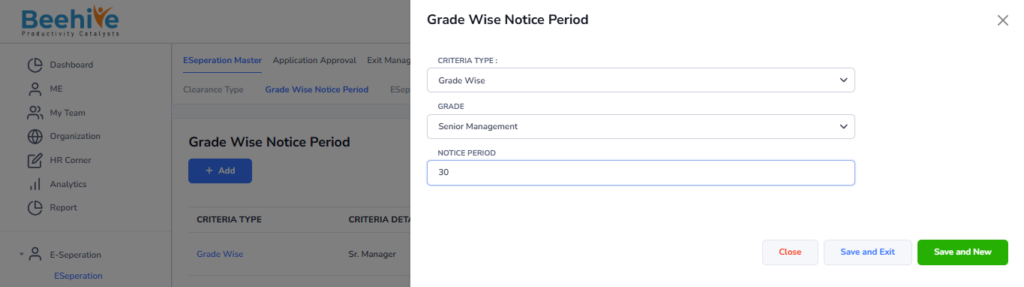
After clicking on the Add button, the Master screen will be displayed. Then, select the Clearance Type, and if Grade Wise is selected as the criteria type, choose the required Grade for the notice period configuration.
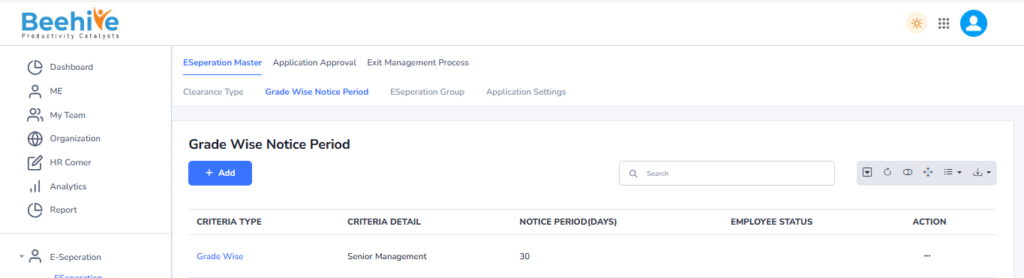
Created Record will be visible on the Index page of Grade wise Notice Period.
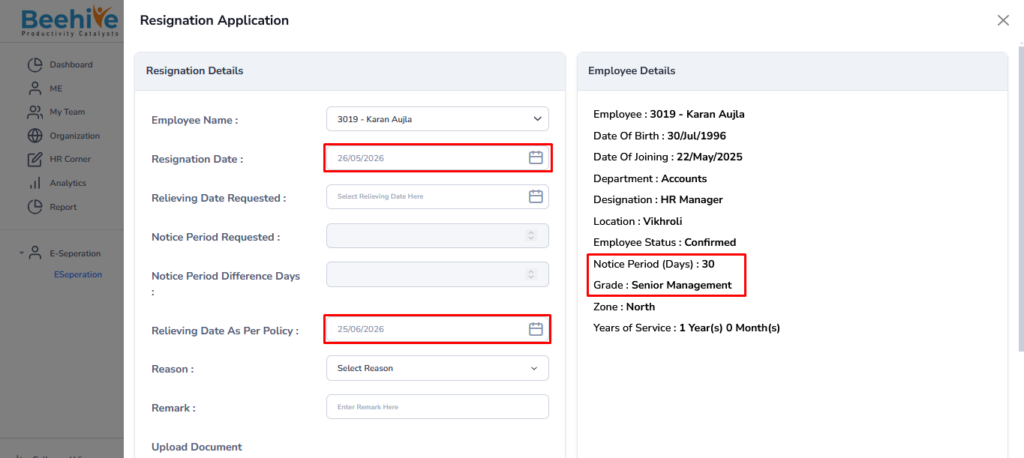
Now, if an employee with the grade “Senior Management” raises a resignation application, the system will automatically display the notice period according to the configured notice period settings as shown below.
This Master can be set with another Clearance Type also as shown below.
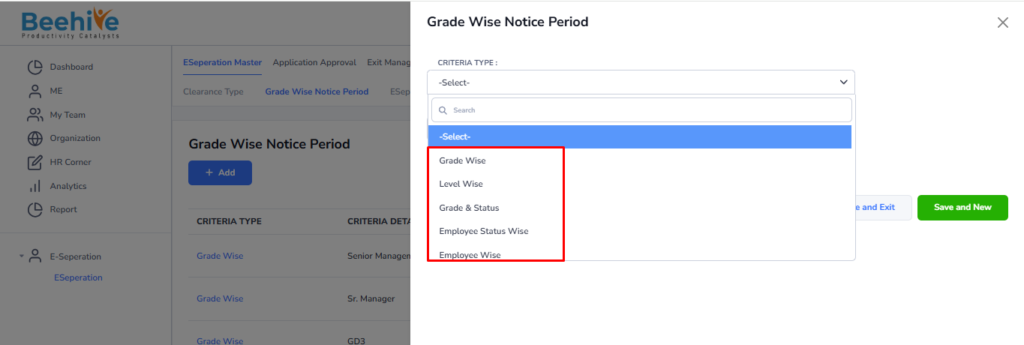
- The highlighted section represents the Grade Wise Notice Period configuration screen used in the E-Separation module.
- The Criteria Type field is used to define the basis on which the notice period configuration will be applied to employees.
- Available criteria options include Grade Wise, Level Wise, Grade & Status, Employee Status Wise, and Employee Wise.
- Grade Wise applies the notice period based on employee grade, while Level Wise applies it according to employee level or hierarchy.
- Grade & Status combines employee grade and employment status for more specific notice period configuration.
- Employee Status Wise sets notice periods based on statuses such as probation, confirmed, or contractual employees.
- Employee Wise allows configuring a separate notice period for individual employees as required by the organization.