How to set ORG wise Stake owners ?
ORG Wise Stakeholders are organizational-level stakeholders assigned to manage approvals, clearances, or responsibilities for specific processes within the system. These stakeholders are configured based on the organization structure, such as company, division, department, branch, or location. The configuration helps define which employees or authorities will participate in workflows like E-Separation, approvals, confirmations, or clearance activities. Different stakeholders can be assigned different roles and responsibilities according to organizational requirements. This setup ensures that the correct users receive tasks, notifications, and approval requests based on the employee’s organizational mapping. ORG Wise Stakeholders help maintain a structured, transparent, and organization-specific workflow process in the system.
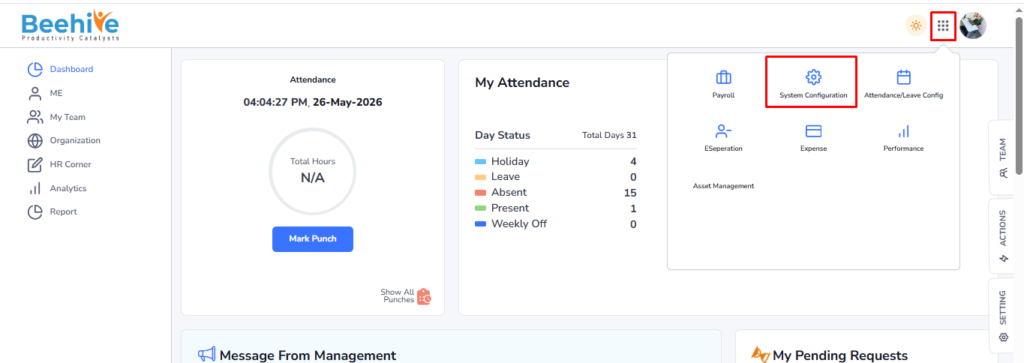
Navigation – User Login –> Click on Nine dots –> Click on System Configuration –> Click on Master Settings –> Click on Masters –> Set ORG Head.
Click on on Nine dots and then on System Configuration.
Click on Master Setting.
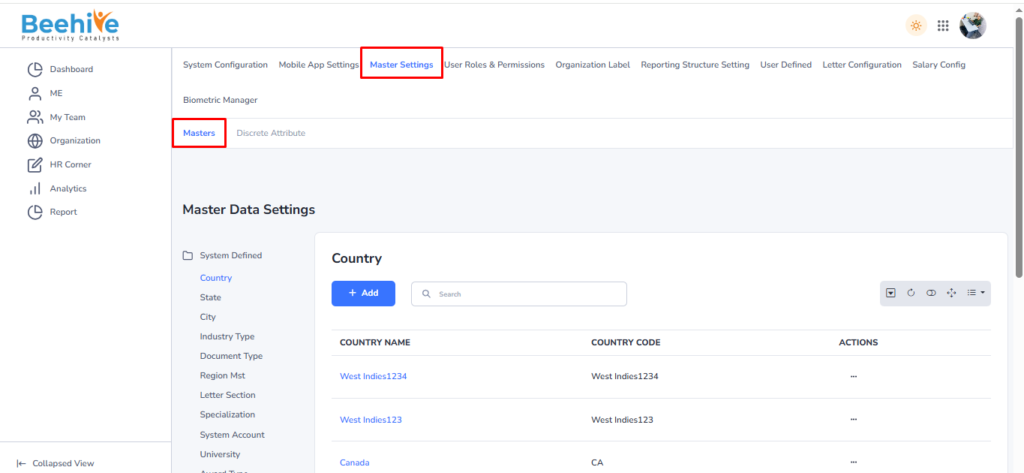
Select the ORG field for which you want to assign or set the head.
If you want to set a Branch Head, select the Branch Head Mapping menu and then click on the Add button.
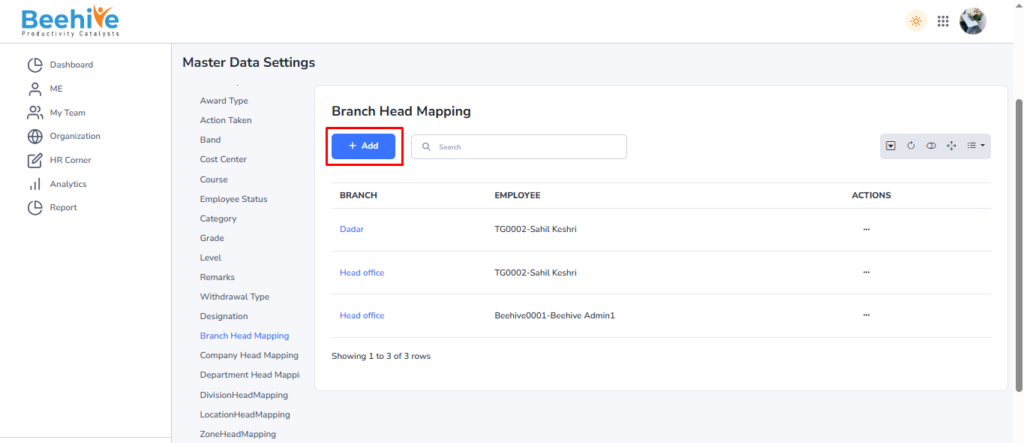
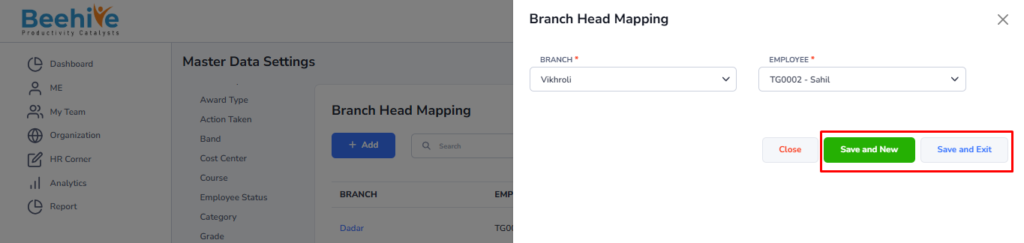
Select the branch for which the Head needs to be assigned, and then select the employee to be mapped as the Head for the selected branch.
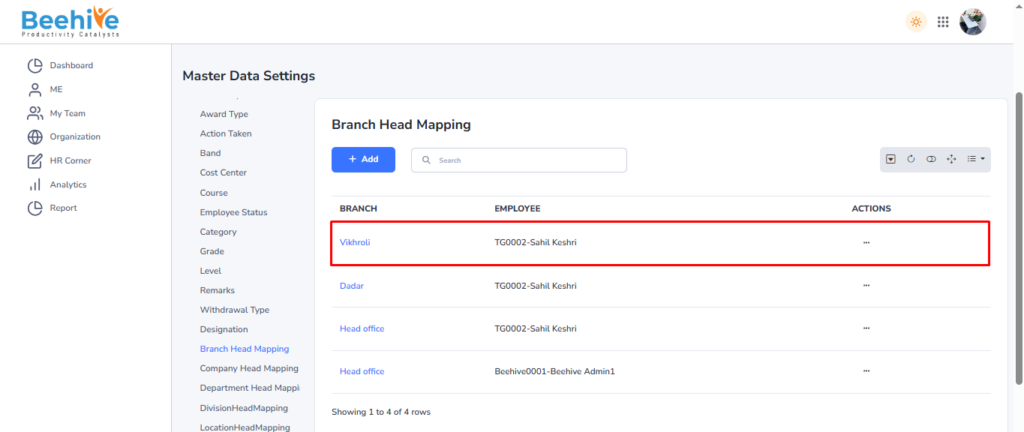
Created Branch Head will be visible on the Index Page.
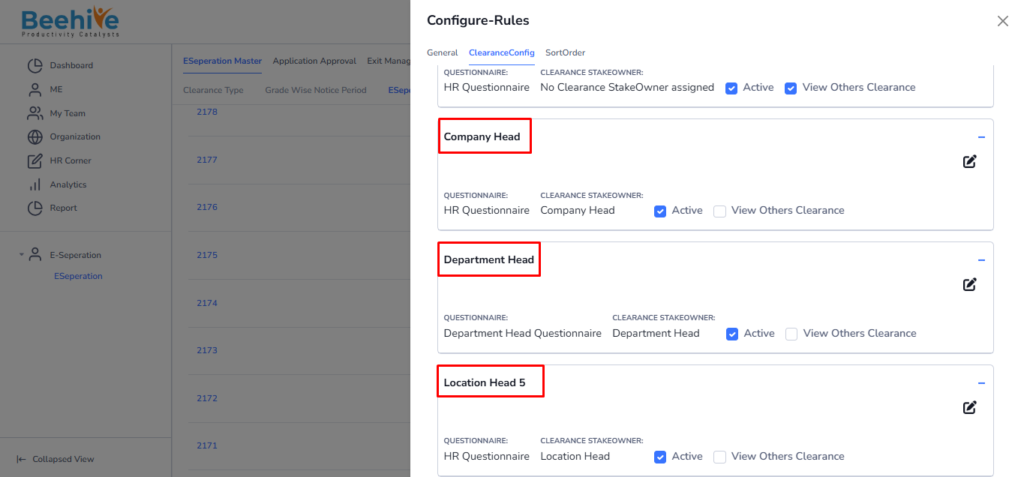
Similarly, users can assign Heads for multiple ORGs such as Location, Company, Department, Division, and Zone. After configuring the ORG Heads, these mappings can be assigned in the E-Separation Group under the Clearance Config section as Shown in the below .