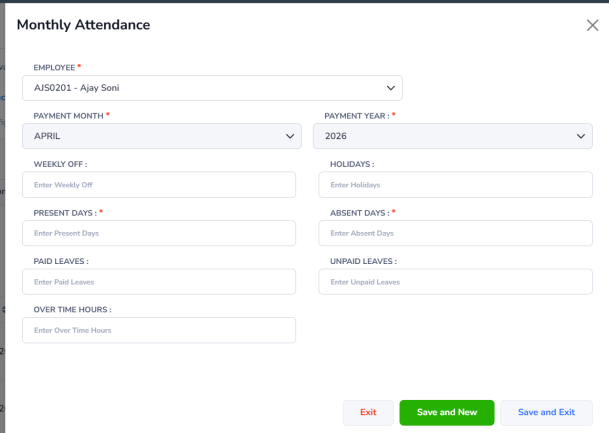
Monthly Attendance
This form is used by HR/Payroll Administrators to manually add or update employee attendance details, such as:
- Present Days
- Absent Days
- Weekly Offs
- Holidays
- Paid Leave
- Unpaid Leave
- Overtime (OT) Hours
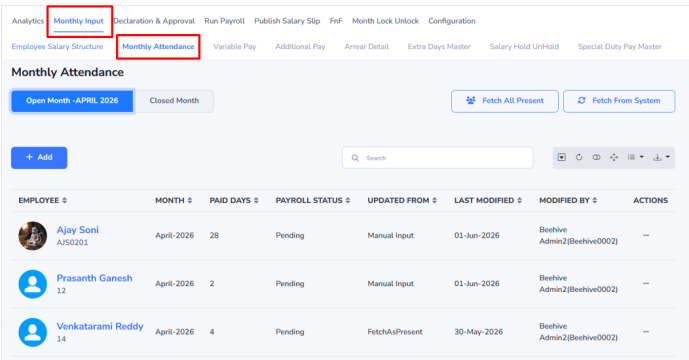
Steps to Add Monthly Attendance:
- Click Add to create a new monthly attendance record.
- The Monthly Attendance form will open.
- Enter the required attendance details.
- Click:
- Save & Exit to save the record and return to the previous screen.
- Save & New to save the current record and add attendance for another employee.
- Exit to close the form without saving.