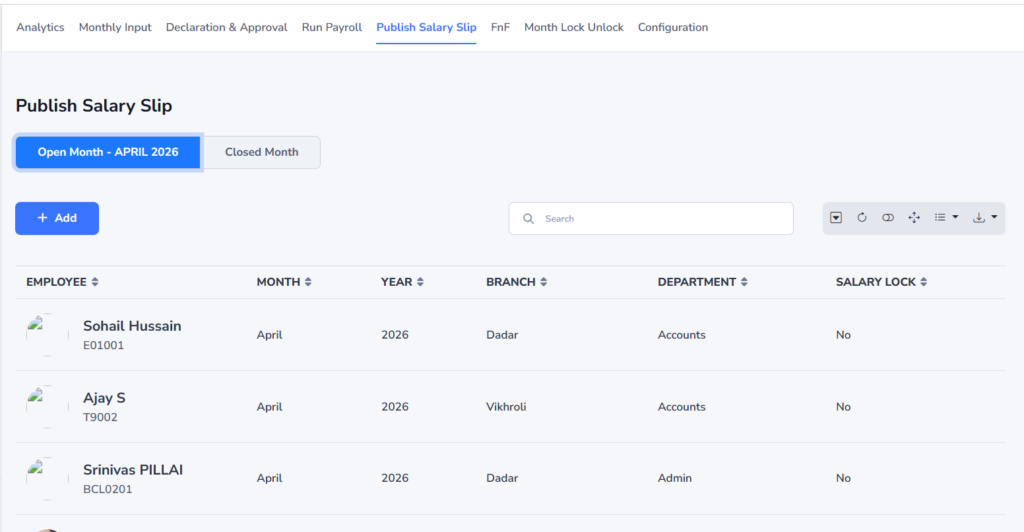
Publish Salaryslip
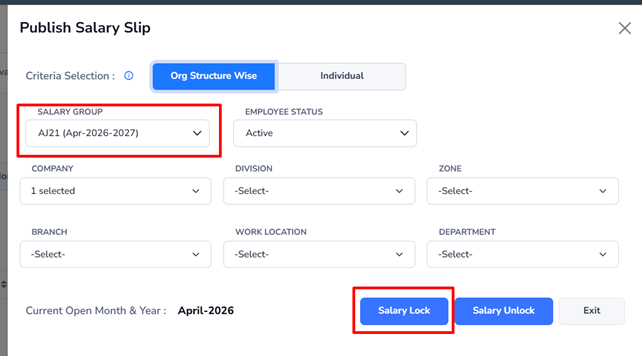
Use the Publish Salary Slip option to lock or unlock salary slips for employee access in the ME tab.
- Published (Salary Lock): Employees can view and download their salary slips from the ME tab.
- Unpublished (Salary UnLock): Employees cannot access the salary slips in the ME tab.
Navigation–>Payroll–> Publish Salary slip
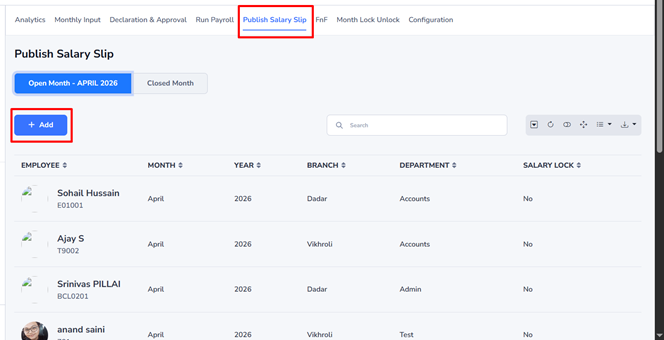
- Click the Add button to create a new salary slip publication record.
- Select the required payroll details.
- Salary Lock or Salary Unlock the salary slip as needed:
- Salary Lock: Employees can view and download their salary slips from the ME tab.
- Salary Unlock: Employee access to the salary slips is restricted in the ME tab.
- Save the record to apply the changes.