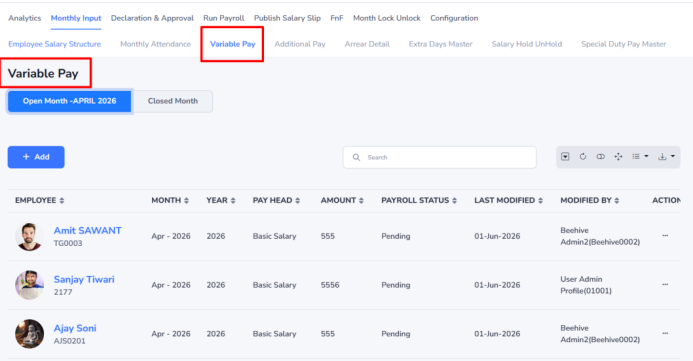
Variable Pay
This form is used to add variable pay components to an employee’s salary before salary processing. Variable pay can include both earnings and deductions.
Example: If employee Ajay (EMP0201) receives a Performance Bonus of ₹5,000 for June 2026, select the employee, choose the month and year, select Performance Bonus as the Pay Head, enter ₹5,000 in Amount, and click Save.
Navigation:- Payroll–> Monthly Input –>Variable Pay
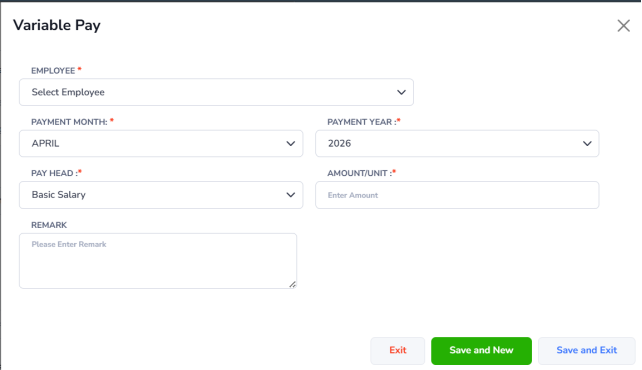
Steps to Add Variable Pay:
- Click Add to create a new variable pay entry.
- The Variable Pay form will open in a pop-up window.
- Enter the required details:
- Employee – Select the employee using the employee name or employee code.
- Month – Select the payment month.
- Year – Select the payment year.
- Pay Head – Choose the required pay head from the dropdown list.
- Amount/Unit – Enter the applicable amount or unit.
- Remarks – Enter remarks, if required.
- After entering all details, click Save to save the record or Cancel to close the form without saving.