Compoff Balance for Employee & HR
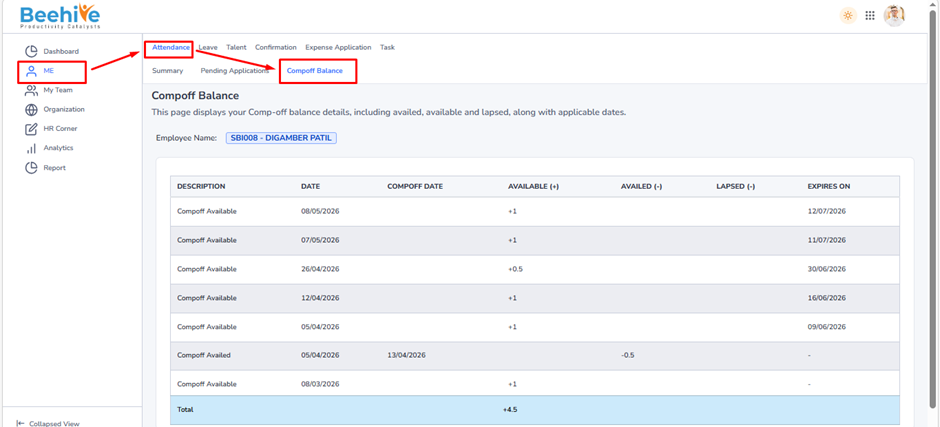
The CompOff Balance page helps employees view and track their CompOff details in a clear and organized manner. It displays all credited, availed, and lapsed CompOff entries along with expiry information.
Key details available on this page –
– CompOff credited for extra working days or holidays
– Availed CompOff balance used in leave applications
– Lapsed CompOff entries after expiry
– CompOff Date and transaction date details
– Expiry date for each CompOff entry
– Total available CompOff balance for quick reference
This page provides transparency in CompOff management and helps employees utilize their balance before it expires.
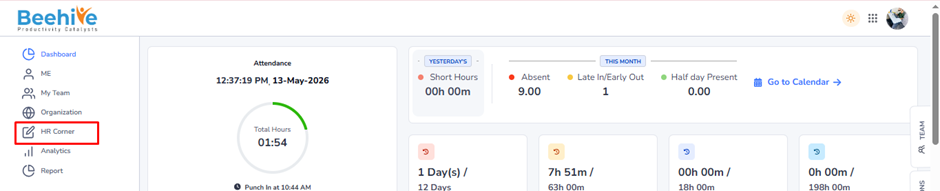
Navigation –
Dashboard → Me → Attendance → Compoff Balance

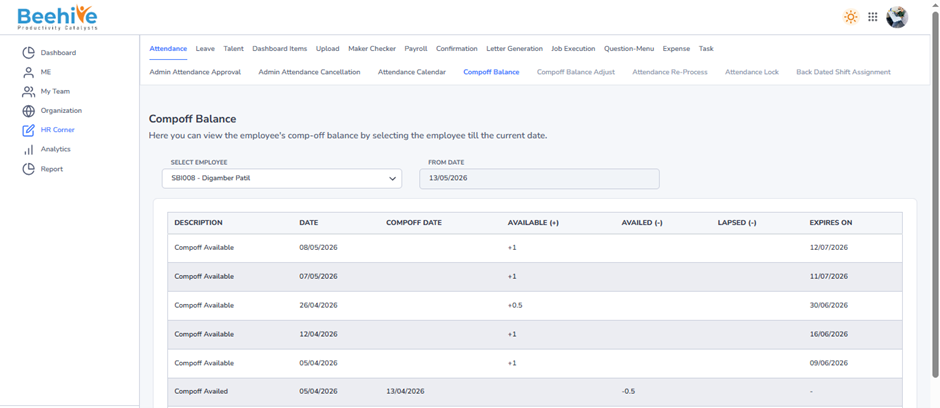
HR Compoff Balance –
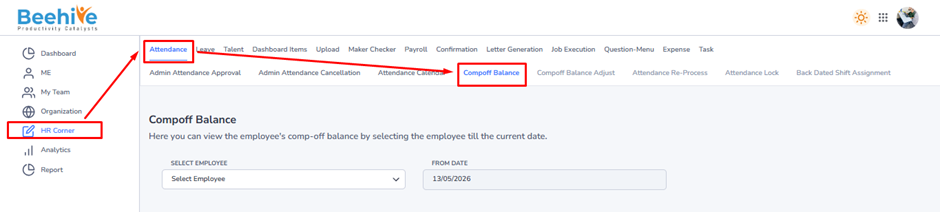
The CompOff Balance page in HR Corner allows administrators to view employee CompOff balances. By selecting the employee, the system displays CompOff credits, availed balance, lapsed entries, and available balance details for easy tracking and verification.
Navigation –
Dashboard→ HR Corner→ Attendance→ Compoff Balance