Daily Attendance
The Daily Attendance Upload feature allows HR or authorized users to upload employee attendance records in bulk using a predefined template. This functionality captures daily in-time and out-time details along with attendance status for multiple employees in a single upload. The template includes fields such as Employee Code, In Date, In Time, Out Date, Out Time, and Status. It is primarily used to record or update attendance data in cases where biometric integration is unavailable, data is missing, or bulk corrections are required. The system processes the uploaded data and reflects it in the attendance records accordingly.
Benefits –
– Enables bulk upload of daily attendance records.
– Reduces manual entry effort and saves time.
– Minimizes errors in attendance data entry.
– Ensures consistency across employee attendance records.
– Useful when biometric or system-generated data is unavailable.
Uses –
– Used to upload attendance during system implementation.
– Helpful for correcting missed or incorrect attendance entries.
– Applicable when biometric integration fails or is not in use.
– Supports bulk updates for multiple employees at once.
– Ensures accurate and complete attendance records for payroll and reporting.
Note – After uploading the Daily Attendance sheet, the Attendance Job must be executed to reflect the changes in the employee’s calendar.
– Status must be blank on Daily Attendance Sheet.
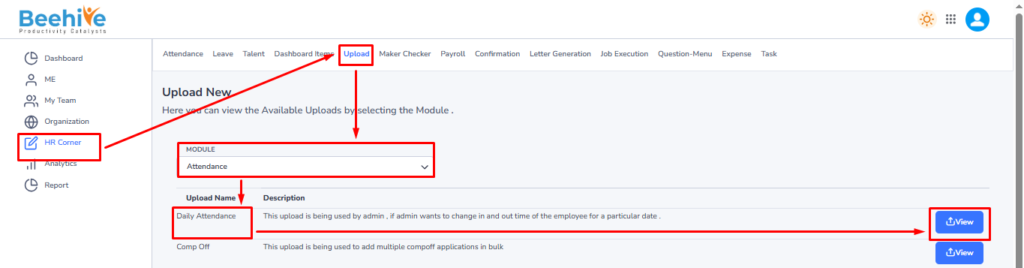
Navigation – Click on HR Corner –> Click on Upload tab –> Select Attendance Module –> Select File to Upload –> Click on View Button –> Upload File.
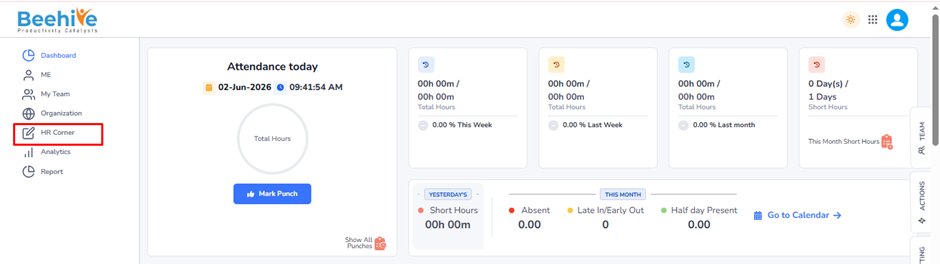
Click on Upload button and then select Attendance Module “Daily Attendance” upload and then click on View button to perform the upload Functionality.
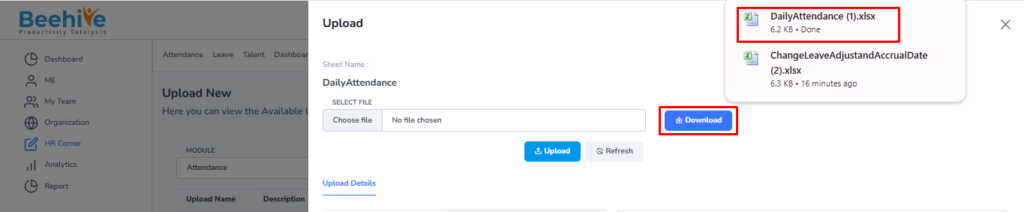
Click on Download button to download blank sheet for the Leave Opening Balance upload.
Fill the Valid data in the Sheet.

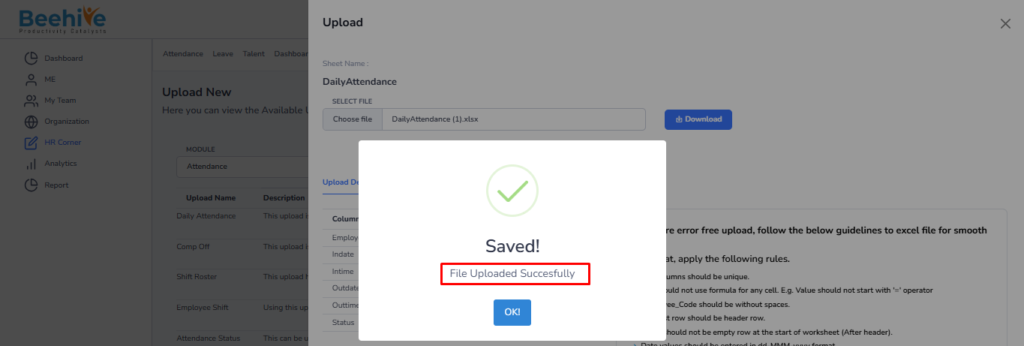
Save and Upload the File.

File Uploaded Successfully.
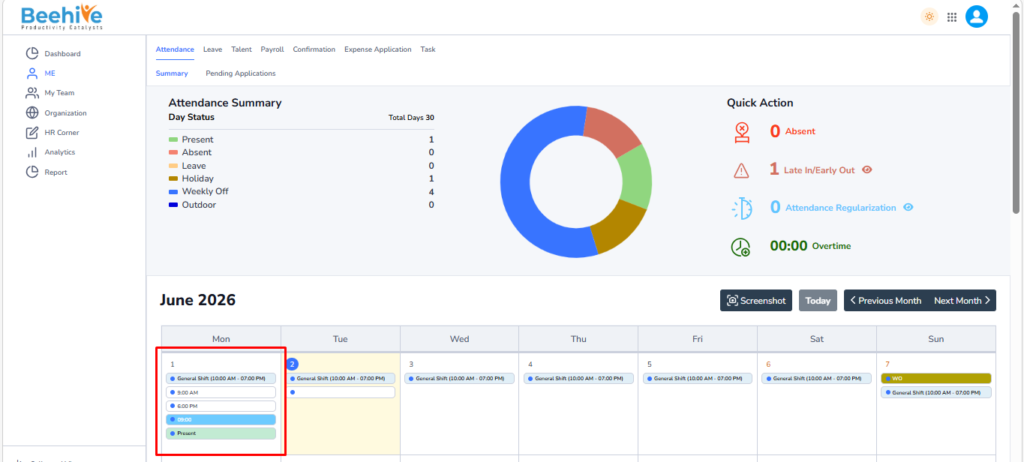
Employee’s Calendar Before Uploading Daily Attendance Upload
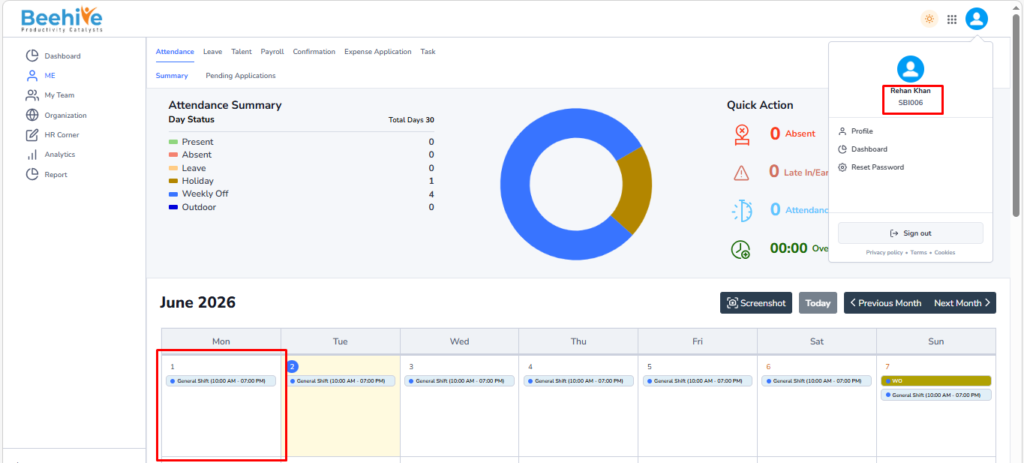
Impact on Employee’s Calendar after Uploading Daily Attendance Upload