Leave Adjust Upload
The Leave Adjust upload feature is used to either debit or credit leave balances for multiple employees in bulk. This functionality allows HR administrators to make corrections or adjustments to employee leave records efficiently using a standardized upload template. Adjustments can be made for various leave types based on business requirements, such as policy revisions, manual corrections, or exceptional cases. The upload ensures that all changes are systematically recorded and reflected in the employee’s leave balance without requiring individual updates. It is particularly useful when dealing with large datasets where manual intervention would be time-consuming and prone to errors.
Benefits –
– Enables bulk debit or credit of leave balances in one upload.
– Reduces manual effort and administrative workload.
– Minimizes errors and ensures accurate leave records.
– Saves time during large-scale adjustments.
– Maintains consistency across employee leave data.
Uses –
– Used to correct incorrect leave balances for employees.
– Helpful during policy changes requiring balance adjustments.
– Applicable for adding or deducting leave in special cases.
– Supports bulk updates during audits or reconciliations.
– Ensures accurate and up-to-date leave balance management across the organization.
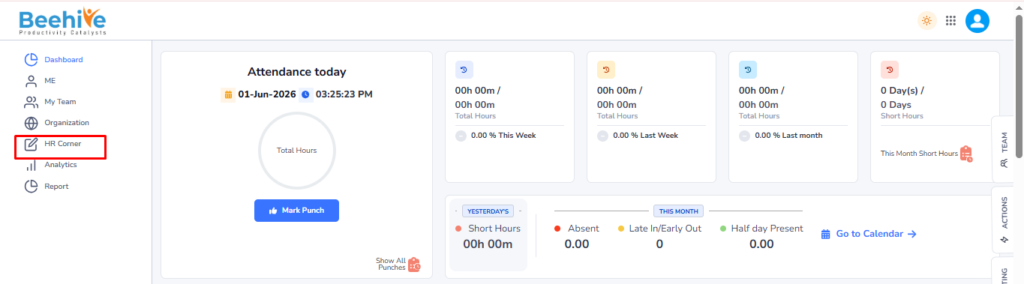
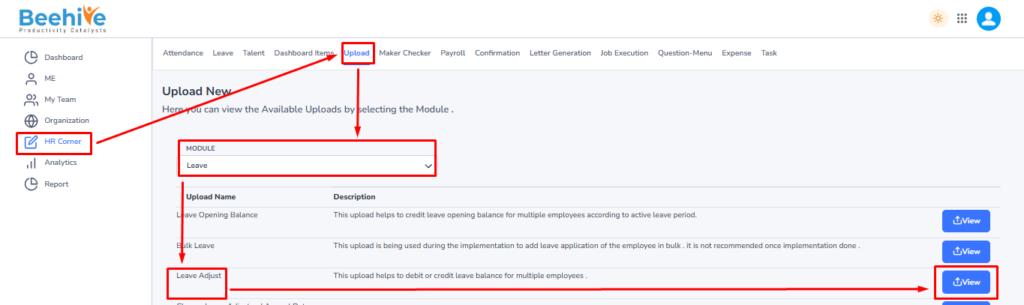
Navigation – Click on HR Corner –> Click on Upload tab –> Select Leave Module –> Select File to Upload –> Click on View Button –> Upload File.
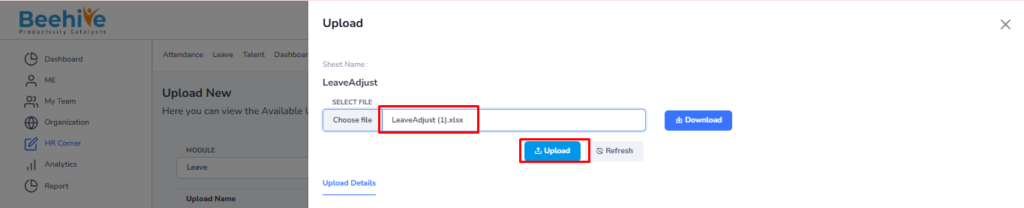
Click on Upload button and then select Leave Module “Leave Adjust” upload and then click on View button to perform the upload Functionality.
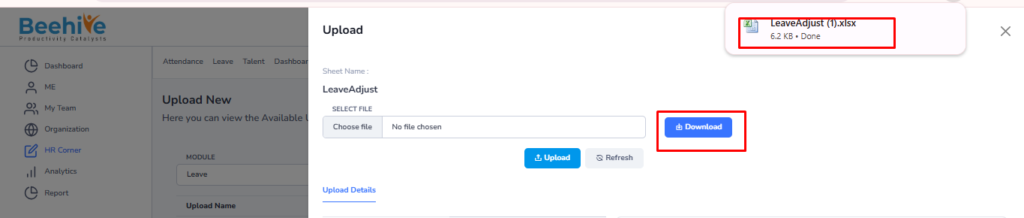
Click on Download button to download blank sheet for the Leave Adjust upload.
Fill the Valid data in the Sheet.

Save and Upload the File.
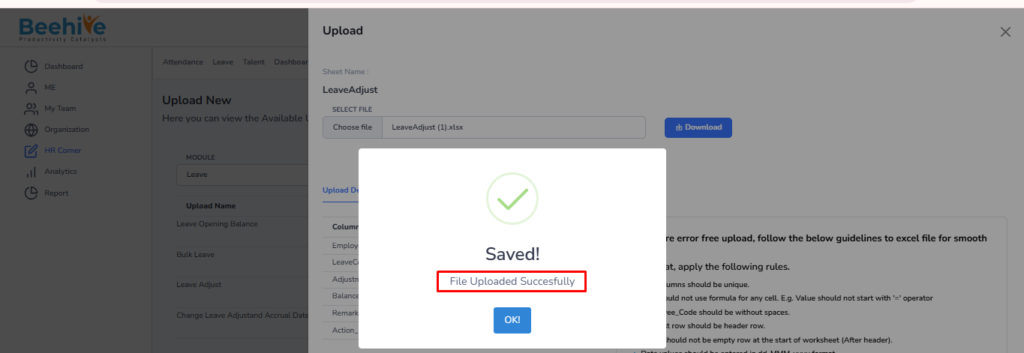
File Uploaded Successfully.
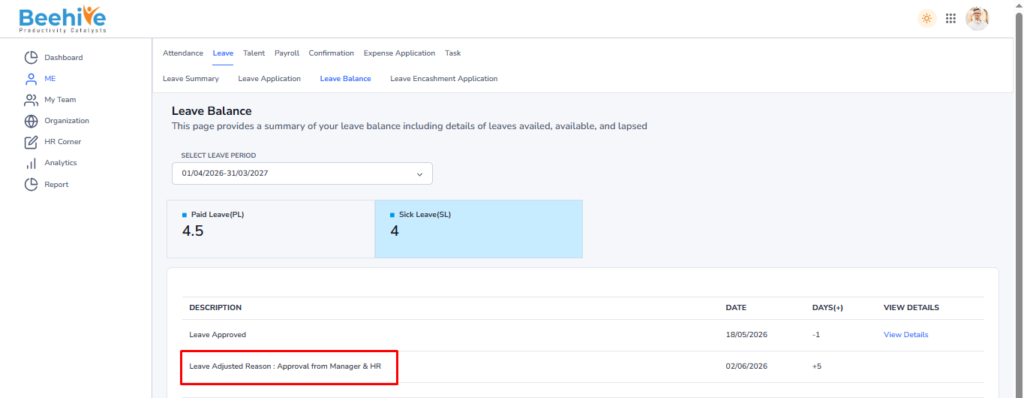
Uploaded Data visible in the Employees Leave Balance.