Adjusting Compoff Balance
The CompOff Balance Adjust page is used to manually adjust employees’ CompOff balances. HR or authorized administrators can credit or debit CompOff balances based on employee eligibility, attendance corrections, outdoor duty, overtime work, or manual adjustments approved by management.
This page also maintains a history of CompOff transactions including credited balance, utilized balance, source of adjustment, and remarks.
Navigation Path –
HR Corner → Attendance → CompOff Balance Adjust → Add
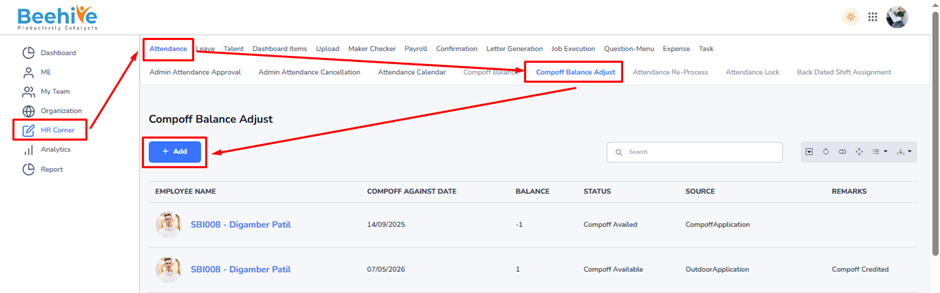
The CompOff Balance Adjust screen allows HR/Admin users to configure and manage employee CompOff balance entries manually. This screen contains two major configurations –
1. Basic CompOff Adjustment Configuration
2. Source-Based CompOff Configuration
These configurations help organizations maintain accurate CompOff tracking and attendance management.
Basic CompOff Adjustment Configuration –
This configuration is used to define the employee, CompOff date, adjustment type, and remarks.
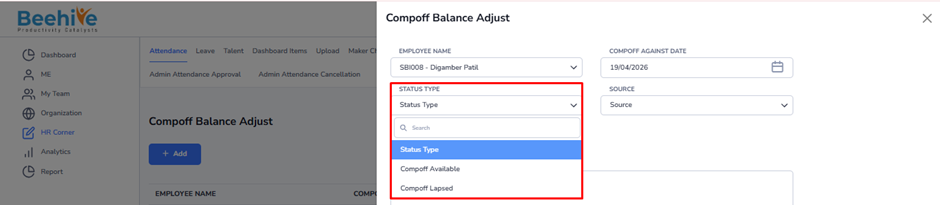
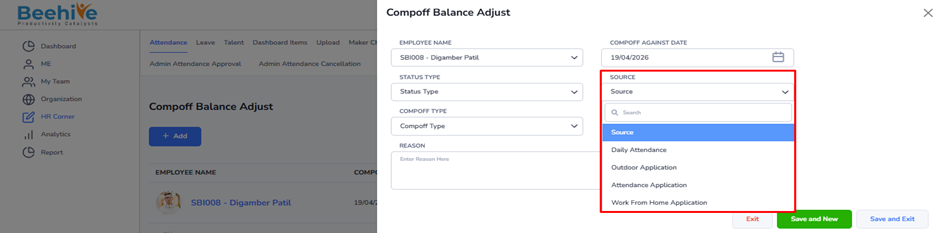
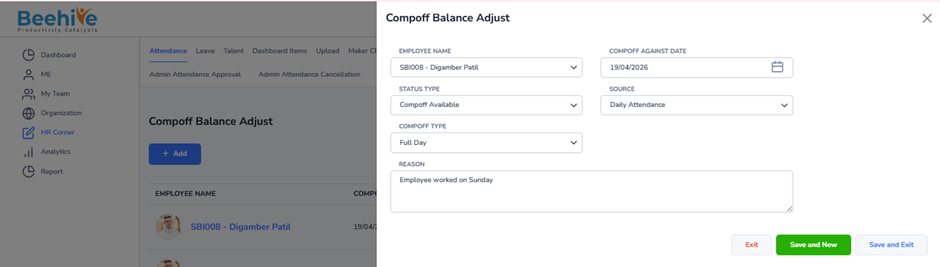
Field Explanation –
1. Employee Name –
Select the employee whose CompOff balance needs adjustment.
2. CompOff Against Date –
Select the date against which CompOff is credited or debited
3. Status Type –
Define the status of the CompOff entry.
4. CompOff Type –
Select whether balance is Credit or Debit type.
5. Reason –
Enter the reason for CompOff adjustment
Live Scenario – Manual CompOff Credit
1. Employee Name – SBI008
Live Scenario – Manual CompOff Credit
1. Employee Name – SBI008
2. CompOff Against Date – 26/04/2026
3. Status Type – Compoff Available
4. Source – Daily Attendance
5. CompOff Type – Full Day
6. Reason – Employee worked on Sunday
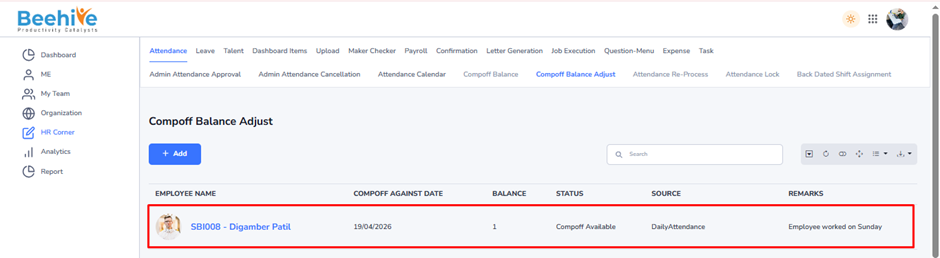
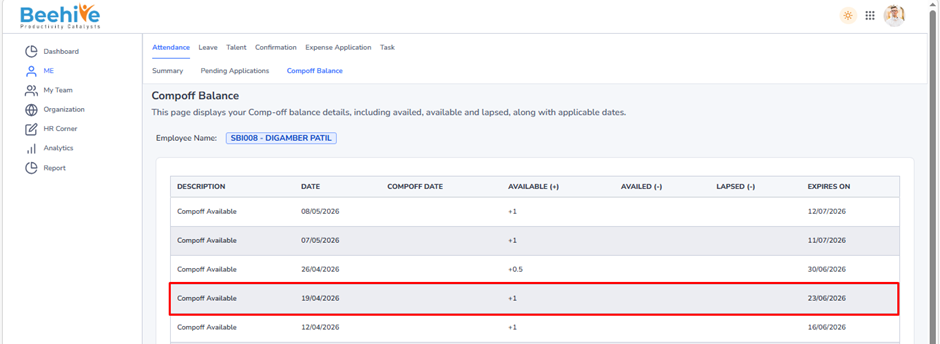
After a CompOff balance is adjusted by HR using the CompOff Balance Adjust page, the updated balance is immediately reflected in the employee’s CompOff Balance page.