
How to Apply for Optional Holiday?
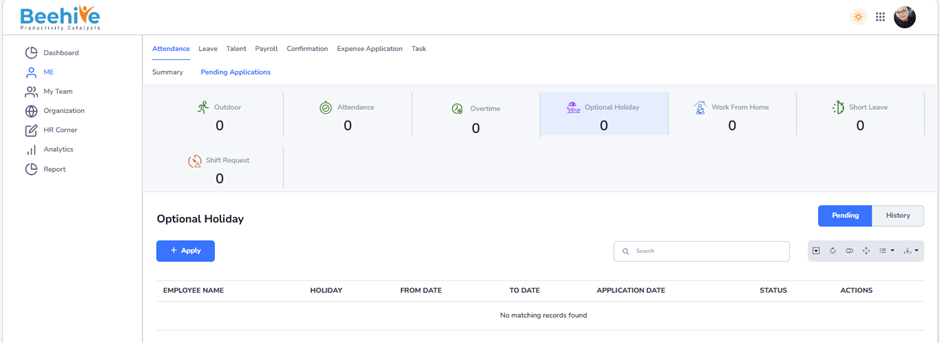
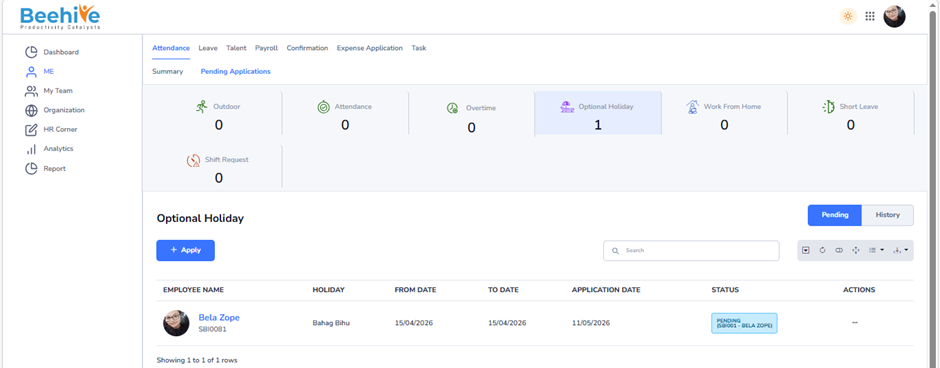
If an employee wishes to apply for an Optional Holiday, they can do so through the Optional Holiday Application page. As shown below, the employee can select the Optional Holiday from the available holiday list and submit the request accordingly. This helps the organization manage optional holiday requests efficiently while maintaining accurate attendance records.
From where can an employee apply?
From the Pending Applications section, locate the Optional Holiday module and click on it. After selecting the module, click on the Apply button to open the application page.
Navigation –
Login -> Me -> Attendance ->Pending Applications -> Optional Holiday-> Apply
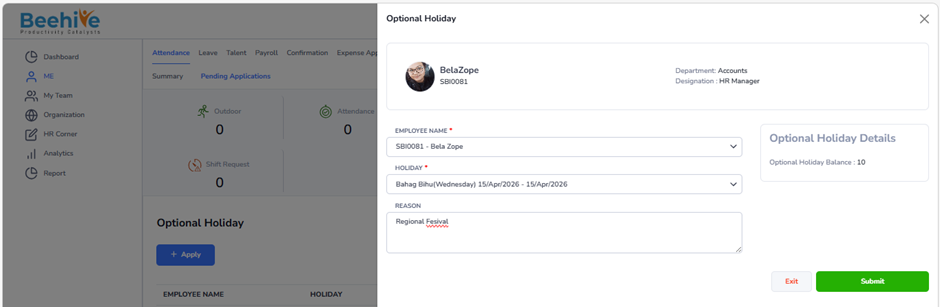
This page allows the employee to select the required Optional Holiday from the dropdown list. The employee can also view the available Optional Holiday balance in the Optional Holiday Details section before submitting the request.
This step-by-step process helps employees easily access, review, and submit their Optional Holiday applications in the HRMS system.
Optional Holiday Details –
The Optional Holiday Details section provides employees with information related to available Optional Holidays and helps them select the appropriate holiday while applying.
Note – Optional Holiday List will be displayed only when the current Leave Period is active.
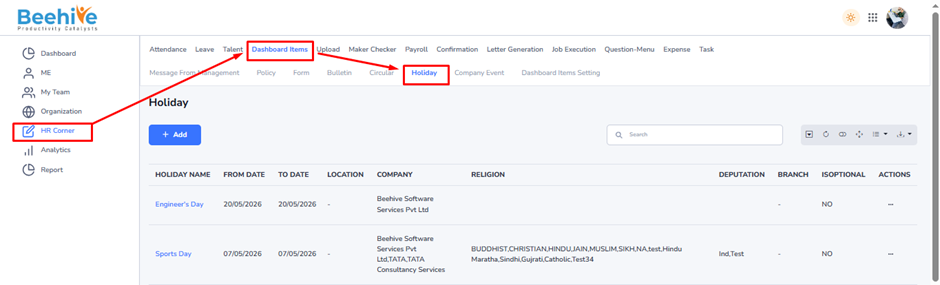
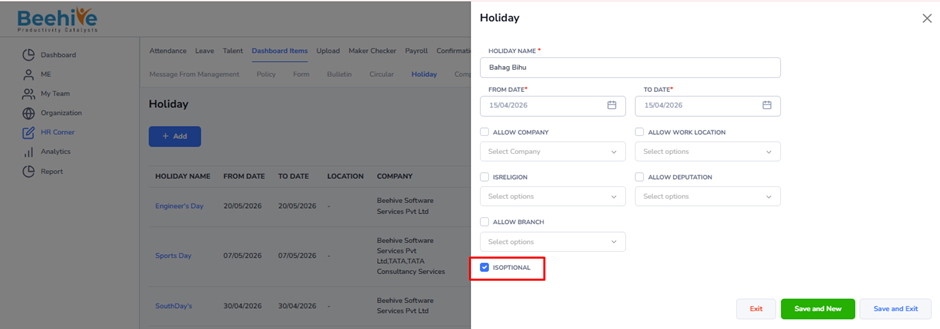
Note – The Optional Holiday list is fetched from the Holiday Master only when the “Is Optional” checkbox is selected while creating the holiday.
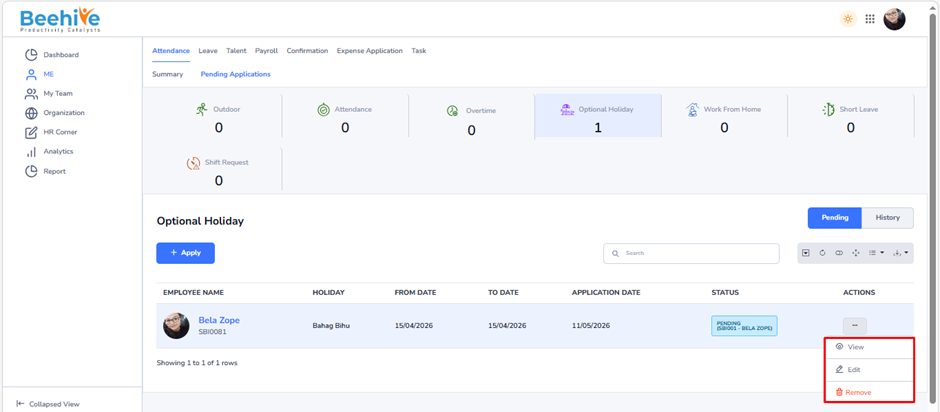
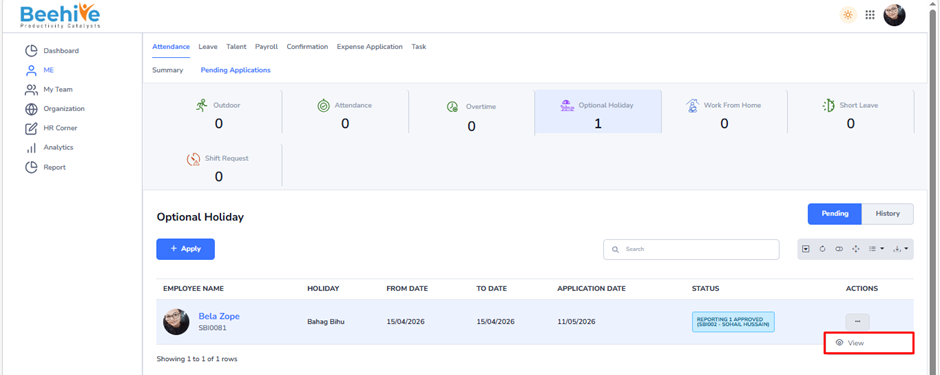
To View, Edit, or Delete an existing application, navigate to the Actions column and click on the Actions Menu icon. This menu provides various options to manage your submitted applications.
If the application status is Pending, you will see the Remove & Edit option available in the menu. This allows you to delete or edit the application before it is reviewed or approved by the concerned authority.
However, once the application has progressed to the Reporting 1 Approved or Reporting 2 Approved status, the Remove & Edit option will no longer be visible. At this stage, the application is already under review or approved, and hence, it cannot be deleted or modified.
This feature ensures that users can manage their applications efficiently while maintaining data accuracy and approval integrity within the system.
After Approval of Optional Holiday Application “Holiday” status will be displayed in Employee’s calendar
