Mobile application User Login & Mark Attendance permissions
The Mobile App Configuration feature in the HRMS allows administrators to control and customize how employees interact with the HRMS mobile application. This ensures secure access, consistent user experience, and alignment with organizational policies.
Purpose –
The purpose of mobile app configuration is to –
– Enable employees to access HR services on the go
– Maintain data security and controlled access
– Customize features based on roles and permissions
– Improve workforce productivity and engagement
Navigation –
Login → System Configuration→ Mobile App Settings→ Mobile App Config
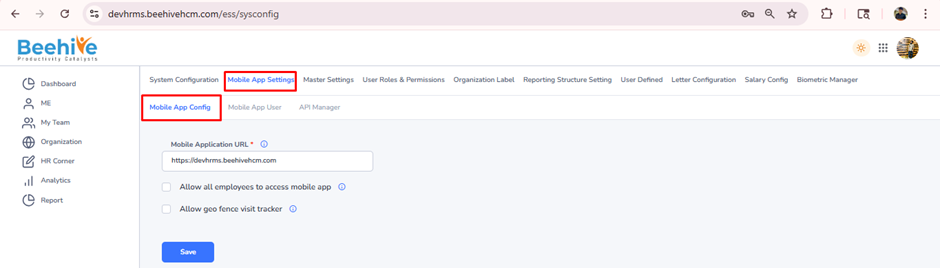
1st Configuration – Allow all employees to access mobile app
This setting enables administrators to grant mobile application access to all employees in the organization. When activated, every employee with valid HRMS credentials can log in and use the mobile app without requiring individual access permissions.
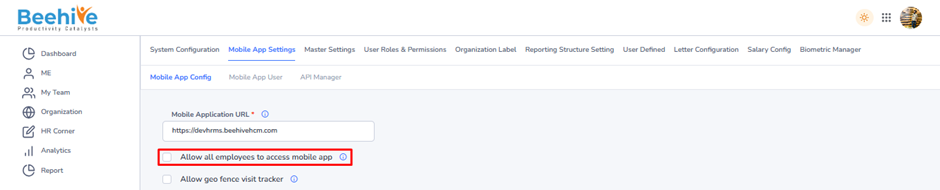
Example –
If a company has 250 employees and enables this option, all 250 employees can immediately log in to the mobile app using their credentials.
If this configuration is disabled –
– Employees will not be allowed to log in to the mobile application.
– The system will display a validation message indicating that mobile login access is currently disabled for the employee.
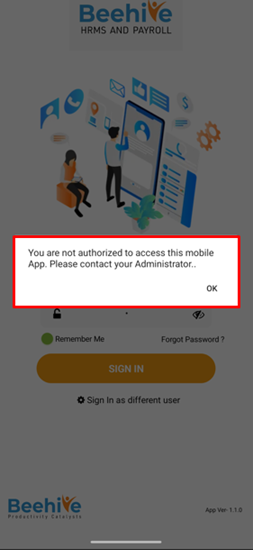
If this configuration is enabled, employees will be allowed to log in to the mobile application using their valid employee credentials.
2nd Configuration – Allow all employees to mark attendance through mobile
This setting enables employees to mark their attendance using the mobile application. When activated, all employees with mobile app access can check in and check out directly from their mobile devices.
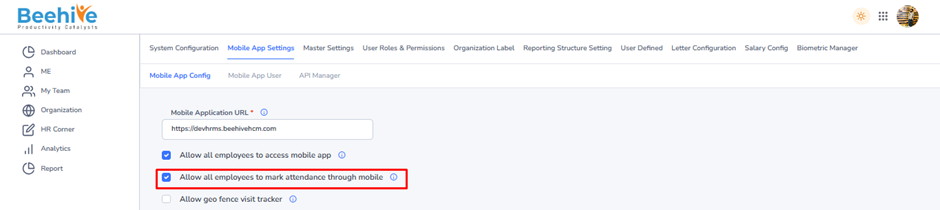
Example –
In a sales-driven organization, enabling this option allows field executives to mark attendance directly from their mobile phones.
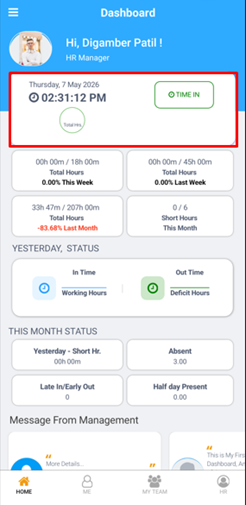
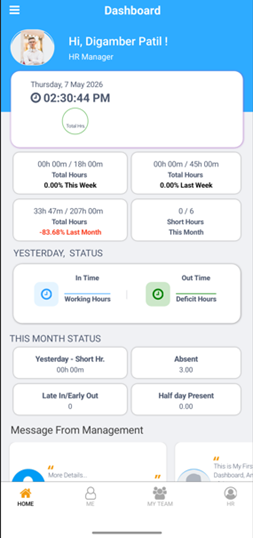
If this configuration is disabled, the Time In and Time Out buttons will not be displayed to employees in the mobile application.
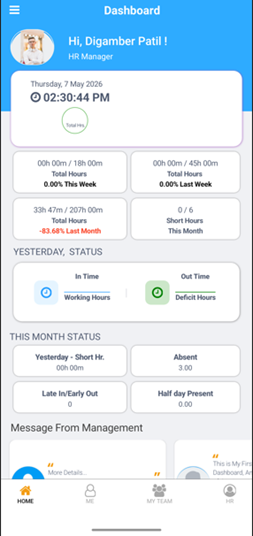
If this configuration is enabled, the system will allow employees to mark their attendance through the mobile application.
The Time In and Time Out buttons will be displayed to employees, allowing them to record their punch-in and punch-out timings directly from the mobile app.