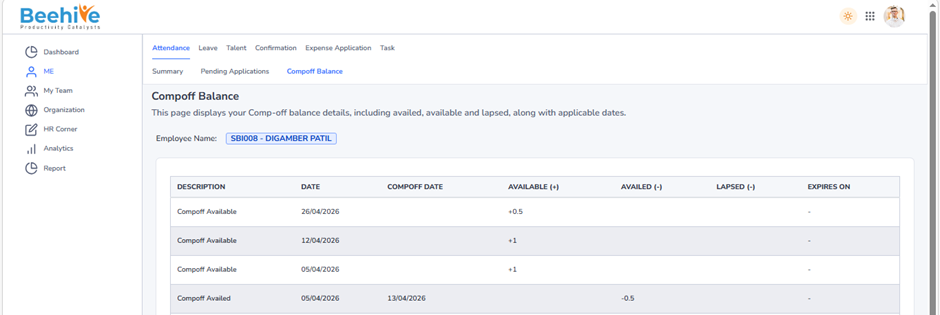
CompOff Request Cancellation
If the HR Admin needs to cancel an already approved Compoff Request Application, this menu provides a simple and efficient way to perform the cancellation. By selecting the required Compoff Request Application and initiating the cancellation process, the system automatically reverses all updates made during approval. This includes removing the Compoff Request status from the employee attendance calendar, restoring the original attendance status, and undoing any other attendance-related changes associated with the Compoff Request entry.
This functionality gives HR Admins complete control over Compoff Request records, helping them correct mistakes or handle exceptional situations while maintaining accuracy and transparency within the attendance management system.
From Where HR Admin can do cancellation?
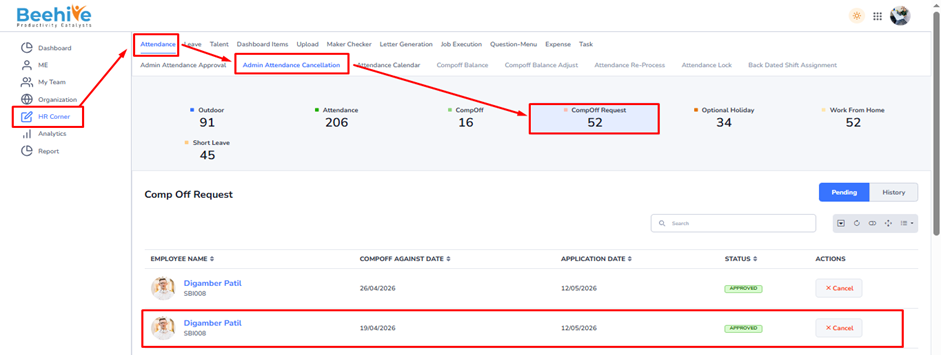
To manage Compoff Request Application cancellations, go to the HR Corner tab and select the Attendance module. Within this module, click on the Admin Compoff Request Cancellation tab, then choose Compoff Request Application.
Here, the HR Admin can view the list of all approved Compoff Request Applications available for cancellation. The HR Admin can either cancel the application directly from the list view or open the application to review the details before proceeding with the cancellation.
Note – Only approved Compoff Request Applications are displayed for cancellation.
Navigation –
Login -> HR Corner -> Attendance -> Admin Attendance Cancellation -> Compoff Request
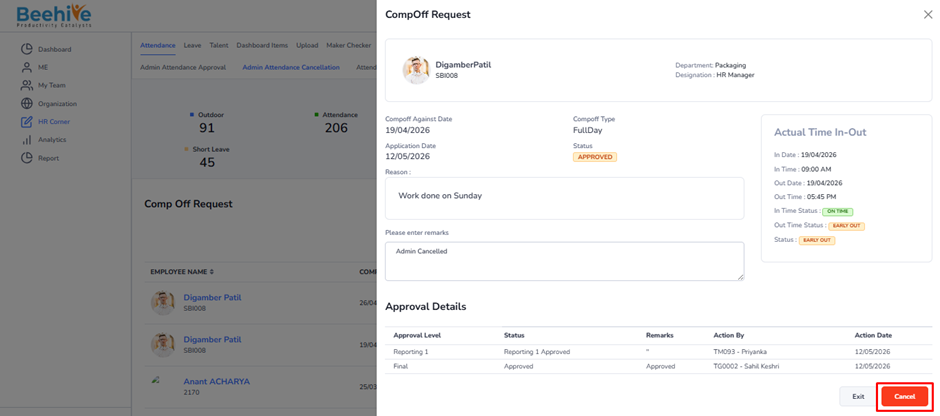
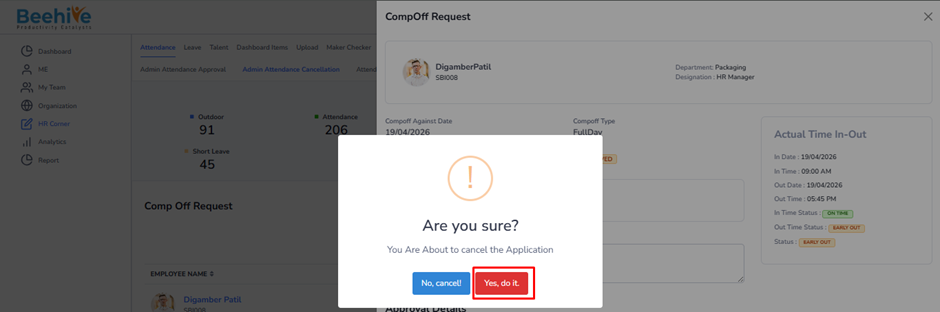
After click on cancel button, you can get below popup and by click on Yes, Do it button application gets cancelled successfully
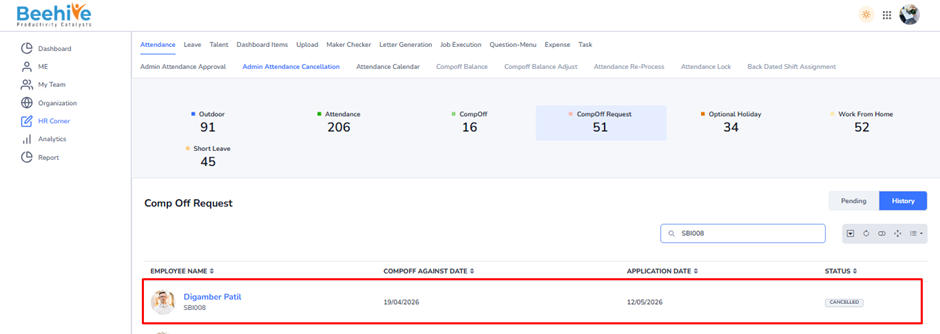
Note – After cancellation of the CompOff Request Application, the CompOff balance for 19-Apr-2026 is removed from the employee’s CompOff Balance.