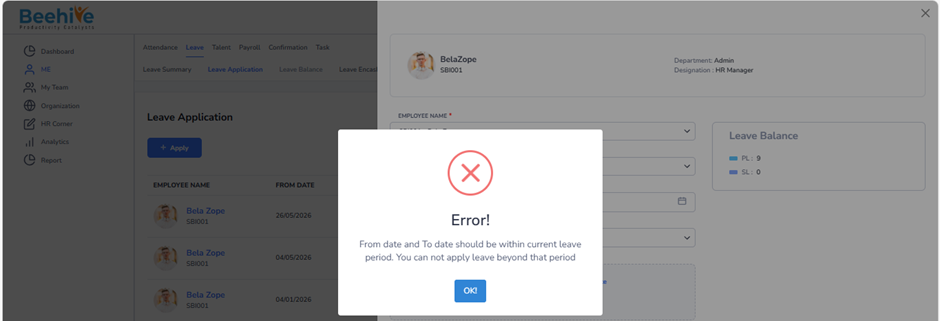
How to restrict for Leave application if employee tries to apply for beyond leave period days?
Prerequisites to Restrict employees to apply Leave application beyond leave period –
1. Leave Group must be assigned to Employee
2. Leave Type must be configured for Assigned leave Group
3. Leave Period must be Active.
Navigation –
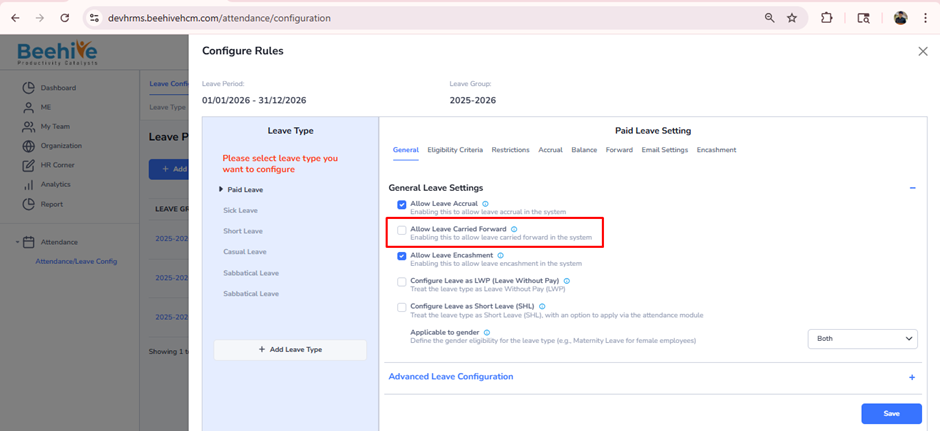
Login -> Module Box -> Attendance/Leave Config ->Leave Configuration -> Select Leave Period ->Configure -> Select Leave Type -> General-> General Leave Settings
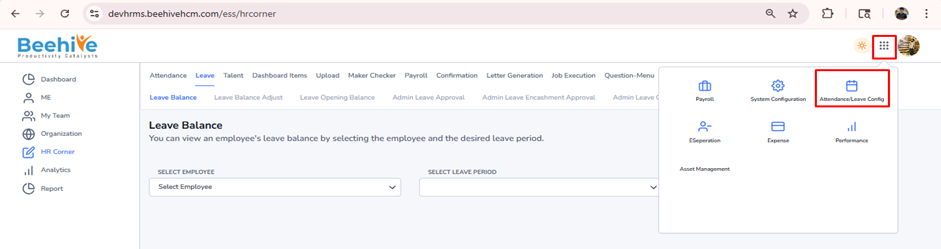
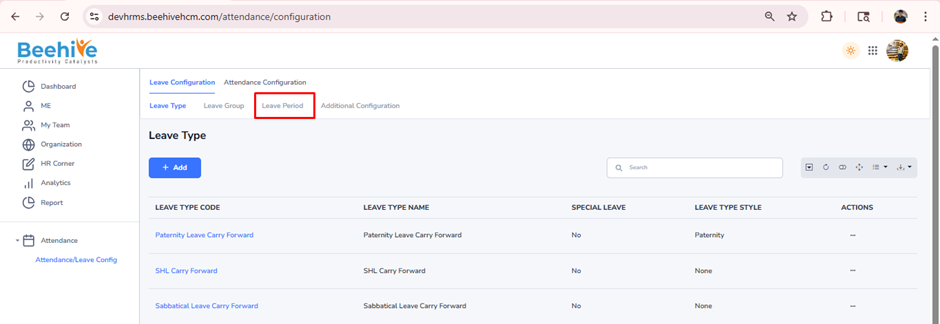
Click on Configure button for current active Leave Group Period
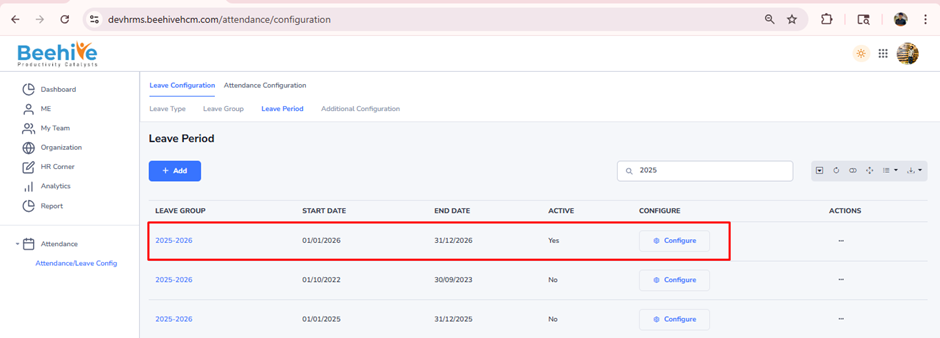
Select leave type and check that “Allow Leave Carry Forward” configuration is disabled and then click on Save button.
System prevents employees from applying for leave in the upcoming leave period.