ChangeLeaveAdjustandAccrualDate
The Change Leave Adjust and Accrual Date upload feature is used to modify the display date of adjusted and accrued leave balances for employees in bulk. This functionality allows HR administrators to update the Actual Display Date to a new Change Display Date without altering the actual leave transactions. It ensures that leave balances are reflected accurately as per business or policy requirements, especially in cases where backdated adjustments or accrual entries need to be aligned with a specific period. The upload is performed using a standardized template containing fields such as Employee Code, Leave Code, Description, Actual Display Date, and Change Display Date.
Benefits –
– Enables bulk update of adjusted and accrual display dates.
– Ensures accurate reflection of leave balances as per policy timelines.
– Reduces manual effort and chances of error.
– Maintains consistency across employee leave records.
– Supports better audit and reporting accuracy.
Uses –
– Used to align leave accrual dates with policy or financial periods.
– Helpful in correcting incorrect display dates of leave adjustments.
– Applicable during data migration or system implementation.
– Useful for backdated leave corrections and reconciliations.
– Ensures proper visibility of leave balances in reports and employee records.
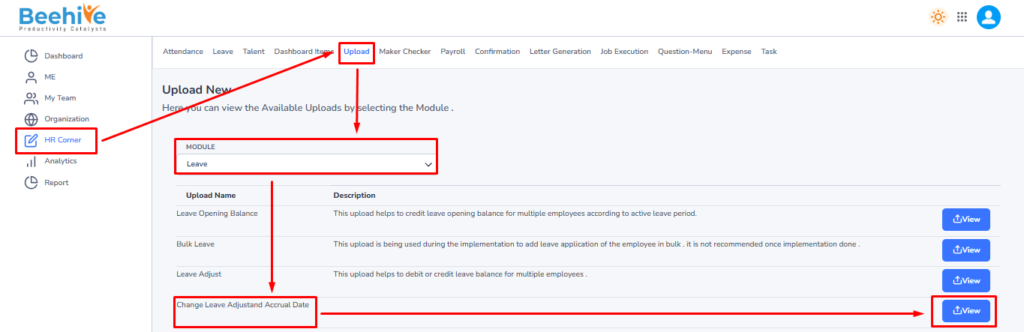
Navigation – Click on HR Corner –> Click on Upload tab –> Select Leave Module –> Select File to Upload –> Click on View Button –> Upload File.

Click on Upload button and then select Leave Module “Change Leave Adjust and Accrual Date” upload and then click on View button to perform the upload Functionality.
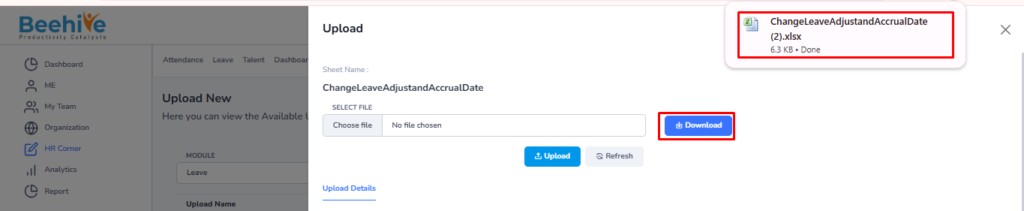
Click on Download button to download blank sheet for the Change Leave Adjust and Accrual Date upload.
Fill the Valid data in the Sheet.

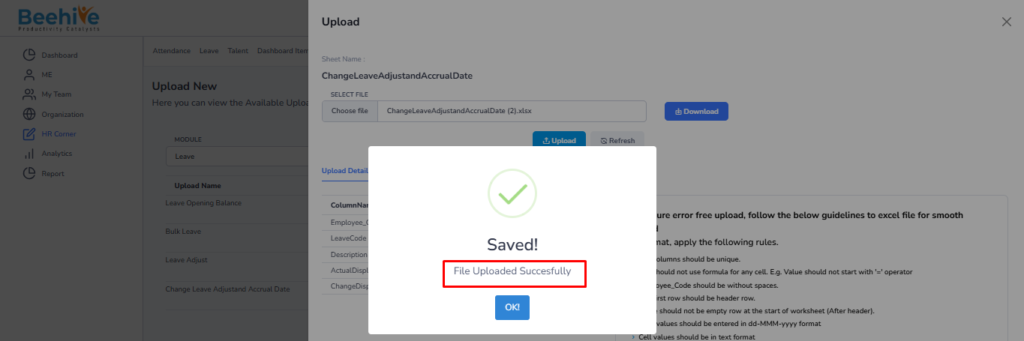
Save and Upload the File.

File Uploaded Successfully.
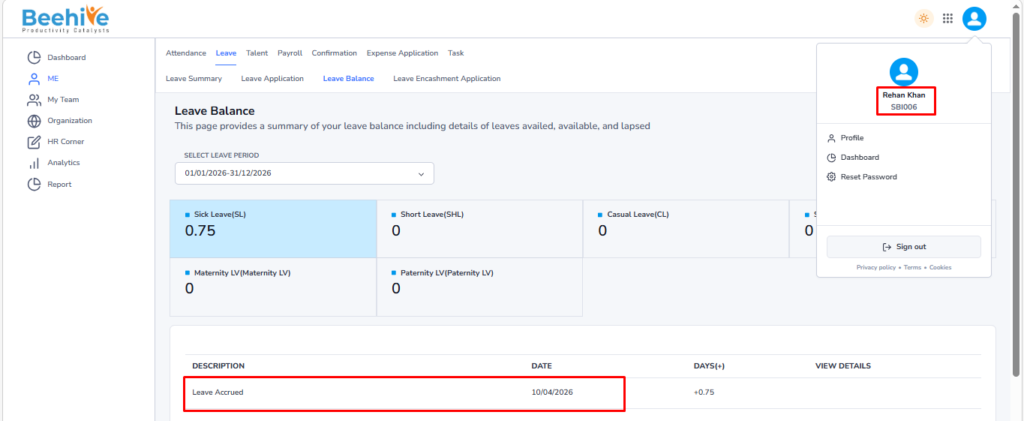
Employee leave Balance “Accrual Date” for Sick Leave before Uploading “ChangeLeaveAdjustandAccrualDate” Sheet
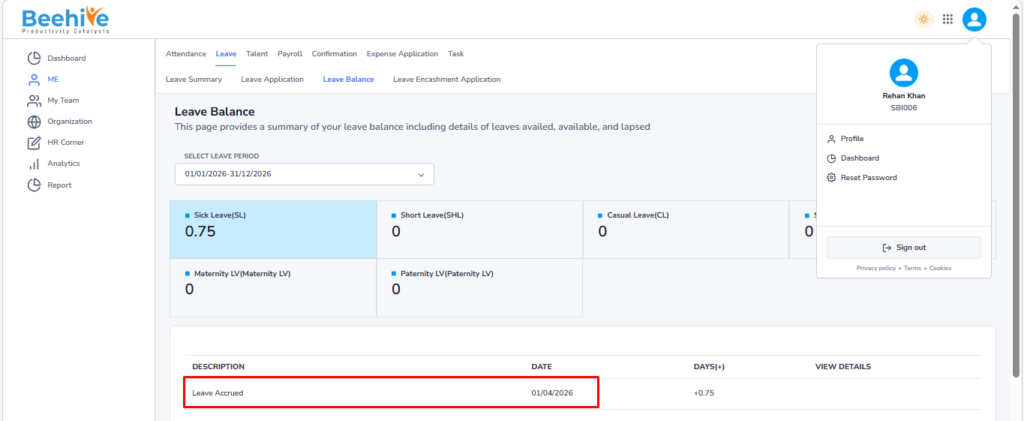
Employee leave Balance “Accrual Date” for Sick Leave after Uploading “ChangeLeaveAdjustandAccrualDate” Sheet