Assign Weeklyoff Template
Weekly Off Assignment is used to assign weekly off templates to employees.
HR can assign –
– Sunday Off
– Saturday & Sunday Off
– Alternate Saturday Off
– Custom Weekly Off
to selected employees.
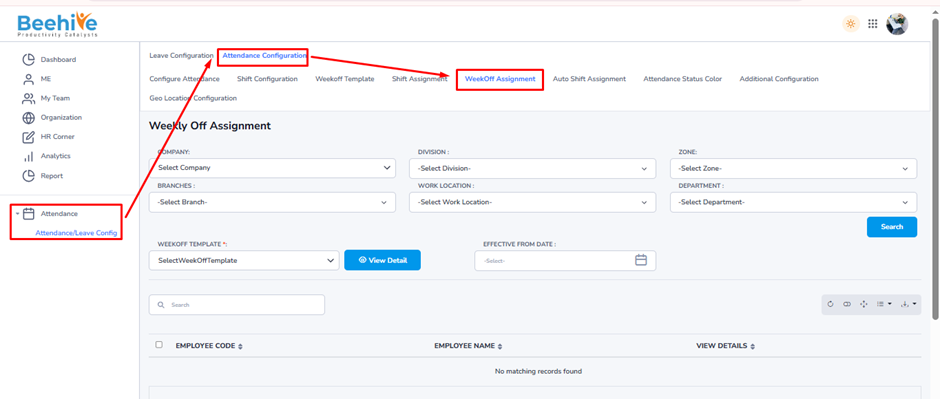
Navigation –
Attendance → Attendance/Leave Config → Attendance Configuration → WeekOff Assignment
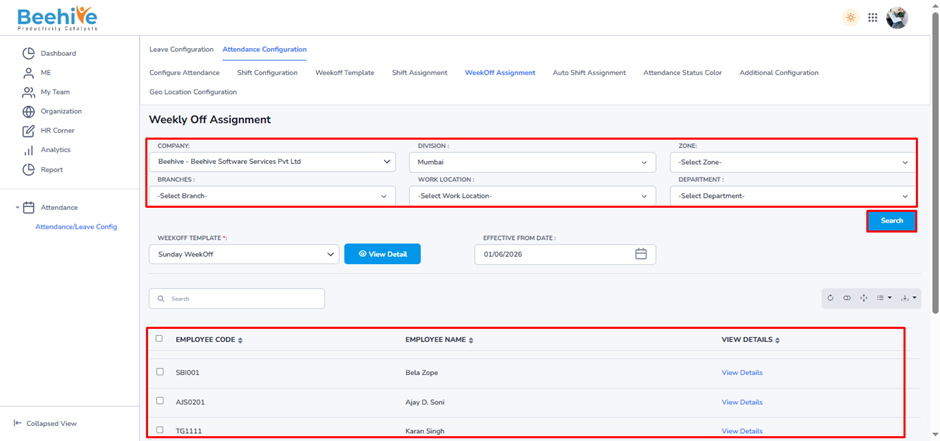
HR can filter employees using organization details such as –
1. Company
2. Division
3. Zone
4. Branch
5. Work Location
6. Department
After selecting the required filters, click on the Search button.
Result – The system will display all employees matching the selected organization criteria in the employee list section below.
HR can then –
– Select employees
– Assign Weekly Off Template
– Apply effective date for weekly off assignment
Example –
If HR selects –
Company – Beehive
Division – Mumbai
and clicks Search, then only employees from the Mumbai division of Beehive company will appear in the list.
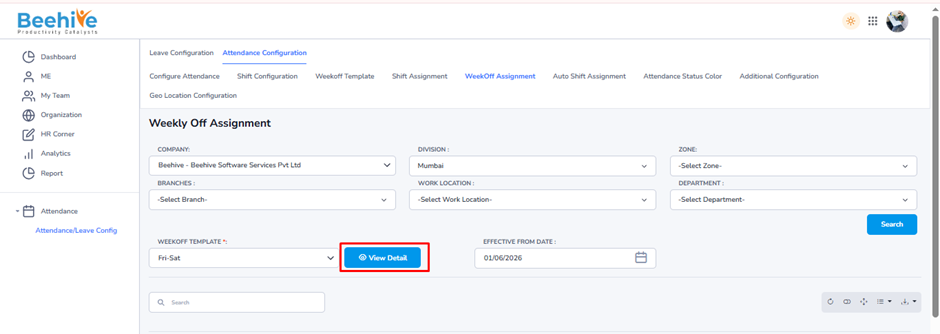
Select the weekly off template you want to assign to employees.
Example Template – Fri-Sat
If HR selects – Fri-Sat
Note- Click View Detail to verify the selected Weekly Off Template configuration before assigning it to employees.
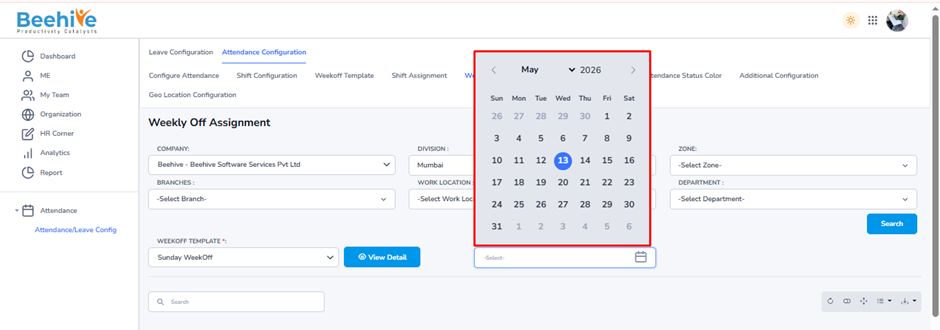
The Effective From Date defines from which date the assigned Weekly Off Template will start applying to employees.
Example –
If Effective Date – 14/05/2026
then the selected weekly off template will apply from –14 May 2026 onward.
Note –
If Effective Date is Past Date –
– Attendance Re-Process needs to be done
– Required attendance jobs need to be executed
This is required to update old attendance records as per the new weekly off configuration.
If Effective Date is Future Date –
– Only required jobs need to be executed
Attendance will automatically apply the weekly off from the future effective date onward.
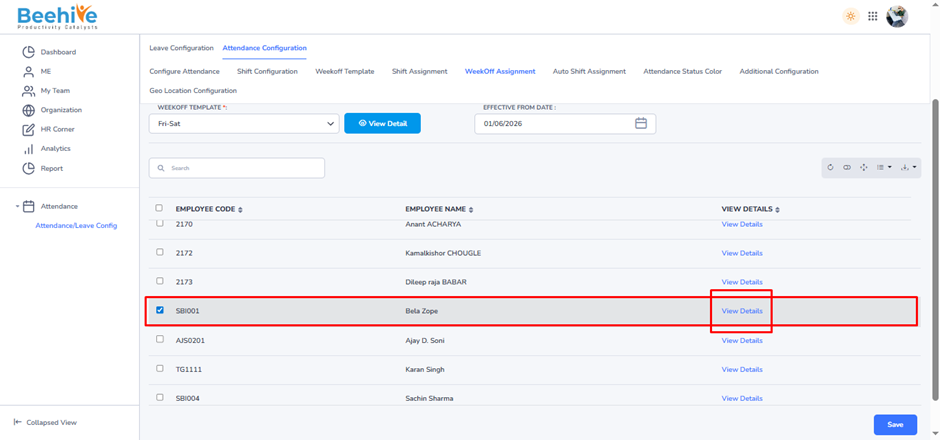
Note – HR can select multiple employees and assign the selected Weekly Off Template together.
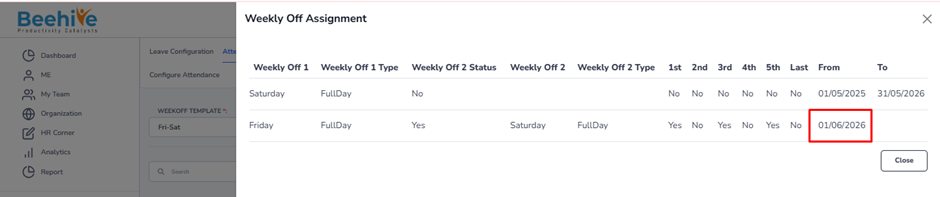
The View Details option helps preview –
– Assigned Weekly Off Template
– Weekly Off Days
– Weekly Off Type
– Effective From Date
before saving the assignment.

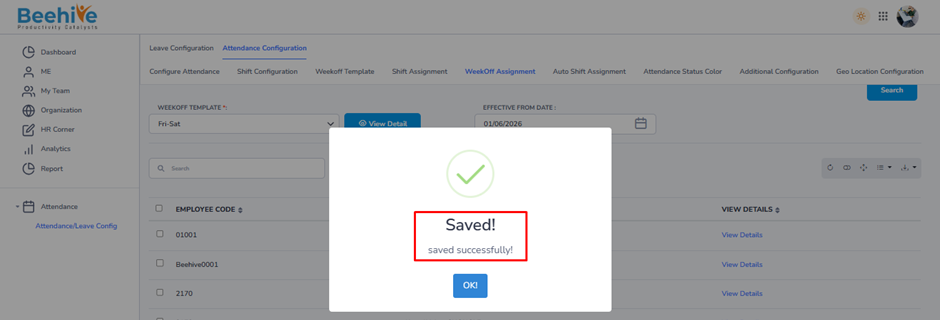
The From Date shows from which date the Weekly Off Template is applicable for the employee.
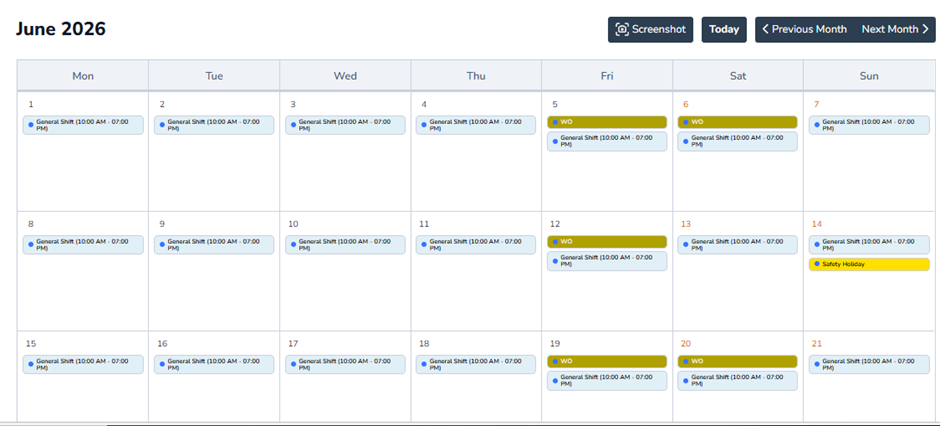
If any new weekly off template is assigned, the previous template validity ends automatically and the new template starts from the selected effective date.