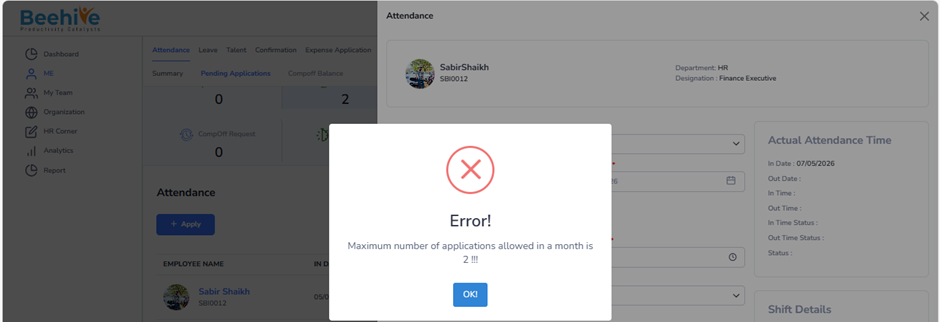
How to restrict employee to raise number of Attendance application in a month?
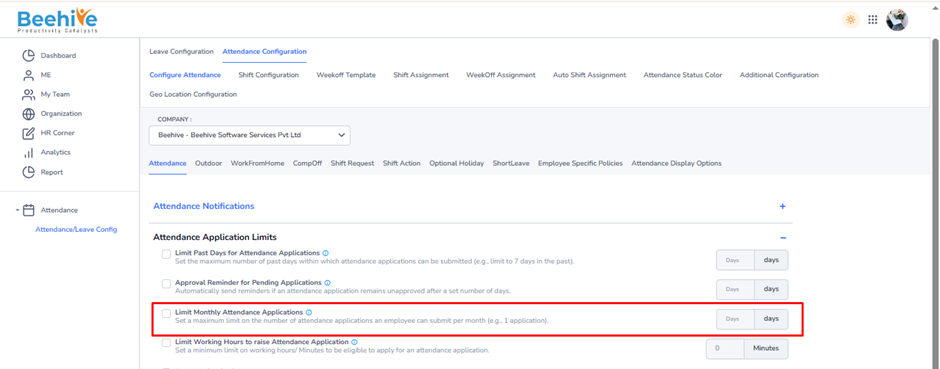
This configuration is used to define the maximum number of attendance applications an employee can submit within a month.
When this option is enabled –
Employees can raise attendance applications only up to the configured monthly limit.
Once the maximum limit is reached, further attendance applications will not be allowed for that month.
Helps organizations control excessive attendance regularization requests.
Encourages employees to maintain proper attendance and punch records.
Reduces repeated attendance correction requests and manual HR effort.
The maximum number of allowed attendance applications can be configured in the provided field.
Navigation –
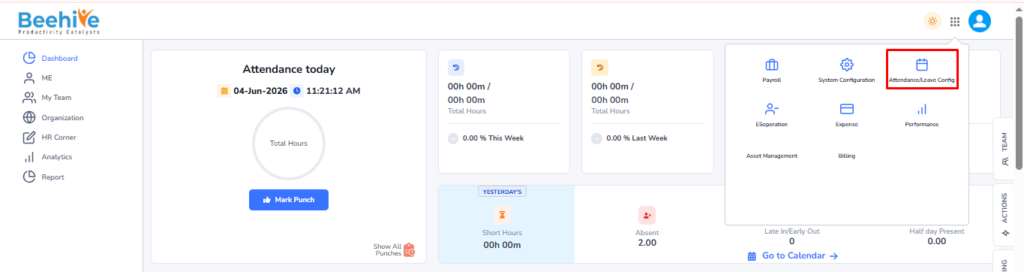
Login → Module Box → Attendance/Leave Config → Attendance Configuration → Configure Attendance → Attendance
Example –
If the monthly attendance application limit is set to 2 Applications –
– Employee can submit up to 2 attendance applications in the same month
– Attempt to submit the 3rd attendance application in the same month → Not Allowed

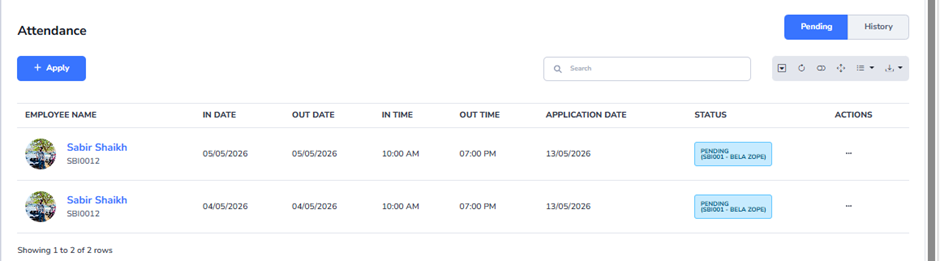
System restricts employee to raise 3rd attendance application.