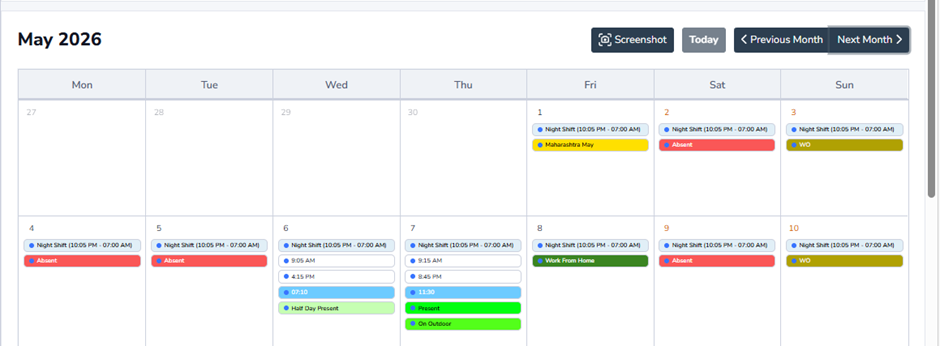
Attendance Reprocessing
This page is used to reprocess employee attendance data after any attendance-related changes such as Shift Assignment, Weekly Off Assignment, Leave changes, or Attendance corrections.
When to Use Attendance Re-Process –
Run Attendance Re-Process in below cases-
– Shift Assignment changed
– Weekly Off changed
– Leave updated or cancelled
– Attendance regularization approved
– Outdoor / Work From Home approved
– Holiday changes done
– Attendance status corrected manually
Why It Is Required –
The system recalculates attendance based on the latest configuration and updates the employee attendance calendar, reports, and attendance summary correctly.
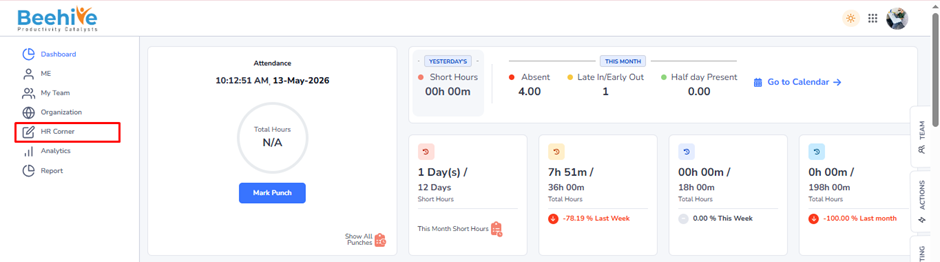
Navigation –
Dashboard → HR Corner → Attendance → Attendance
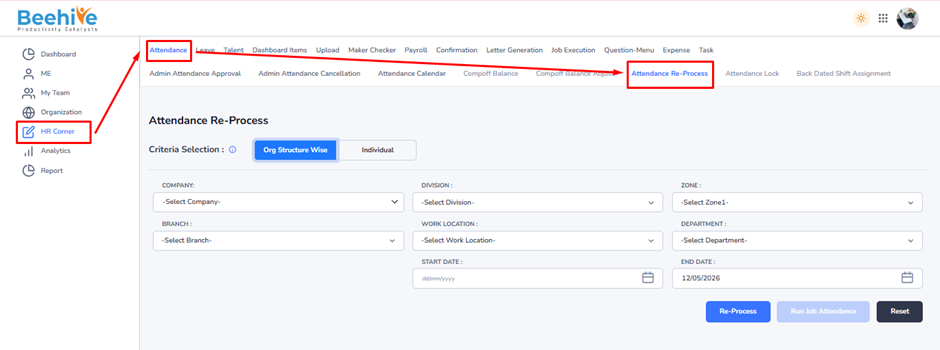
1. Org Structure Wise –
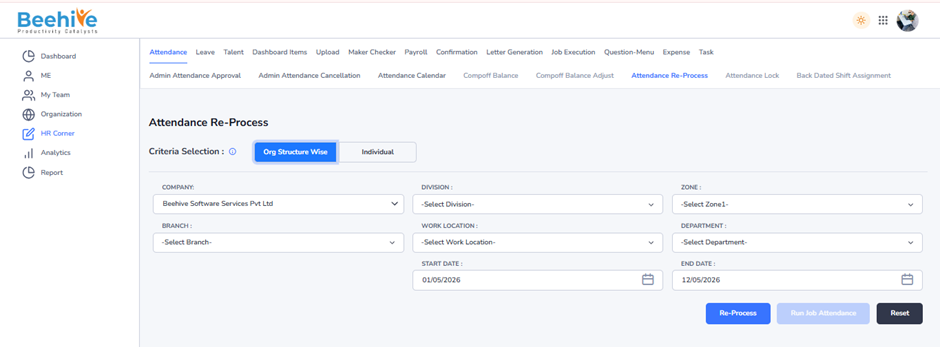
In this option, attendance can be reprocessed for multiple employees together using organization filters like Company, Division, Branch, Work Location, Zone, and Department.
After selecting the required filters and date range, click Re-Process to recalculate attendance for all selected employees.
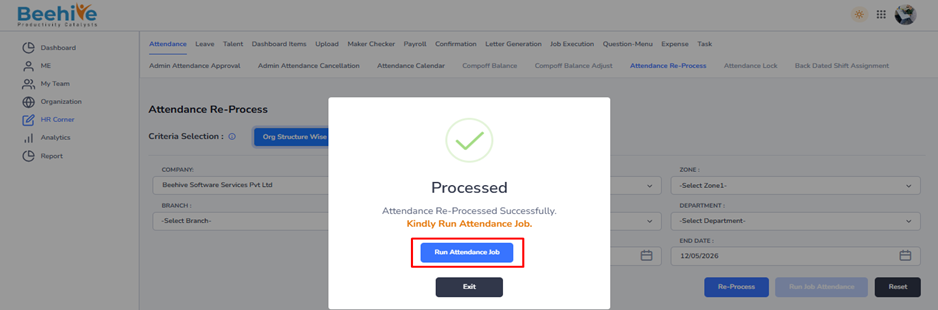
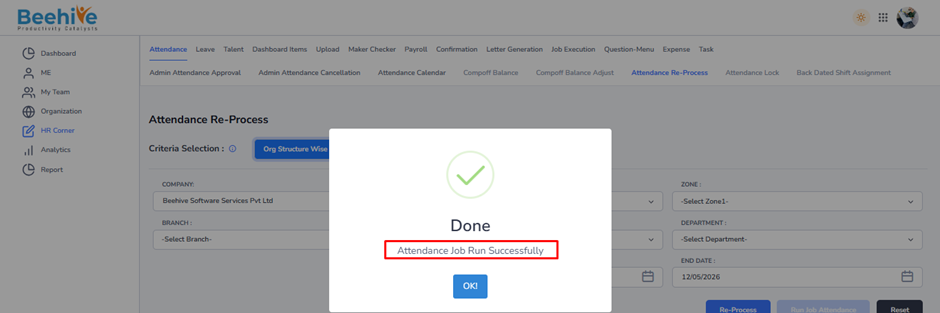
2. Individual –
In this option, attendance can be reprocessed for a single employee only.
First select the organization details and click Search to load employees. Then select the employee, choose the date range, and click Re-Process.
This option is mainly used for individual attendance corrections or employee-specific updates.
HR can filter employees using organization details such as –
1. Company
2. Division
3. Zone
4. Branch
5. Work Location
6. Department
After selecting the required filters, click on the Search button.
Result – The system will display all employees matching the selected organization criteria in the employee list section below.
HR can then –
– Select employees
– Assign Weekly Off Template
– Apply effective date for weekly off assignment
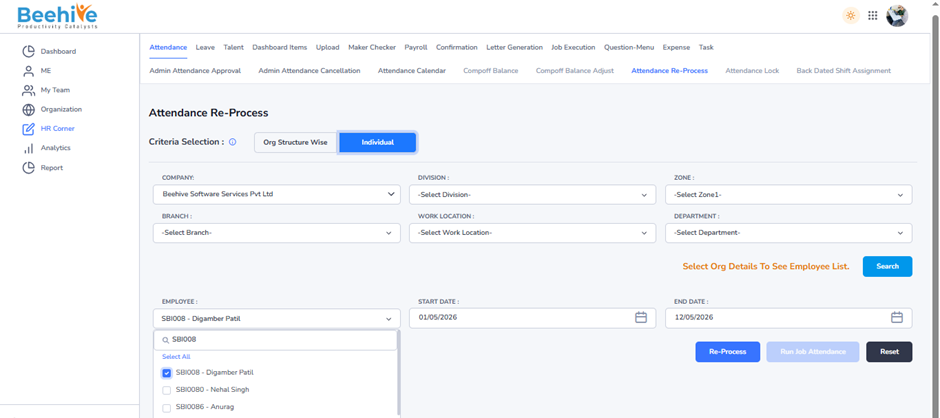
Example – Employee shift has changed from 01-May-2026
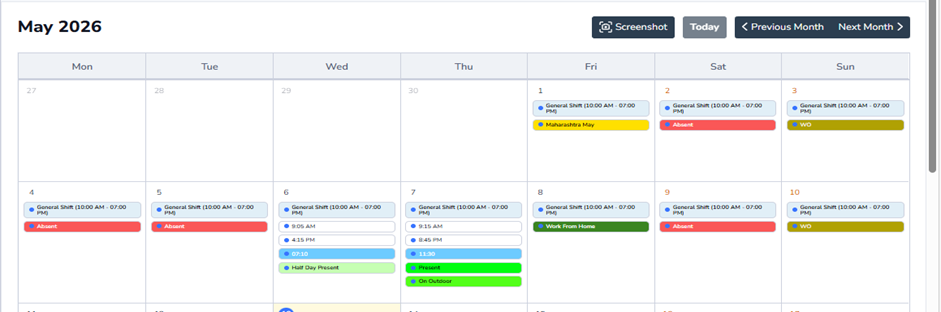
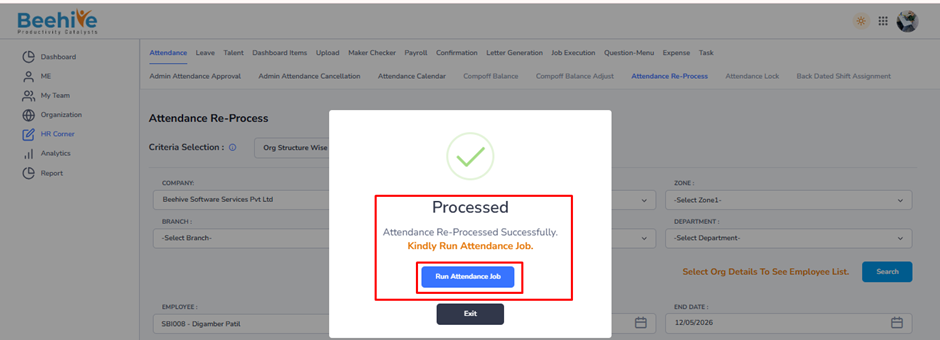
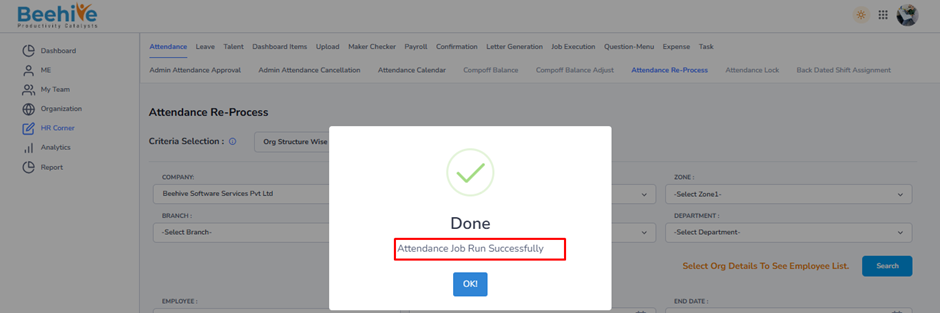
After Attendance Re-Process, the updated shift details will reflect in the employee attendance records and calendar.