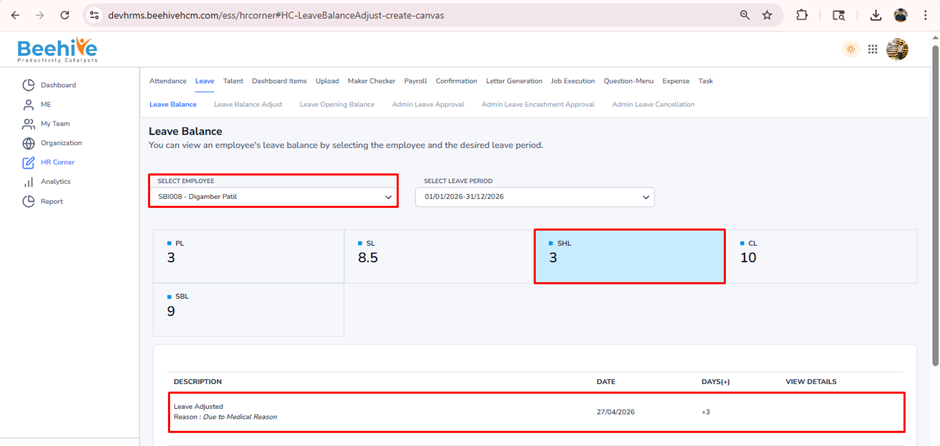
Leave Balance Adjust
This feature allows authorized users to modify an employee’s leave balance in a controlled and transparent manner. It is typically used to correct discrepancies, grant additional leave, or deduct excess leave based on organizational policies or approvals. The user is required to select the employee, specify the leave type, enter the adjustment value (addition or deduction), and provide a valid reason to ensure proper tracking and audit compliance.
Prerequisites for Leave Balance Adjust –
1. Leave Group must be assigned to Employee
2. Leave Type must be configured for Assigned leave Group
3. Leave Period must be Active.
Steps to follow –
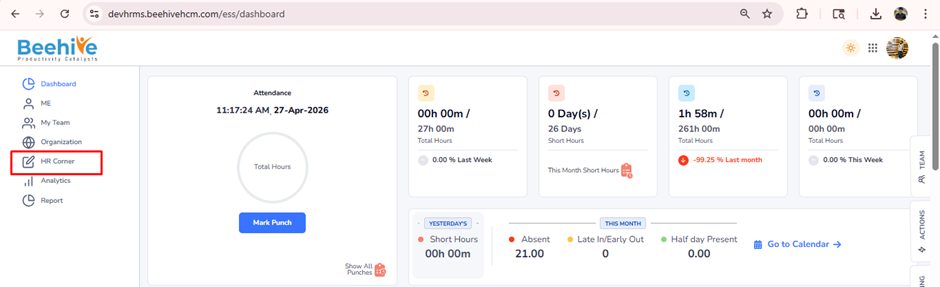
After Logging in, click on HR Corner Menu
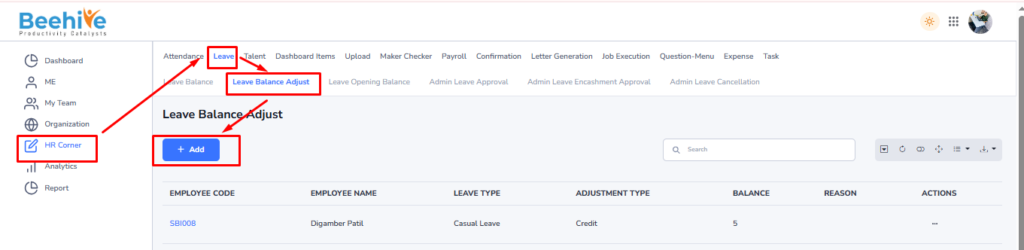
After getting redirected to Leave Balance Adjust Page, click on Add Button.
Select Employee from the Employee dropdown list.
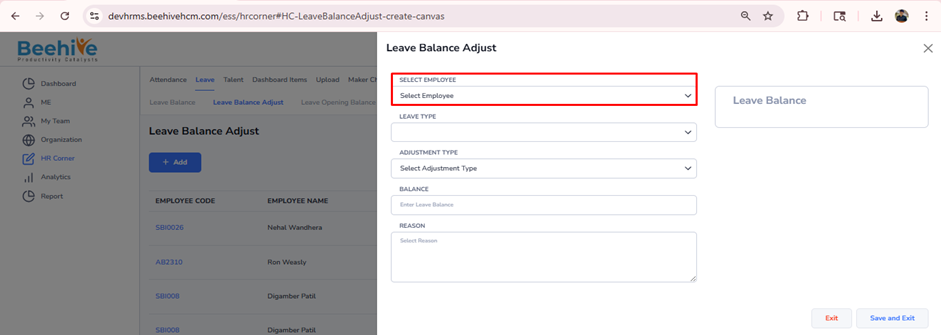
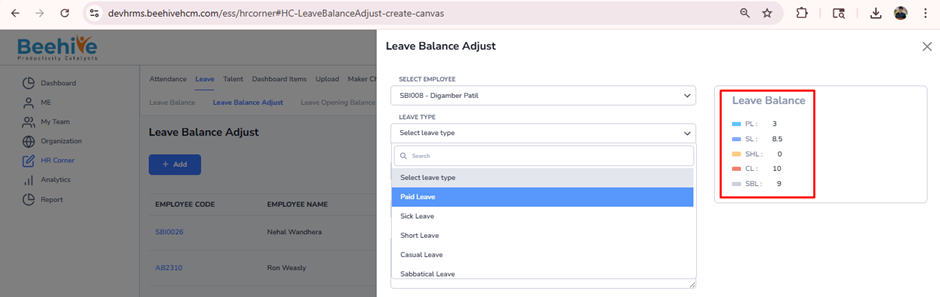
Here you can select leave type to adjust balance. On the right hand side Configure leave Type for the assigned leave group and Current balance of employee will be displayed.
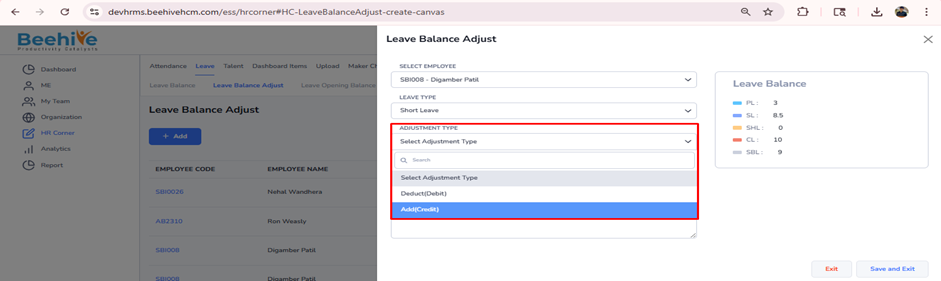
In Adjustment type you will get 2 option where you can Add (Credit) or Deduct (Debit) balance of selected leave type.
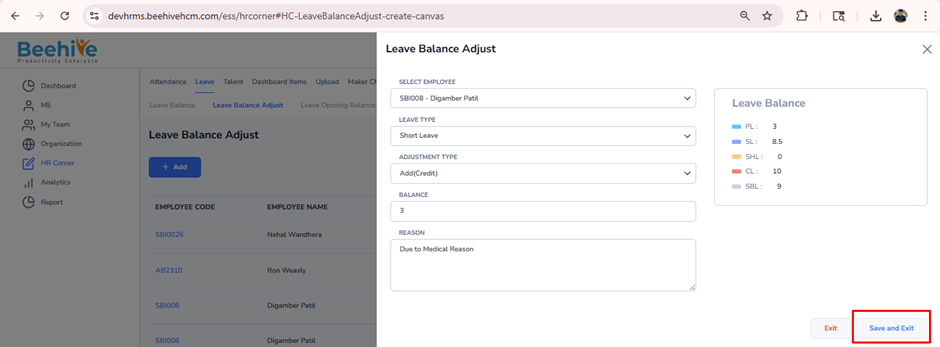
Enter the Balance to Adjust and reason for Adjustment.
After filling up all the fields click on Save & Exit Button.
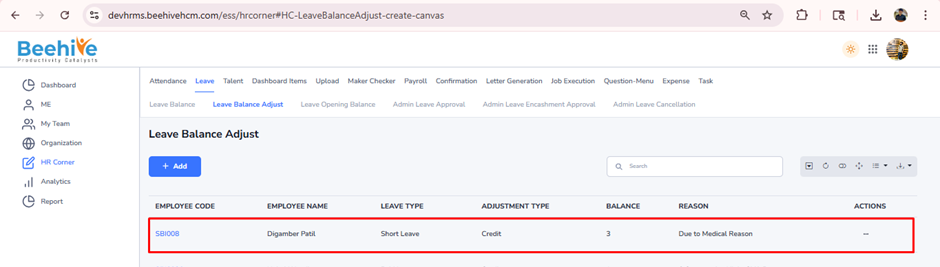
You can check the Adjust leave balance in Employee Leave Balance from Leave Balance Menu