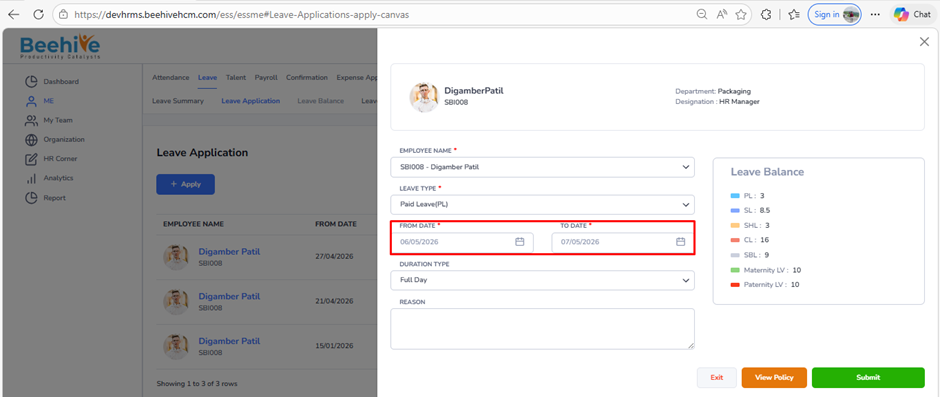
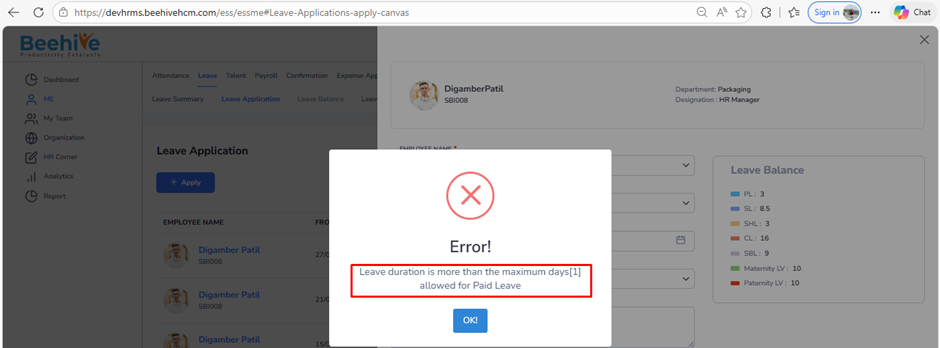
How to restrict employee to apply leave only for 1 day in an application?
Prerequisites –
1. Leave Group must be assigned to Employee
2. Leave Type must be configured for Assigned leave Group
3. Leave Period must be Active.
This setting defines the maximum number of leave days an employee can apply for in a single request. The system will restrict the application if the selected leave duration exceeds the defined limit.
Navigation –
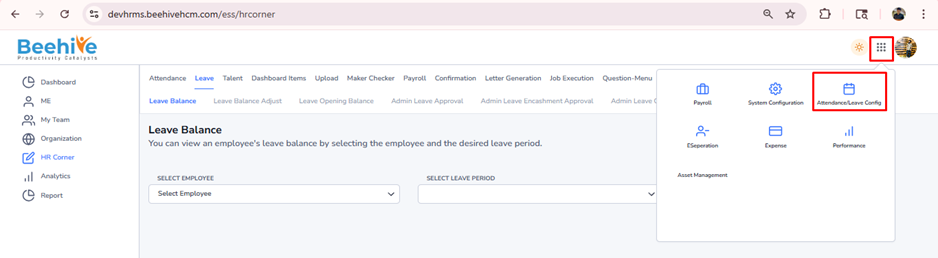
Login -> Module Box -> Attendance/Leave Config ->Leave Configuration -> Select Leave Period ->Configure -> Select Leave Type -> Restriction -> Leave Application & Rules
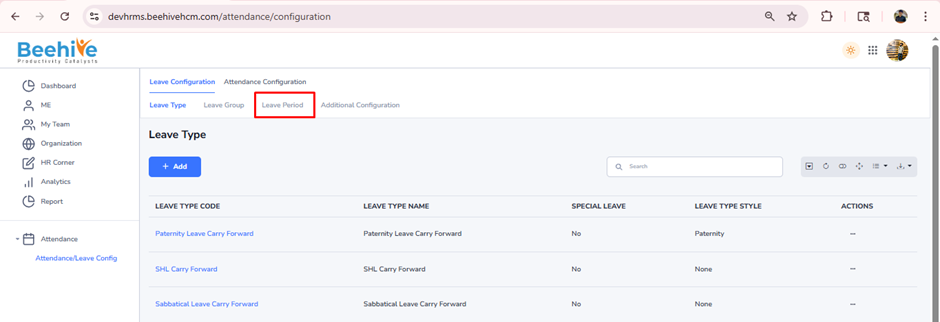
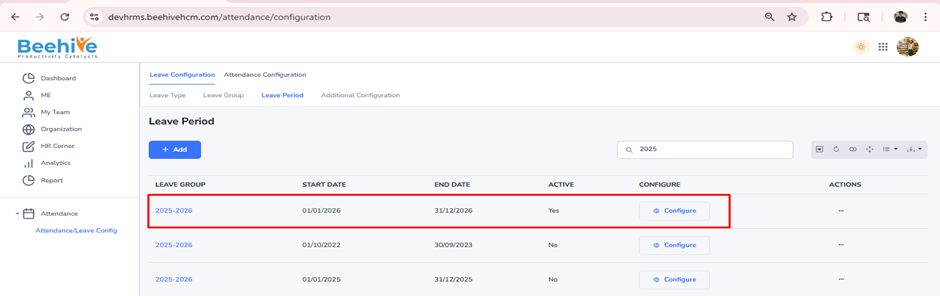
Click on Configure button for current active Leave Group Period
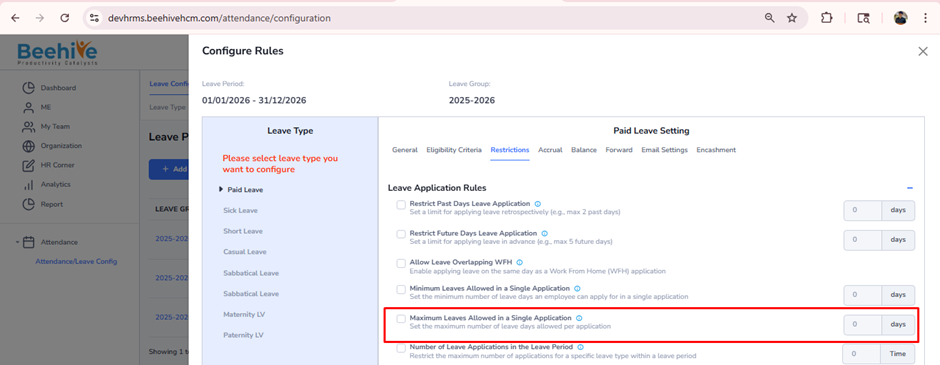
Select Leave Type from Configuration page & go to Restriction tab.
Enable “Maximum Leaves Allow in a Single Application” configuration.
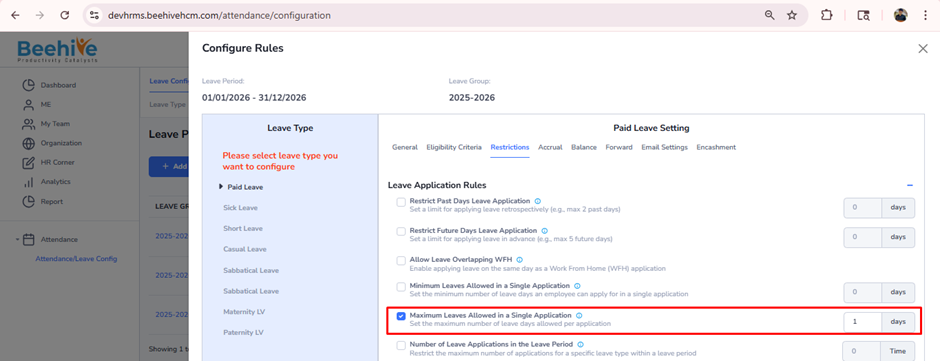
After enabling, enter “1” in days field and click on save button.
Note – you can enter any number of days to use as maximum no. of days employee can raise in single application
System restricts when raising more than 1 day Paid leave application