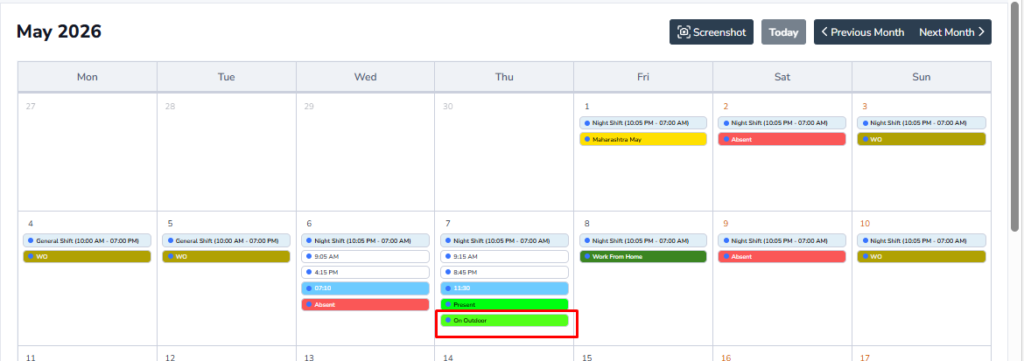
How to Apply for Outdoor?
If an employee needs to perform official work outside the office premises, they can apply through the Outdoor Application page. As shown below, the employee can enter the Outdoor Date, time details, purpose of visit, and remarks. This helps the organization track official outdoor duties and maintains accurate attendance records.
From Where Employee can apply?
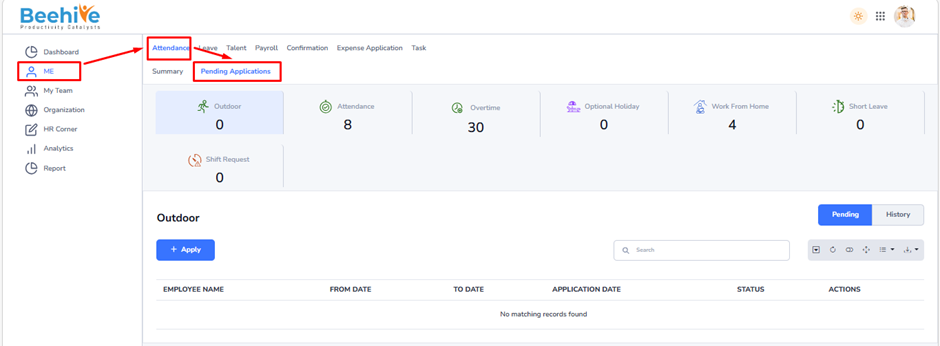
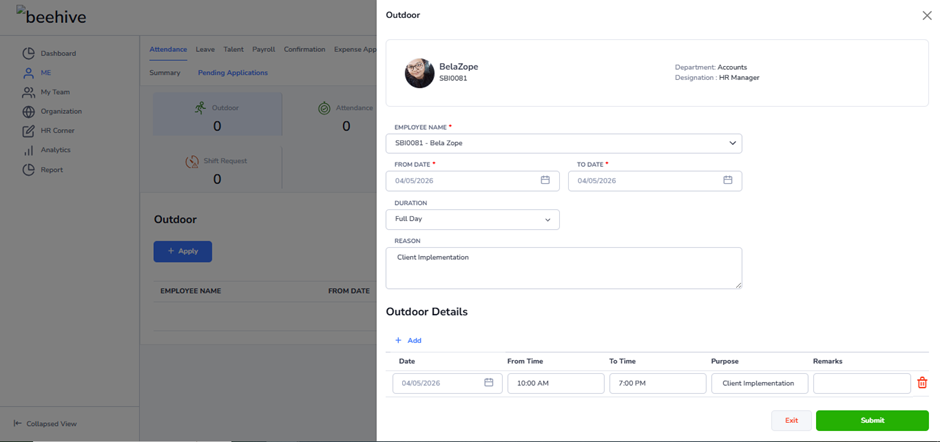
application, click on the Apply button to open the application page. This page allows the employee to enter all required details, such as Outdoor Date, purpose of visit, location, and remarks for the request.
This step-by-step navigation helps employees easily access, review, and submit their outdoor duty applications in the HRMS system.
The Outdoor Details section allows employees to enter detailed information about their Outdoor Duty activities.
In this section, the employee can specify –
– Date of the Outdoor Duty
– From Time and To Time
– Purpose of the visit or activity
– Additional Remarks, if required
Employees can also add multiple Outdoor entries by clicking on the Add option. This helps maintain accurate records of official work performed outside the office and enables HR or reporting managers to review the details during the approval process.
Navigation –
Login -> Me -> Attendance -> Pending Applications -> Outdoor -> Apply
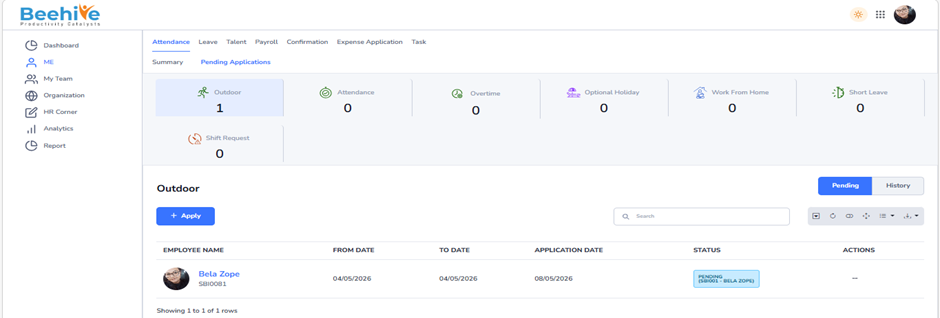
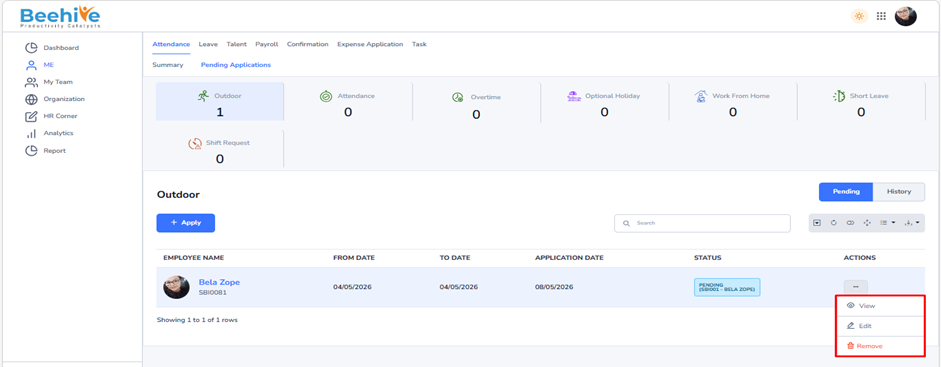
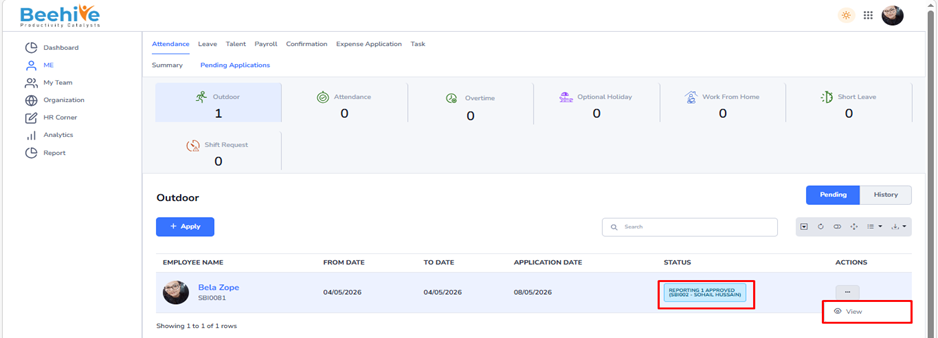
To View, Edit, or Delete an existing application, navigate to the Actions column and click on the Actions Menu icon. This menu provides various options to manage your submitted applications.
If the application status is Pending, you will see the Remove & Edit option available in the menu. This allows you to delete or edit the application before it is reviewed or approved by the concerned authority.
However, once the application has progressed to the Reporting 1 Approved or Reporting 2 Approved status, the Remove & Edit option will no longer be visible. At this stage, the application is already under review or approved, and hence, it cannot be deleted or modified.
This feature ensures that users can manage their applications efficiently while maintaining data accuracy and approval integrity within the system.
Impact on Calendar after approval