How to Approve CompOff Request?
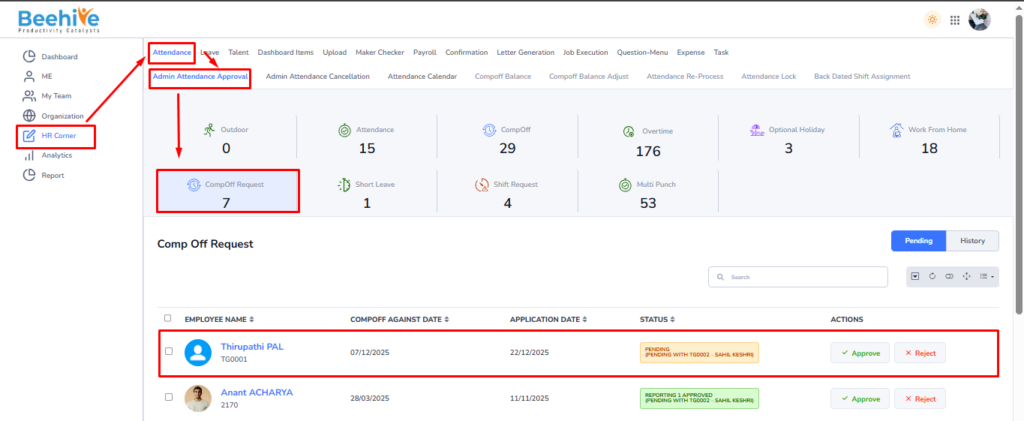
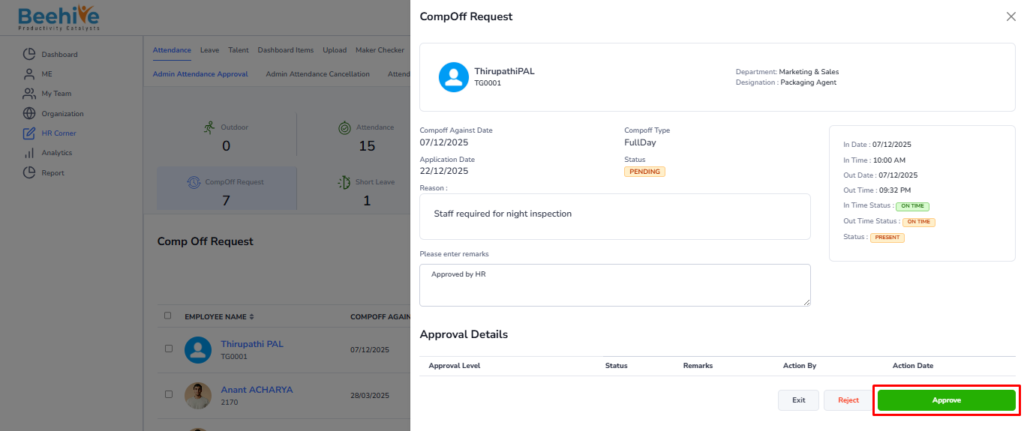
The Admin Compoff Request Approval page empowers the HR Admin with full control over Compoff Request application management. It serves as a centralized platform where the Admin can review, approve, or reject Compoff Request requests across various stages, including –
– Pending
– Reporting 1 Approved
– Reporting 2 Approved
This page includes a Bulk Approval feature, allowing the HR Admin to select and approve multiple Compoff Request applications simultaneously. This functionality saves time and promotes consistency when handling a large number of requests.
Approval Workflow –
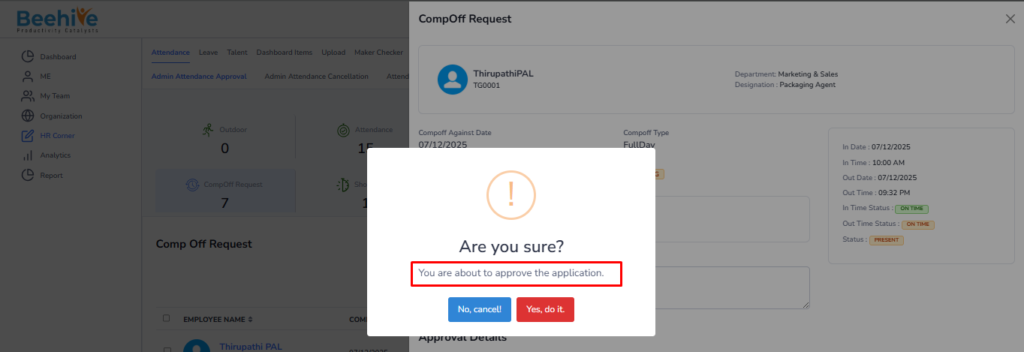
In case where multiple reporting levels exist, if an application is still in the Pending stage and the Admin approves it directly, the Compoff Request request is immediately marked as Final Approved. This bypasses any further intermediate approvals, such as Reporting 1, and the application will not appear for any subsequent approval stages.
Navigation –
Login ->HR Corner -> Attendance ->Admin Attendance Approval -> Compoff Request
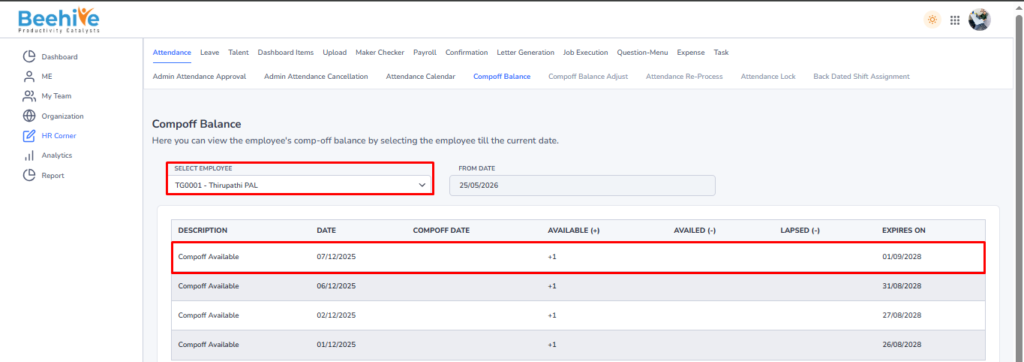
After approval of the Comp Off request, the application balance will be credited to the Comp Off balance.