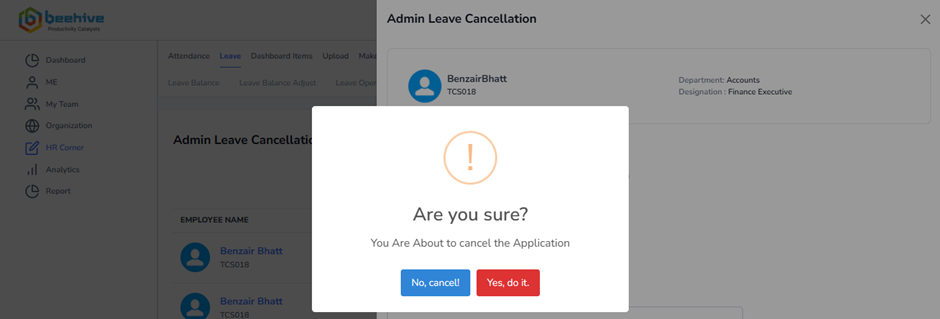
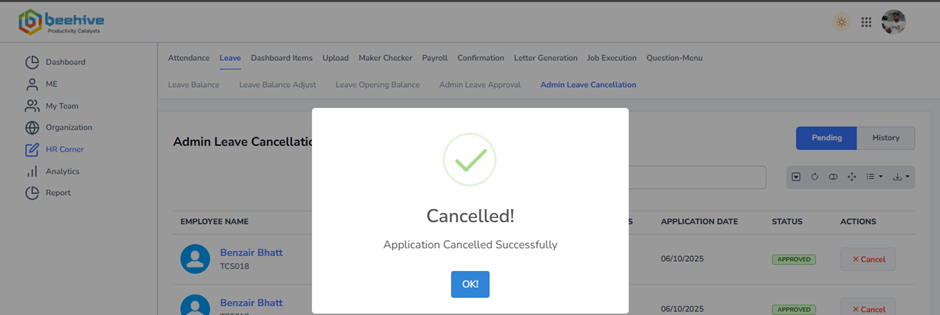
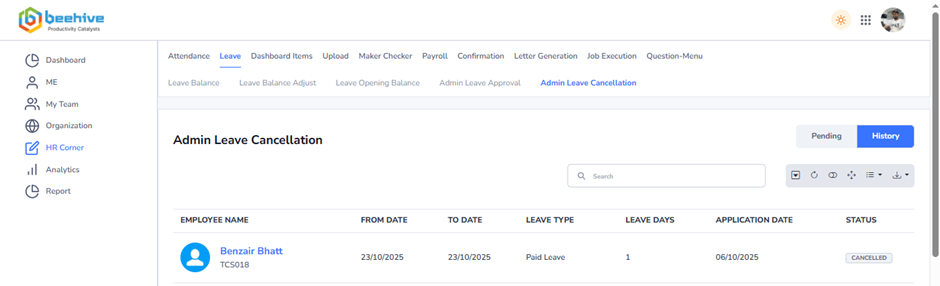
How to cancel leave?
If the Admin needs to cancel an already approved leave application, this menu offers a streamlined way to do so. By selecting the specific application and initiating the cancellation, the system will automatically reverse all changes made during the approval process. This includes removing updates to regularized punches, adjusting the final day status, and undoing any other leave-related modifications previously reflected on the employee’s calendar.
This functionality empowers Admins with full control over leave records, enabling them to correct errors or manage exceptional situations while ensuring transparency and accountability within the leave management system.
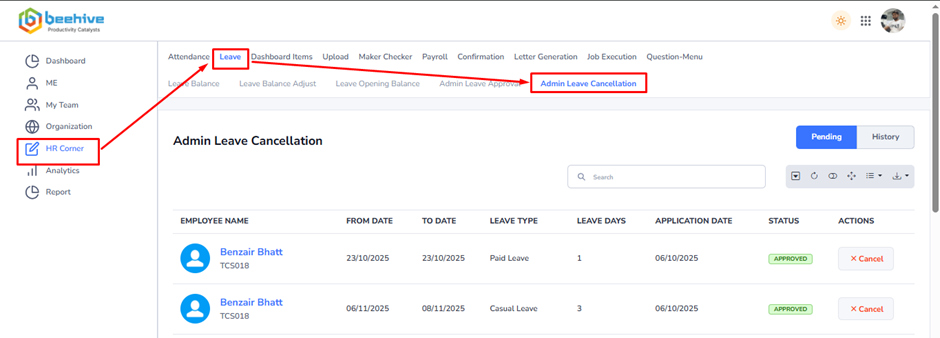
From Where HR Admin can do cancellation?
To manage leave cancellations, go to the HR Corner tab and select the Leave module. Within this module, click on the Admin Leave Cancellation tab, then choose Leave. Here, the HR Admin will find a comprehensive list of all leave applications eligible for cancellation. The HR Admin can cancel applications directly from the list view or by opening and reviewing each application in detail. Please note that only approved leave records are displayed for cancellation.
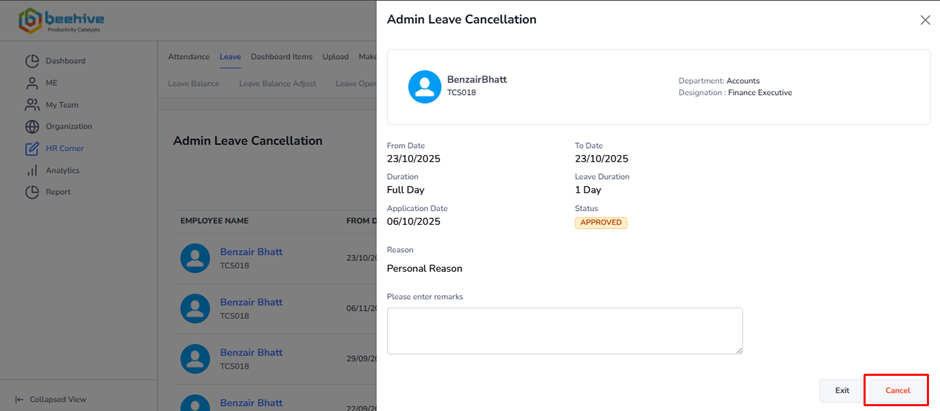
After click on cancel button, you can get below popup and by click on Yes, Do it button application gets cancelled successfully.