
How to restrict system to accrue leave for Specific Leave Type
Prerequisites –
1. Leave Group must be assigned to Employee
2. Leave Type must be configured for Assigned leave Group
3. Leave Period must be Active.
This setting allows you to stop or limit how a particular leave type increases for employees.
Navigation –
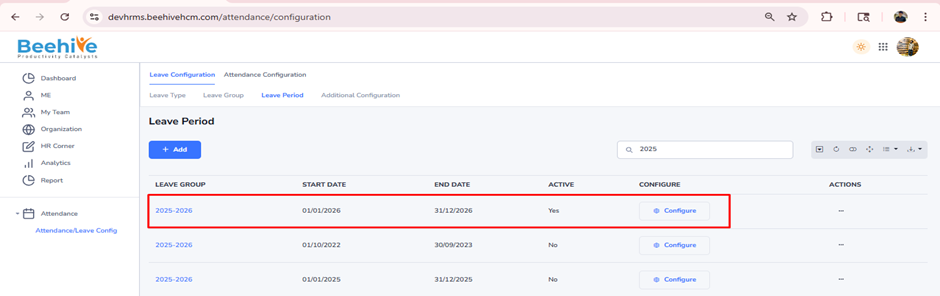
Login -> Module Box -> Attendance/Leave Config ->Leave Configuration -> Select Leave Period ->Configure -> Select Leave Type -> General -> General Leave Settings
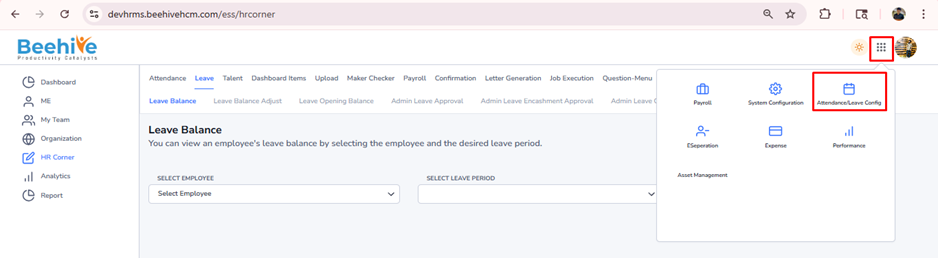
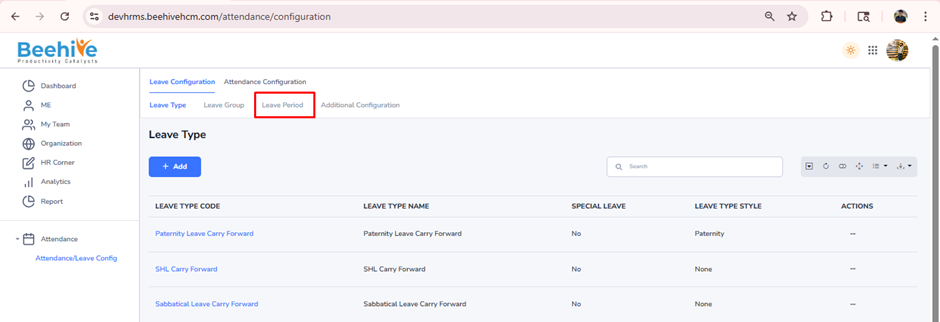
Click on Configure button for current active Leave Group Period
Enable the “Allow Leave Accrual” configuration if you want the leave balance to increase over time in the employee’s leave account.
Disable the “Allow Leave Accrual” configuration if you want to stop the leave from increasing.
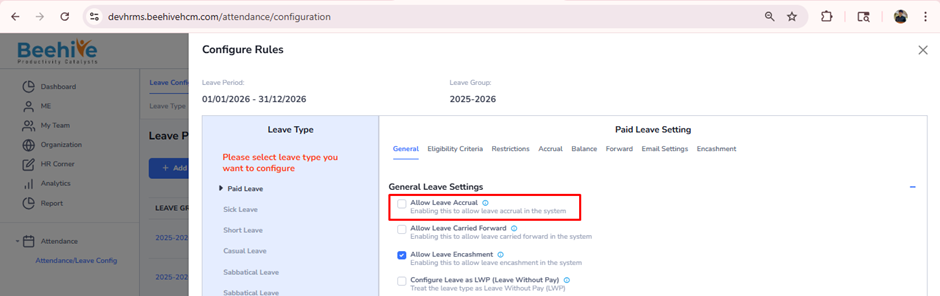
Note – Save the General tab Configuration after making changes in Configuration