How to Approve Attendance?
This page provides the HR Admin with complete authority to manage attendance applications, allowing them to either approve or reject requests as needed. It functions as a centralized interface where the Admin can review all submitted applications across different stages, including Pending, Reporting 1 Approved, and Reporting 2 Approved.
The page also offers bulk approval feature, enabling the HR Admin to select multiple applications and approve them simultaneously, saving time and ensuring consistency in processing large volumes of requests.
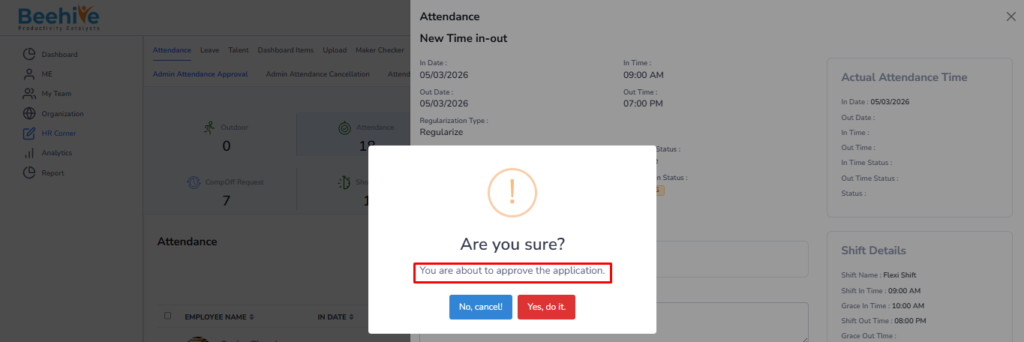
In scenarios where there are multiple reporting levels, if an application is still in the pending stage and is approved directly by the Admin, it is immediately considered as Final Approved. This means the application will bypass any intermediate reporting approvals, including Reporting 2, and will not be displayed for further approval.
From Where HR Admin can Approve?
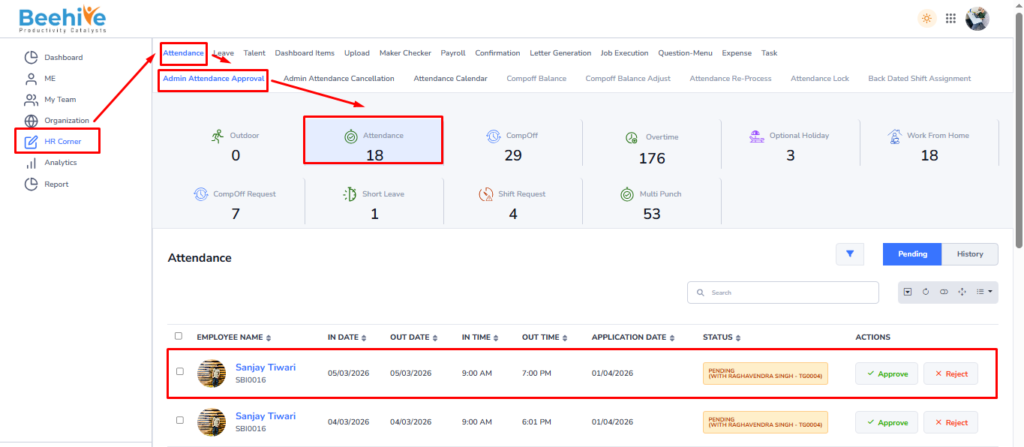
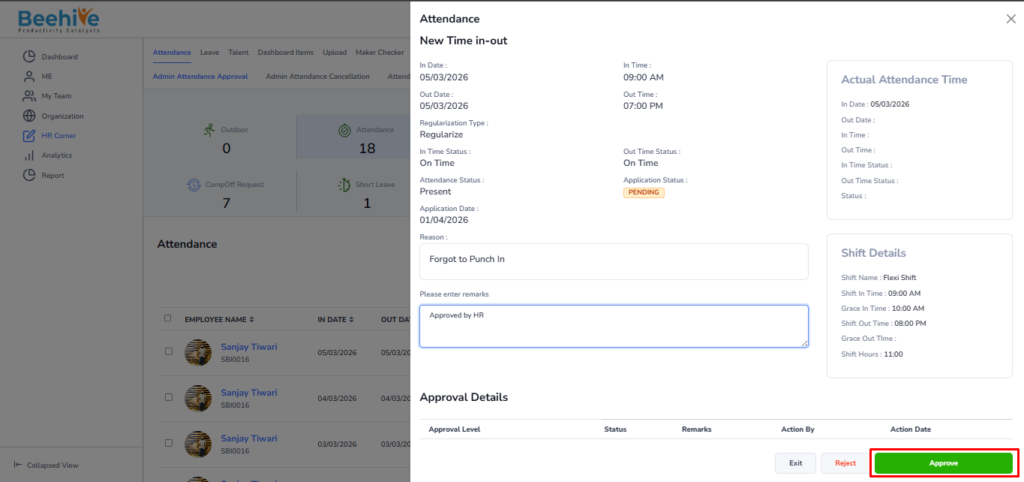
To manage attendance approvals, navigate to the HR Corner tab and select the Attendance module. Within this module, click on the Admin Attendance Approvals tab and then select Attendance. Here, the HR Admin can view a comprehensive list of all applications awaiting their approval. HR Admin have the option to approve or reject applications directly from the index view or by opening and reviewing each application in detail.
Navigation –
Login ->HR Corner -> Attendance ->Admin Attendance Approval -> Attendance