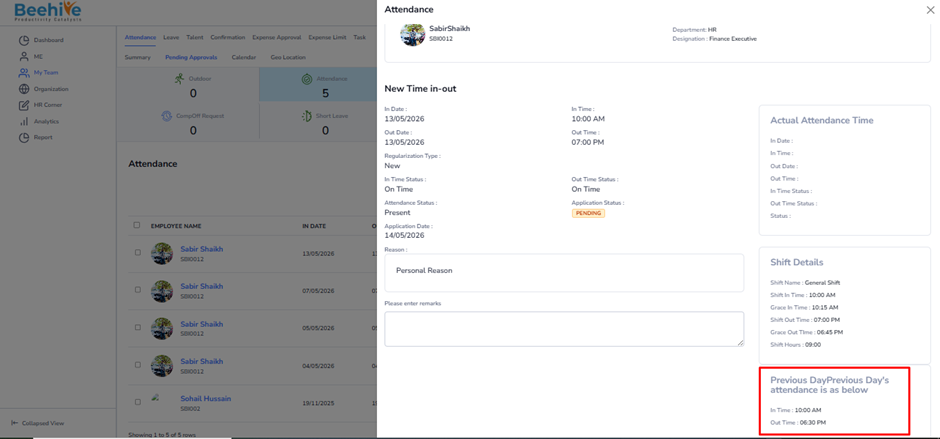
How can approvers view the previous day’s attendance details during approval?
This configuration is used to display the employee’s previous day attendance details while approving current attendance applications.
When this option is enabled –
– Managers and approvers can view the employee’s previous day attendance information during approval.
– Helps approvers understand employee attendance continuity and working patterns.
– Provides better visibility before approving attendance regularization requests.
– Assists in identifying repeated attendance issues or missing punch patterns.
– Improves accuracy and transparency in the attendance approval process.
The previous day attendance details include –
– In Time
– Out Time
Navigation –
Module Box → Attendance/Leave Config → Attendance Configuration → Configure Attendance → Attendance
Configuration – Disabled
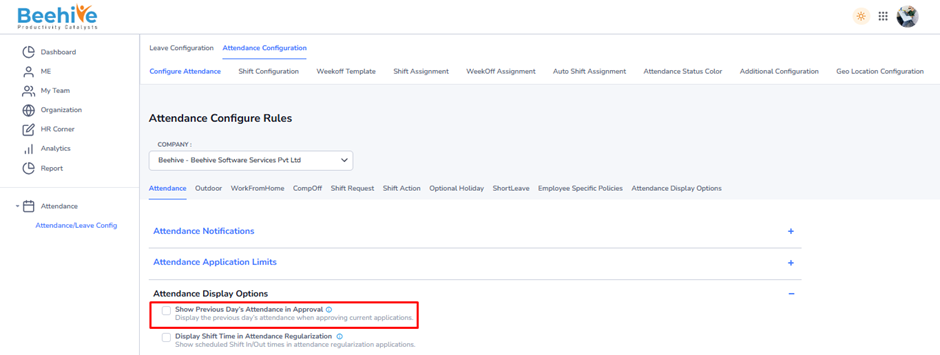
Example –
If an employee applies for attendance regularization on 13-05-2026, the approver can also view the employee’s attendance details for 12-05-2026 while reviewing the application. This helps the approver make a more informed approval decision.
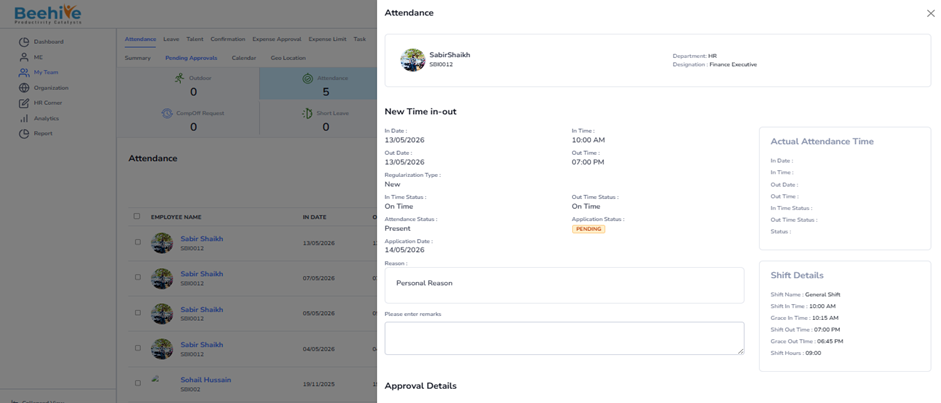
Configuration – Enabled