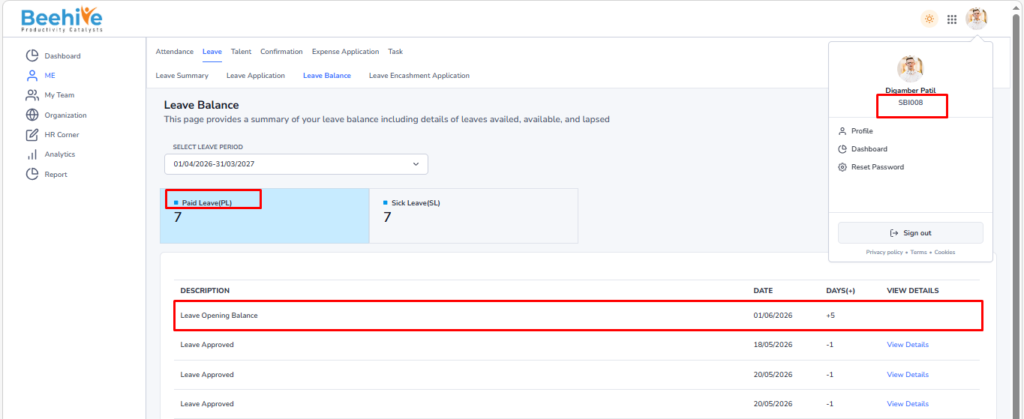
Leave Opening Balance Upload
The Leave Opening Balance upload feature is used to initialize or update the leave balances of multiple employees in bulk within the system. This functionality is typically used during system implementation, policy changes, or at the beginning of a new leave cycle. It ensures that each employee’s leave balance is accurately recorded as per the defined leave policies and active leave period. The upload is performed using a predefined template, allowing HR administrators to input opening balances for different leave types (e.g., Casual Leave, Sick Leave, Earned Leave) and upload them in one action.
Benefits –
– Enables bulk upload of leave balances for multiple employees in a single action.
– Reduces manual effort and saves time compared to individual entry.
– Minimizes chances of data entry errors and ensures accuracy.
– Maintains consistency across all employee leave records.
– Helps in smooth HRMS implementation and data migration.
– Ensures correct leave balance tracking from the beginning of the leave cycle
Uses –
– Used during initial HRMS implementation to set up employee leave balances.
– Helpful while migrating leave data from an existing/legacy system.
– Used at the start of a new leave or financial year to update balances.
– Useful for bulk correction or adjustment of employee leave balances.
– Applicable when new leave policies are introduced or modified.
– Supports HR in maintaining updated and accurate leave records across the organization.
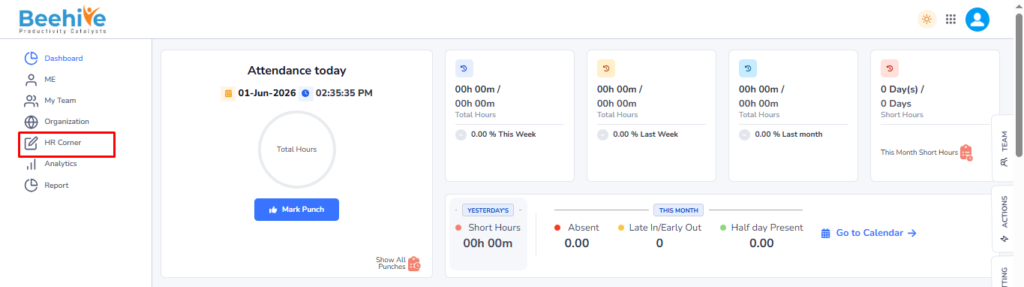
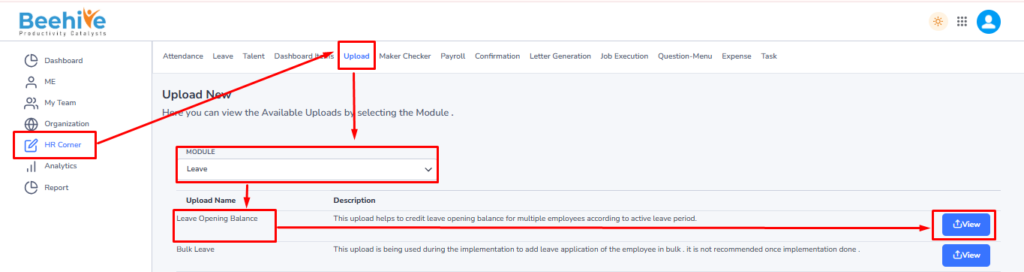
Navigation – Click on HR Corner –> Click on Upload tab –> Select Leave Module –> Select File to Upload –> Click on View Button –> Upload File.
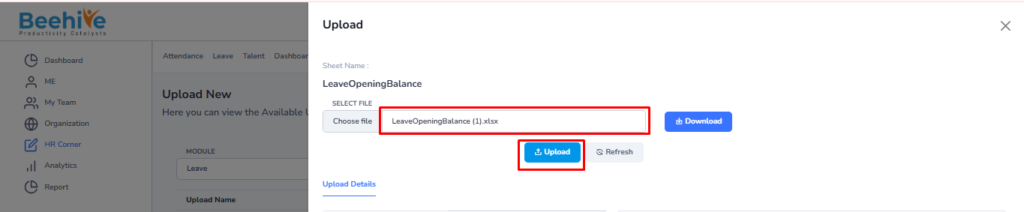
Click on Upload button and then select Leave Module “Leave Opening Balance” upload and then click on View button to perform the upload Functionality.
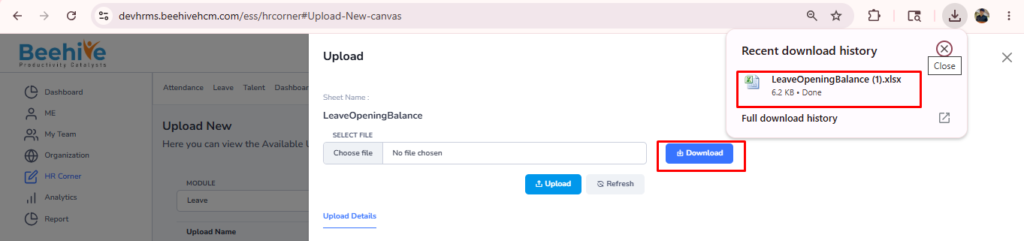
Click on Download button to download blank sheet for the Leave Opening Balance upload.
Fill the Valid data in the Sheet.

Save and Upload the File.
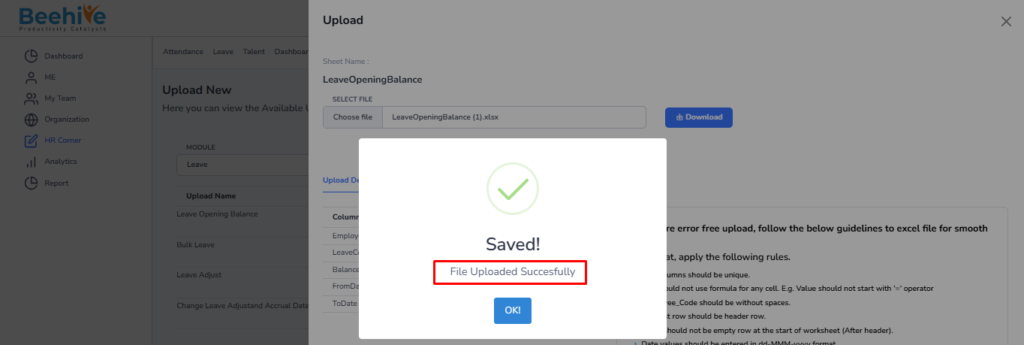
File Uploaded Successfully.
Uploaded Data visible in the Employees Leave Balance.