Shift Roster
The Shift Roster Upload feature allows HR or authorized users to assign shifts and week-offs to employees in bulk for an entire month. Using a predefined template, HR can map daily shift details by entering Shift Codes or Weekoff Template Codes against each date column (1–31) for every employee. The template includes fields such as Employee Code, Employee Name, Month, Year, and date-wise columns to define the roster. This feature helps in planning and managing employee work schedules efficiently, especially for organizations with rotational shifts or large workforce requirements.
Benefits –
– Enables bulk assignment of shifts for an entire month.
– Reduces manual effort and saves time in roster planning.
– Ensures consistency in shift scheduling across employees.
– Minimizes errors in shift allocation.
– Supports better workforce planning and management.
Uses –
– Used for monthly shift roster planning.
– Helpful in managing rotational and flexible shifts.
– Applicable for assigning week-offs using template codes.
– Supports bulk updates for multiple employees at once.
– Ensures accurate shift data for attendance processing and payroll.
Note –
– HR can enter Shift Code or Weekoff Template Code in the date columns.
– For past dates, attendance must be reprocessed and the Attendance Job needs to be executed to reflect the updated roster in employee records.
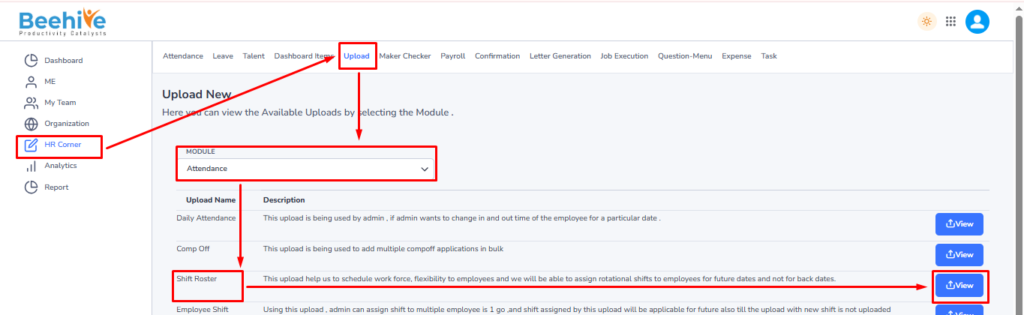
Navigation – Click on HR Corner –> Click on Upload tab –> Select Attendance Module –> Select File to Upload –> Click on View Button –> Upload File.
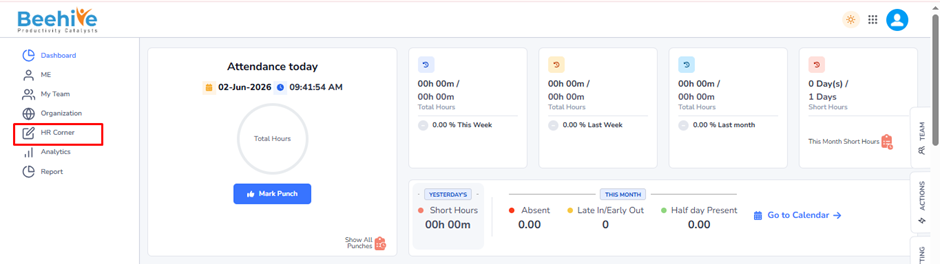
Click on Upload button and then select Attendance Module “Shift Roster” upload and then click on View button to perform the upload Functionality.
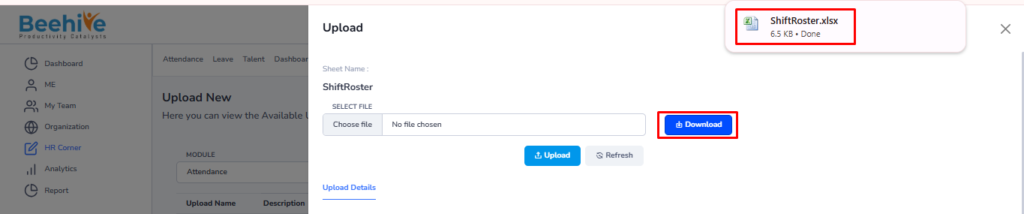
Click on Download button to download blank sheet for the Shift Roster upload.
Fill the Valid data in the Sheet.

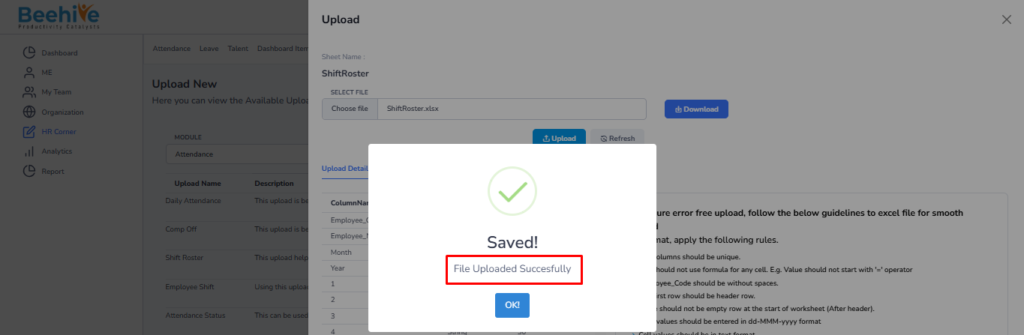
Save and Upload the File.

File Uploaded Successfully.
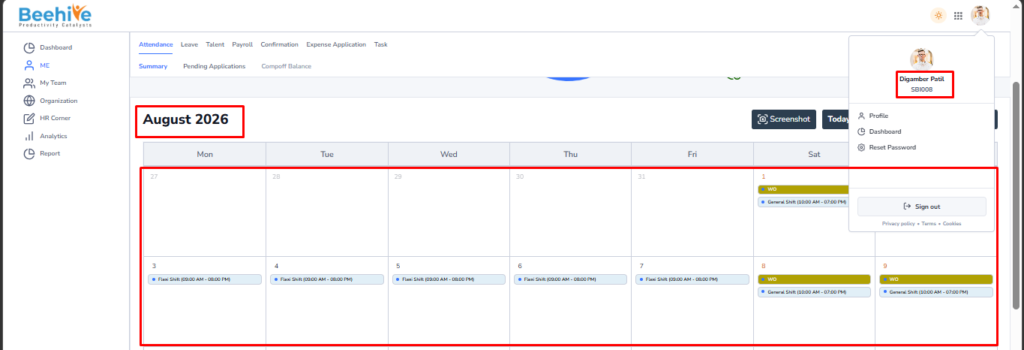
Employee’s Calendar before Shift Roster Upload
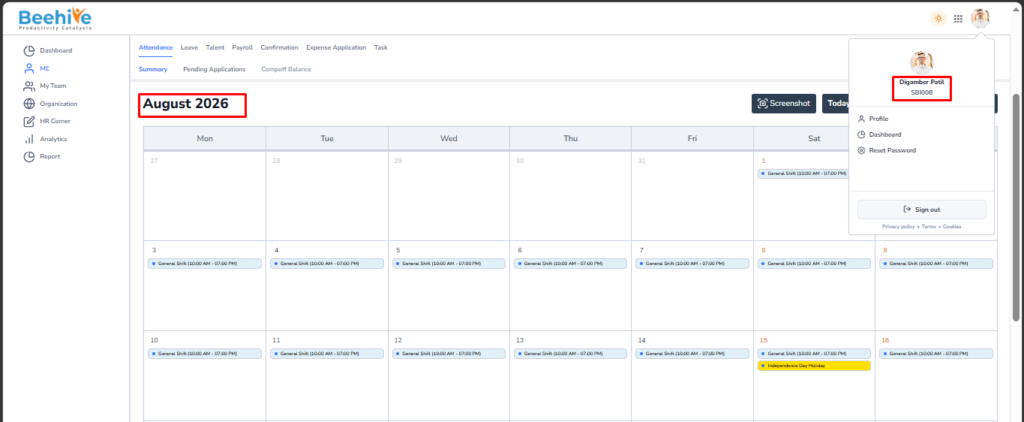
Employee’s Calendar After Shift Roster Upload