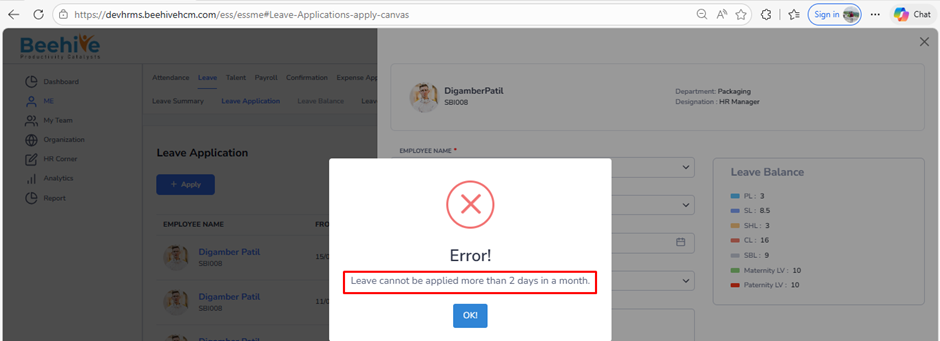
How to restrict employee to raise number of leave application in a month?
Prerequisites –
1. Leave Group must be assigned to Employee
2. Leave Type must be configured for Assigned leave Group
3. Leave Period must be Active.
This setting defines the maximum number of leave requests an employee can submit within a month.
The system will restrict further applications once the defined limit is reached.
Navigation –
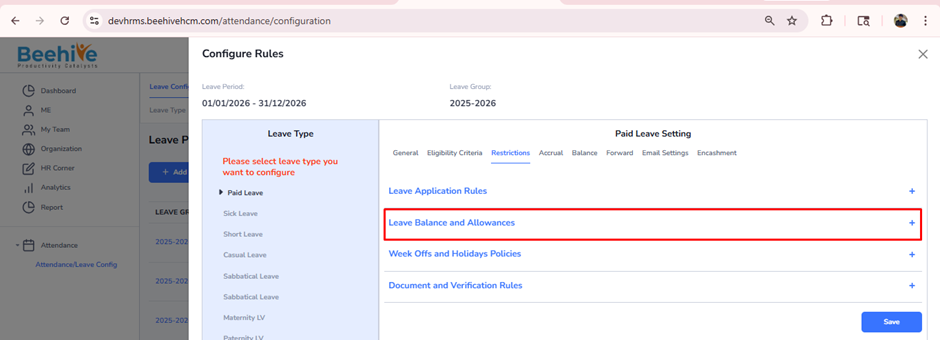
Login -> Module Box -> Attendance/Leave Config ->Leave Configuration -> Select Leave Period ->Configure -> Select Leave Type -> Restriction -> Leave Balance & Allowances
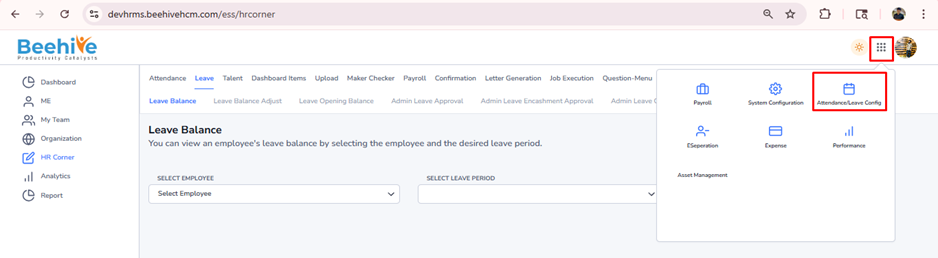
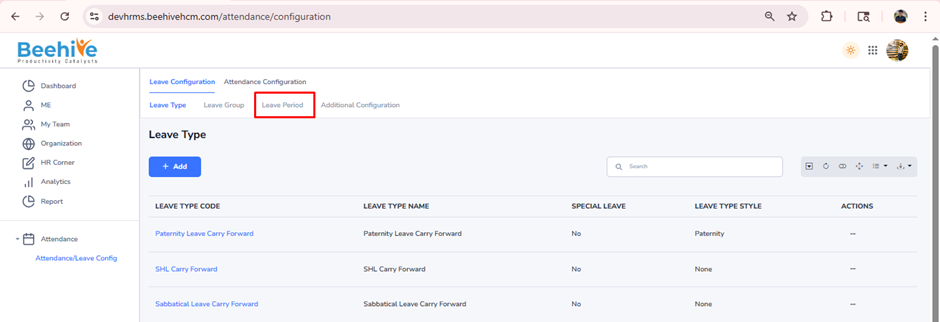
Click on Configure button for current active Leave Group Period
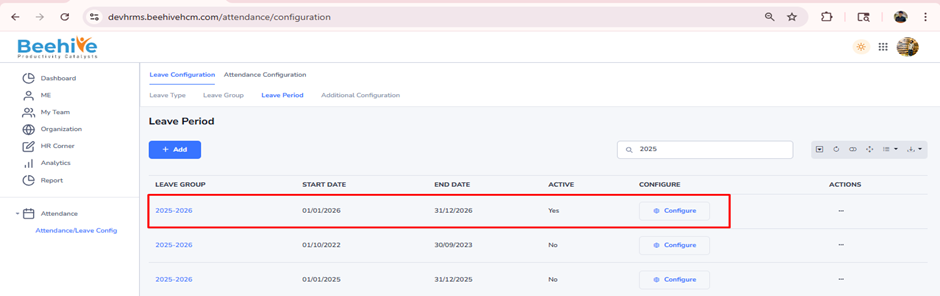
Select Leave Type from Configuration page & go to Restriction tab.
Click on “Leave Balance and Allowances”
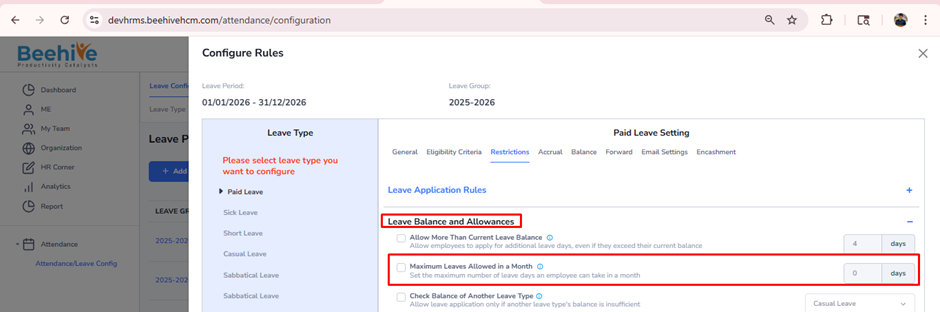
Enable the “Maximum Leaves Allowed in a Month” configuration and enter the number of leaves allowed in a month. Then, click on Save button.
Example:
If the limit is set to 2, the employee can apply for leave only twice in a month.
Two application already resent for “May” month
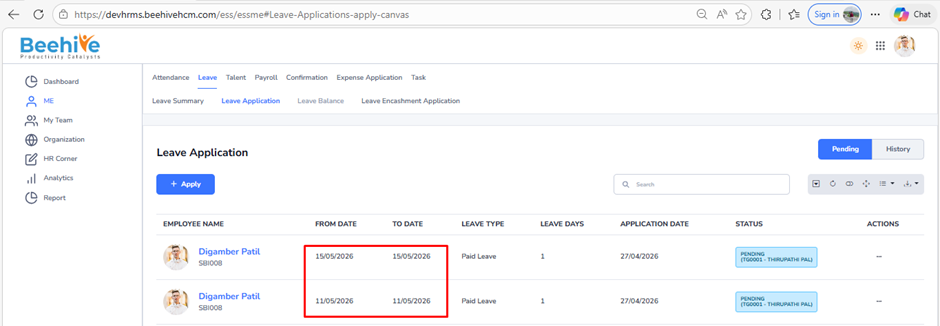
System Restricts employee to raise Leave application more than 2 in a month