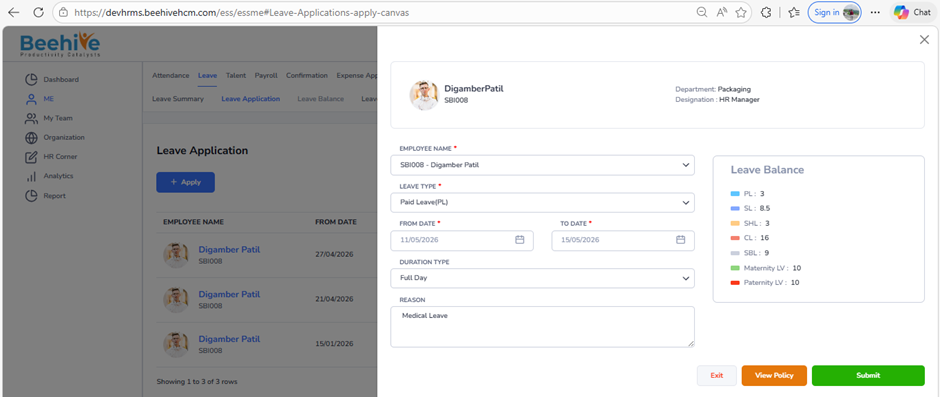
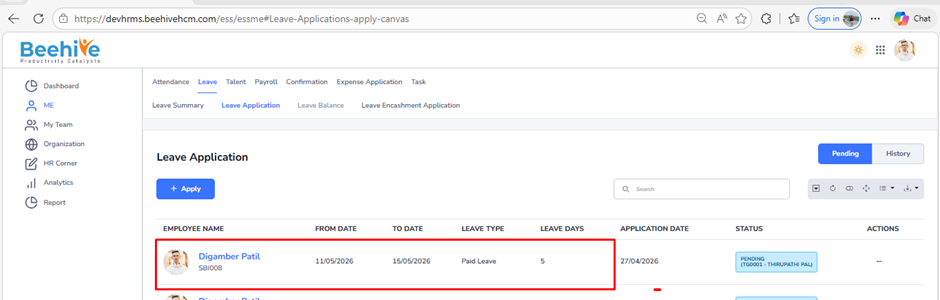
How can the system be configured to allow employees to apply for leave beyond their available balance?
Prerequisites –
1. Leave Group must be assigned to Employee
2. Leave Type must be configured for Assigned leave Group
3. Leave Period must be Active.
This option allows employees to apply for leave even if they do not have sufficient leave balance. When enabled, the system permits leave requests beyond the available balance, which may result in a negative leave balance or adjustment as per company policy.
Example:
If you have 2 leaves remaining but apply for 5 days, the system will still allow the request, and your balance may go negative or be adjusted later.
Navigation –
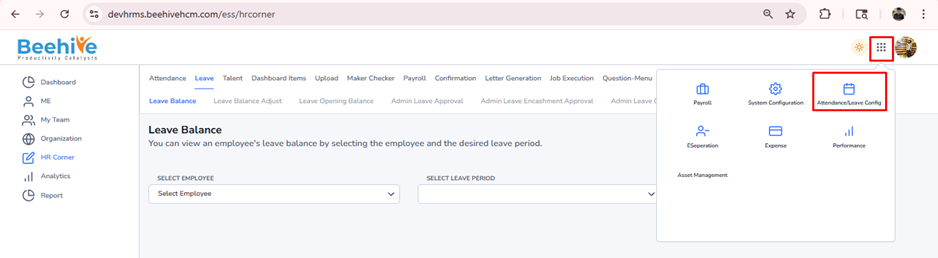
Login -> Module Box -> Attendance/Leave Config ->Leave Configuration -> Select Leave Period ->Configure -> Select Leave Type -> Restriction -> Leave Balance & Allowances
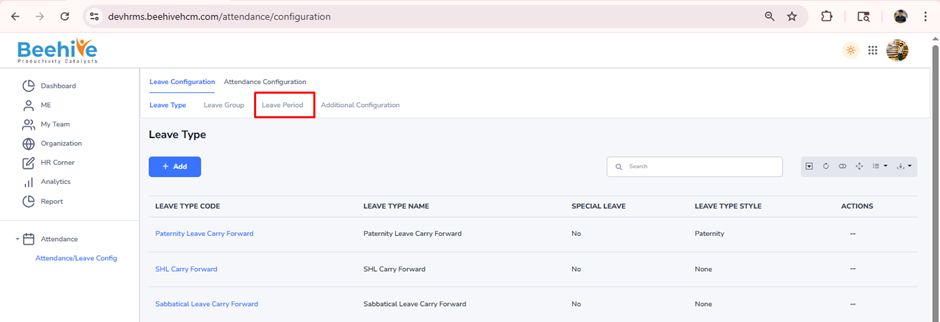
Click on Configure button for current active Leave Group Period
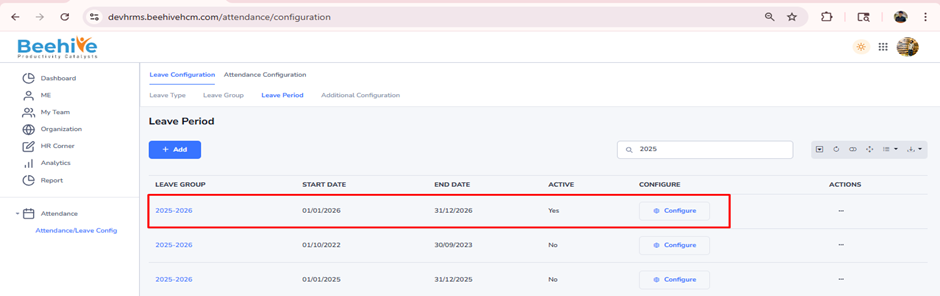
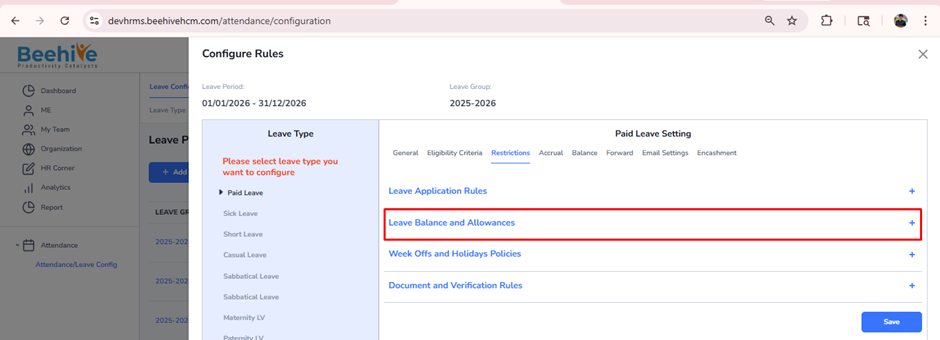
Select Leave Type from Configuration page & go to Restriction tab.
Click on “Leave Balance and Allowances”
Enable the “Allow more than Current Leave Balance” configuration and enter the number of leave days an employee can apply beyond the available balance. Then, click on Save button.
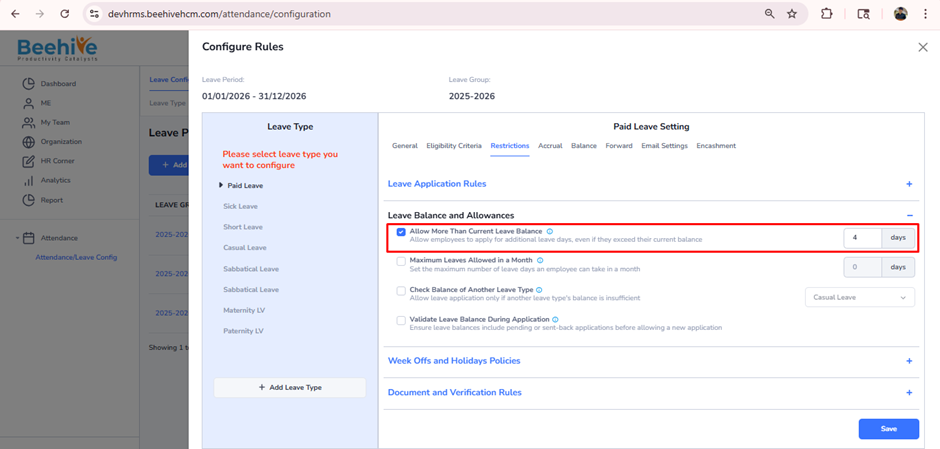
If an employee applies for 5 days of Paid Leave while having only 3 days available, the system will still allow the request and will not restrict applying beyond the available leave balance.