How to Approve Shift Change?
From Where Manager can Approve/Reject?
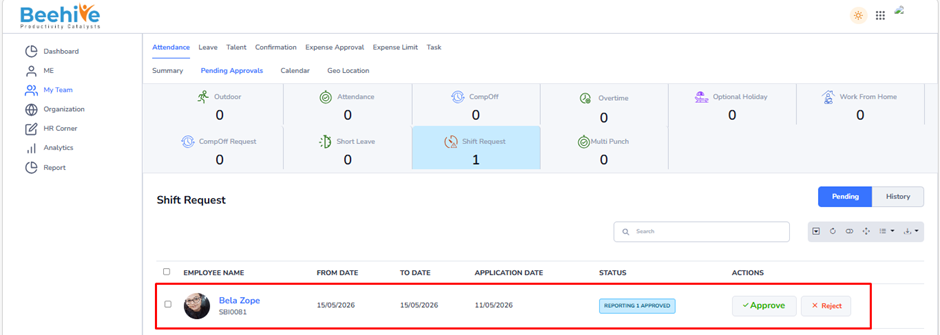
To manage Shift Request approval, got to MyTeam tab and select the Attendance module. Then click on the Pending Approvals tab and select the Shift Request Approval. This section displays a complete list of Shift Request applications that require you action.
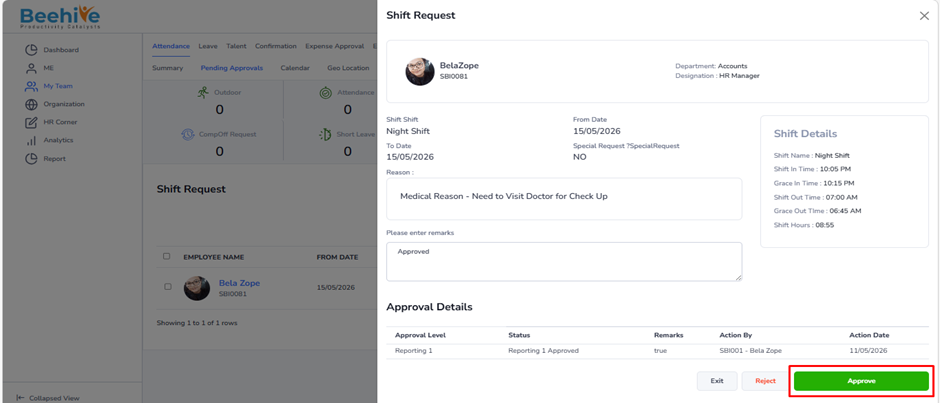
Managers can either approve or reject Shift Request requests directly from the list view or by opening each application to review the details.
Once an application is approved or rejected, it is automatically moved to the History section for record-keeping.
If your organization has a two-level approval process –
– After the first-level manager approved a request, it is routed to the second-level(final).
– Once the final approver approves the Shift Request, the Shift Request status is updated on the employee’s calendar after the Attendance Job runs.
Email Notification –
– When a reporting manager approves an application, an email notification is sent to the next-level reporting manager.
– When the final approver approves the application, an email is sent to the employee.
– If a reporting manager rejects the application, the employee also receives an email notification.
Navigation –
Login -> MyTeam -> Attendance ->Pending Approvals -> Shift Request
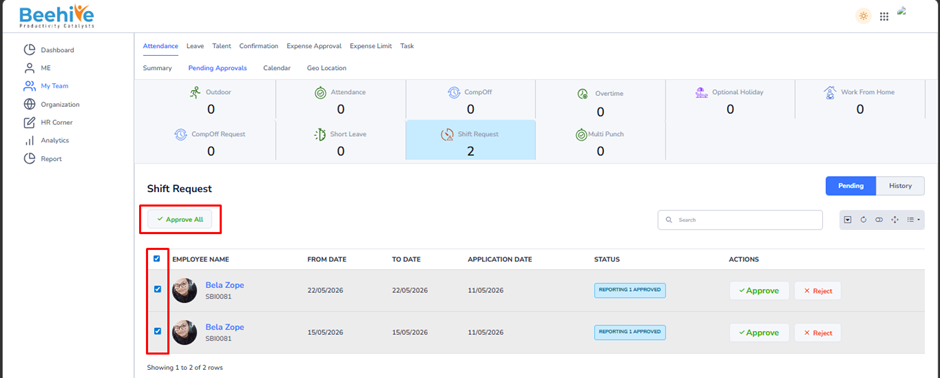
The Bulk Approval feature enables managers to approve multiple Shift Request applications simultaneously, streamlining the approval process and saving time
How to Use the Bulk Approval –
– Navigate to the Pending Approvals List.
– Select two or more Shift Request applications that require approval.
– Once multiple applications are selected, the Approve All button will become visible.
– Click Approve All to approve all selected applications in one action.
Benefits-
– Eliminates the need to open and approve each application individually.
– Simplifies attendance management, especially when processing a large number of requests.
– Ensures consistent and accurate Shift Request approvals.
Post-Approval process –
All approved applications are logged in the History section.
– The system updates the Shift Request status on each employee’s calendar automatically after the Attendance Job runs.
This feature supports efficient and accurate Shift Request management with minimal manual effort.