Employee Attendance Calendar Overview
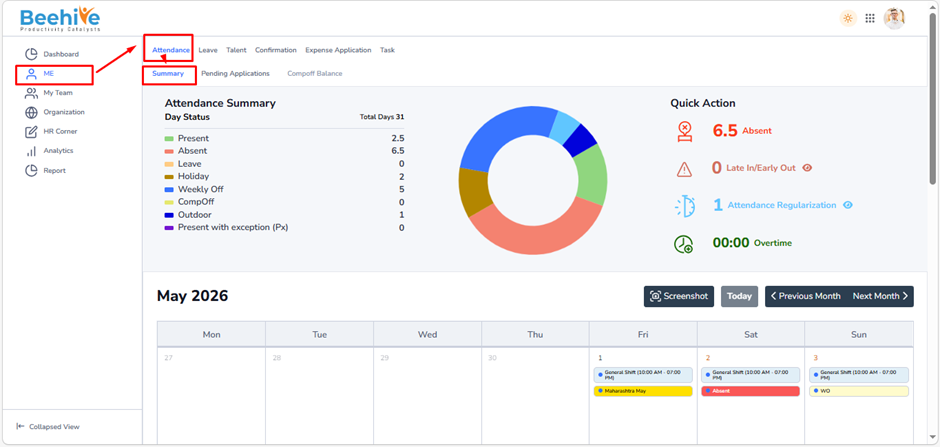
The Employee Attendance Calendar provides employees with a complete monthly view of their attendance records, leave details, holidays, weekly offs, outdoor duties, CompOffs, overtime, and attendance regularization requests.
This screen helps employees track daily attendance activities and monitor attendance-related exceptions in a single dashboard.
Navigation –
Login – ME →Attendance →Summary
Purpose of Employee Attendance Calendar –
The Attendance Calendar helps employees to –
– View monthly attendance status
– Track Present and Absent days
– Check Leave and Holiday details
– Monitor Weekly Offs
– View Outdoor duty records
– Track CompOff entries
– Check Attendance Regularization requests
– Monitor Overtime details
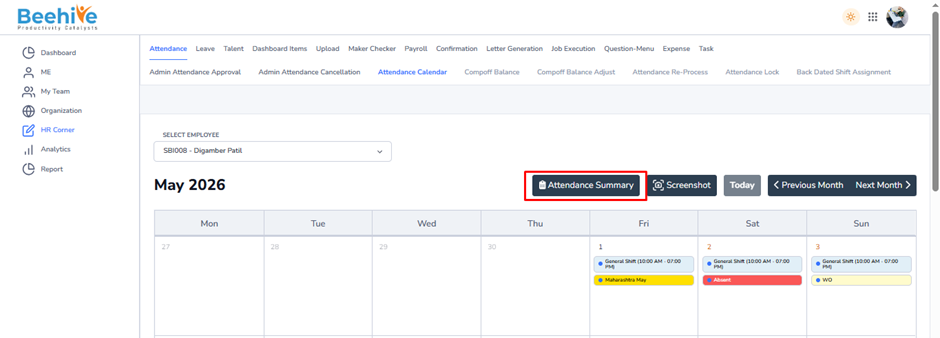
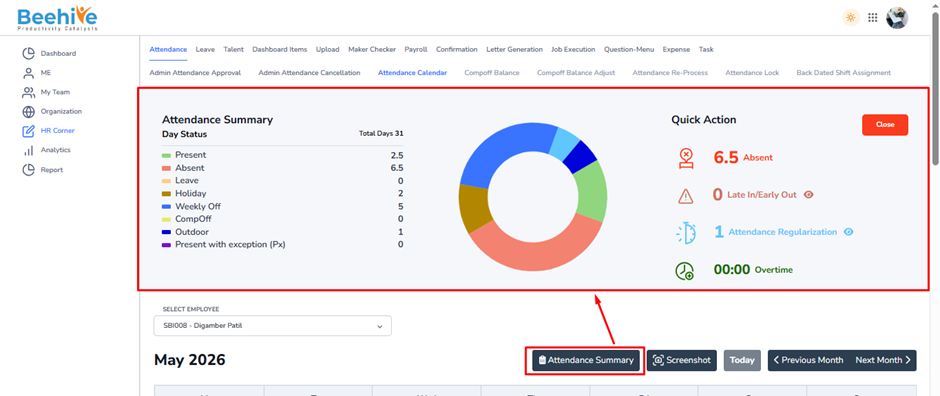
– Analyze attendance summary visually
Quick Action Section –
The Quick Action panel displays important attendance-related counts.
Absent – Total absent days
Late In/Early Out – Number of late login or early logout occurrences
Attendance Regularization – Pending or applied attendance corrections
Overtime – Total overtime worked
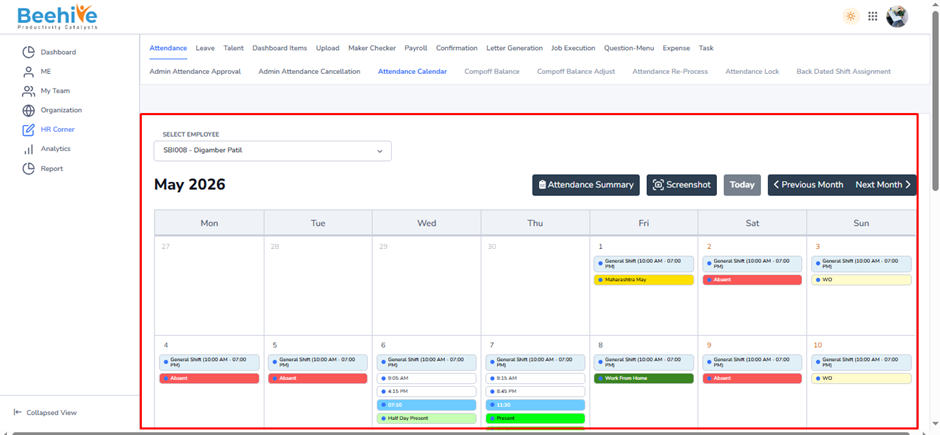
HR Calendar- The Attendance Calendar page allows HR/Admin users to view and monitor employee attendance records month-wise through a calendar format.
Using this page, HR can –
– View employee attendance status
– Track leave and absences
– Monitor holidays and weekly offs
– Check shift timings
– Review outdoor duties and CompOff entries
– Verify attendance exceptions
– Analyze employee attendance history
This functionality helps HR manage attendance transparency and resolve attendance-related queries efficiently.
Navigation –
Login – HR Corner → Attendance → Attendance Summary
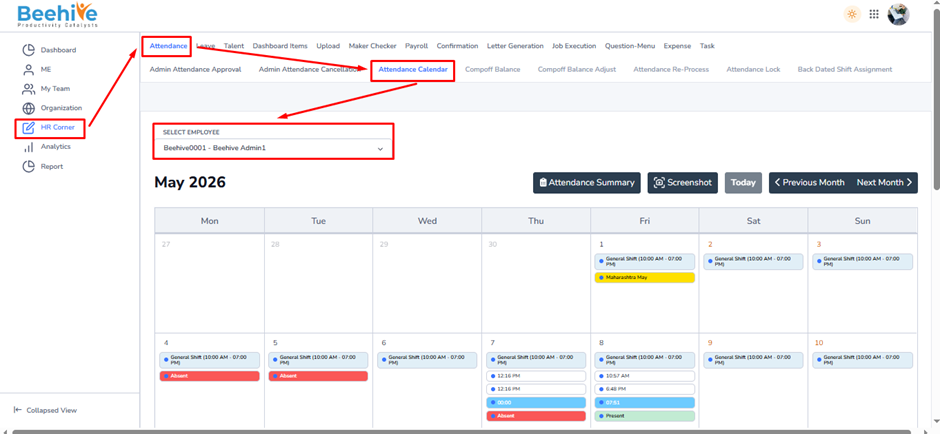
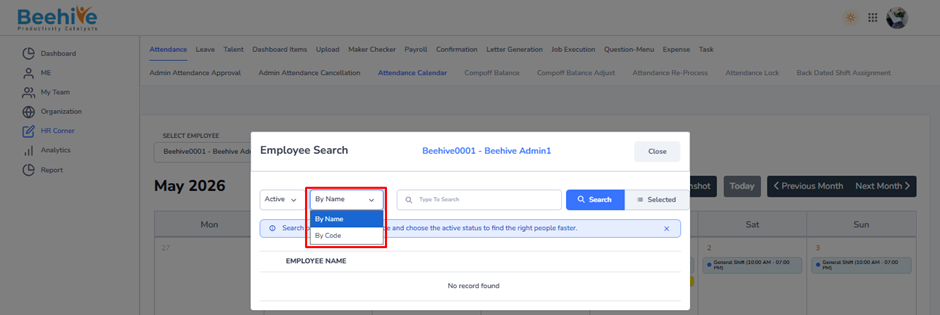
The Employee Search popup allows HR/Admin users to quickly locate employees while viewing the Attendance Calendar.
HR can search employees using either –
– Employee Name
– Employee Code
This makes employee identification faster and simplifies attendance verification for large organizations.